
Best Laptop for Office Work
Discover the best laptops for office work in India. Compare Intel and AMD processors, RAM, SSD, battery life and display quality to choose the ideal laptop for business and productivity.
By Virnobyte Team · · 17 min read

Best Laptop for Office Work in India (2026)
Looking for a reliable laptop for your office? Compare processors, RAM, SSD storage, battery life, displays and business features to find the right machine for everyday productivity.
Explore laptops for accounting, Excel, presentations, business meetings, remote work and professional multitasking.
A laptop is an essential tool in modern offices. Employees use laptops for emails, online meetings, spreadsheets, presentations, accounting software, customer management, reports and business communication.
However, choosing the right office laptop can be confusing. Some models are designed for basic everyday tasks, while others are built for demanding workloads, frequent travel and professional multitasking.
A good office laptop should be responsive, reliable, comfortable to use and suitable for the software your business depends on. You do not necessarily need an expensive gaming laptop or a high-end workstation to manage regular office activities.

A suitable office laptop supports everyday business activities and improves productivity.
1. What Should You Look for in an Office Laptop?
Before choosing a laptop, understand the specifications that affect everyday office performance.
Processor
The processor handles calculations, software operations, multitasking and other computing activities. The right processor depends on the applications you use.
- Intel Core i3: Suitable for basic office tasks, documents, emails and browsing when paired with sufficient RAM and an SSD.
- Intel Core 5 / Core i5: A practical option for office productivity, multitasking and business applications.
- Intel Core Ultra: Modern processors available in productivity laptops, with integrated graphics and AI acceleration on supported models.
- AMD Ryzen 5: Suitable for everyday office work, multitasking and many professional applications.
- AMD Ryzen 7: Worth considering for heavier workloads, large spreadsheets and demanding multitasking.
Do not choose a laptop only because it has a Core i7 or Ryzen 7 label. Check the exact processor model, generation and power class.
RAM
RAM is important when you run several applications at the same time. For example, an office employee may use Excel, accounting software, email, a browser and video meetings simultaneously.
- 8GB RAM: Suitable for basic office activities, but can become limiting when multitasking.
- 16GB RAM: Recommended for most office users.
- 32GB RAM: Useful for large spreadsheets, virtual machines, databases and demanding business workloads.
SSD Storage
An SSD helps your laptop start quickly and load applications faster than a traditional mechanical hard drive.
- 256GB SSD: Suitable for basic office work and cloud-based storage.
- 512GB SSD: A good starting point for most professionals.
- 1TB SSD: Better for employees who store large documents, presentations, media and project files locally.
Display
Office employees often spend several hours looking at a screen. Choose a display with Full HD resolution or better, suitable brightness and comfortable viewing angles.
A 14-inch display is useful for portability, while a 15.6-inch or 16-inch screen provides more workspace for spreadsheets and documents.
Battery life
If you attend meetings, travel between offices or work remotely, battery life becomes important. Check independent battery tests rather than relying only on advertised battery estimates.
Keyboard and touchpad
A comfortable keyboard makes a difference for employees who type reports, prepare quotations, write emails and enter data throughout the day. If you regularly work with numbers, consider a laptop with a numeric keypad.
2. Best Laptops to Consider for Office Work in India
The following models and product families are worth comparing for business and productivity use. The ideal choice depends on your budget, applications and required features.
1. Dell 14 Plus – Best for Professional Productivity
Best for: Business professionals, managers and office multitasking
- Processor: Intel Core Ultra 7 256V in the referenced configuration
- RAM: 16GB
- Storage: 1TB SSD in the referenced listing
- Graphics: Integrated Intel graphics
- Display: 14-inch class display
The Dell 14 Plus is worth considering for professionals who want a modern productivity laptop. It can be suitable for office applications, presentations, video meetings, browsing and multitasking.
Its compact size can also make it convenient for employees who travel between offices or attend meetings regularly.
Before buying: Confirm the exact screen resolution, memory configuration, port selection, battery capacity and warranty for the specific model number.
2. HP OmniBook 5 – Best for Everyday Business Work
Best for: Office productivity, communication and remote work
- Processor: Snapdragon X in selected configurations
- RAM: 16GB in the referenced models
- Storage: 512GB SSD in the referenced models
- Graphics: Integrated Qualcomm Adreno graphics
- Display: Available in different sizes and panel configurations
The HP OmniBook 5 family includes options designed for portable productivity. Selected Snapdragon X configurations may offer efficient everyday computing and good battery performance.
It can be useful for documents, email, online meetings and compatible business applications.
3. Acer Aspire Pro – Best for Everyday Office Productivity
Best for: Office employees, small businesses and general productivity
- Processor: Intel Core Ultra 5 in the referenced listing
- RAM: Confirm the exact configuration
- Storage: Confirm the exact SSD capacity
- Graphics: Integrated graphics
- Display: Depends on the specific variant
The Acer Aspire Pro range is worth comparing if you want a modern productivity-focused laptop. A suitable configuration can handle spreadsheets, presentations, web applications, business communication and multitasking.
Check the full product specification before purchasing because configurations can differ by seller and product code.
4. HP 15 Ryzen 5 – Best for General Office Work
Best for: Small offices, home offices and everyday business tasks
- Processor: AMD Ryzen 5 in the referenced listing
- RAM: Confirm the exact configuration
- Storage: Confirm the exact SSD capacity
- Graphics: Integrated AMD Radeon graphics
- Display: 15.6-inch class display in selected variants
The HP 15 family includes several configurations suitable for everyday office use. A Ryzen 5 variant with 16GB RAM and an SSD can be a practical option for documents, spreadsheets, accounting, online meetings and general multitasking.
Check the exact processor model, RAM arrangement and display specifications before selecting a particular HP 15 variant.
5. Lenovo IdeaPad Slim 3 – Best for Everyday Business and Office Use
Best for: Office employees who need a practical productivity laptop
- Processor: Available with Intel and AMD configurations
- RAM: Varies by model
- Storage: SSD configurations available
- Graphics: Integrated graphics in standard productivity models
- Display: Available in different sizes and resolutions
The Lenovo IdeaPad Slim 3 family offers several configurations for everyday productivity. It is worth comparing for employees who work with documents, spreadsheets, email, presentations and browser-based applications.
Choose a configuration with sufficient memory and storage. Also check whether the RAM is upgradeable before purchasing.
6. Samsung Galaxy Book – Best for a Lightweight Work Setup
Best for: Professionals who value portability and a premium design
- Processor: Varies by Galaxy Book generation and configuration
- RAM: Varies by model
- Storage: SSD
- Graphics: Integrated graphics in standard models
- Display: Available in different panel sizes and technologies
Samsung Galaxy Book laptops are worth comparing if you prefer a slim design and a portable work device. Selected models can be useful for office applications, meetings, presentations and mobile productivity.
Check the exact model, display, RAM, battery performance and connectivity before purchasing.

Choose an office laptop according to your software, workload and daily work routine.
3. Office Laptop Comparison: What Matters Most?
Use this table as a quick guide when comparing laptop configurations.
| Specification | Basic office work | Professional multitasking | Heavy business workload |
|---|---|---|---|
| Processor | Modern Core i3 / Ryzen 3 | Core 5 / Core Ultra 5 / Ryzen 5 | Core Ultra 7 / Ryzen 7 class |
| RAM | 8GB minimum | 16GB recommended | 32GB or more if needed |
| Storage | 256GB SSD | 512GB SSD | 1TB SSD or more |
| Display | Full HD | Full HD IPS or better | High-quality IPS or OLED |
| Graphics | Integrated | Integrated | Dedicated GPU only if required |
| Battery | Suitable for desk use | Good real-world runtime | Depends on workload and mobility |
These are general recommendations, not strict requirements. The right specification depends on the applications used by your organisation.
4. Best Laptop for Different Office Requirements
For basic office work
If you mainly use Word, Excel, PowerPoint, email, PDFs and web browsers, you do not need an expensive laptop.
Recommended configuration:
- Modern Intel Core i3/Core 5 or AMD Ryzen 3/Ryzen 5 processor
- 8GB RAM minimum, preferably 16GB
- 256GB or 512GB SSD
- Full HD display
- Comfortable keyboard
For accounting and TallyPrime
Accounting professionals may use TallyPrime, Excel, GST portals, billing applications and other business software.
Recommended configuration:
- Modern Core 5/Core i5 or Ryzen 5 processor
- 16GB RAM
- 512GB SSD
- Numeric keypad if preferred
- Windows compatibility for required accounting software
For multi-user accounting environments, server-based setups and large datasets, the requirements may be different. Check the software vendor's system requirements.
For Excel and data analysis
Employees working with large Excel files, reports, dashboards and business data should prioritise RAM and processor performance.
Recommended configuration:
- Intel Core Ultra 5/7 or AMD Ryzen 5/7 class processor
- 16GB RAM minimum; 32GB for heavier workloads
- 512GB or 1TB SSD
- 15.6-inch or 16-inch display for a larger workspace
For sales and marketing teams
Sales and marketing employees often use CRM systems, presentations, email, spreadsheets, browser-based tools and video meetings.
Recommended configuration:
- Modern Core 5 or Ryzen 5 processor
- 16GB RAM
- 512GB SSD
- Good webcam and microphone
- Lightweight design for travel
For remote work and online meetings
Remote employees need a laptop that supports video conferencing, screen sharing, document editing and reliable internet connectivity.
Recommended configuration:
- Modern Intel or AMD processor
- 16GB RAM preferred
- 512GB SSD
- Good webcam and microphone
- Reliable Wi-Fi and Bluetooth
- Good battery performance
For business owners and managers
Business owners may work with accounting, business planning, presentations, CRM platforms, cloud applications and multiple browser tabs.
Recommended configuration:
- Intel Core Ultra 5/7 or AMD Ryzen 5/7
- 16GB or 32GB RAM
- 512GB or 1TB SSD
- 14-inch or 15.6-inch display
- Good webcam, microphone and connectivity
5. Intel vs AMD: Which Is Better for Office Work?
Both Intel and AMD offer processors suitable for office laptops. The right choice depends on the exact processor model, laptop design and your workload.
Intel processors
- Available in a wide range of business and productivity laptops.
- Different series are designed for different performance and efficiency needs.
- Many common Windows business applications support Intel-based systems.
- Selected Core Ultra models include dedicated AI acceleration hardware.
AMD Ryzen processors
- Offer capable options for everyday productivity and multitasking.
- Ryzen 5 and Ryzen 7 processors are available in several laptop categories.
- Selected models have capable integrated Radeon graphics.
- Available in thin-and-light and performance-oriented laptops.
| Processor family | Suitable for | What to check |
|---|---|---|
| Intel Core i3 | Basic office tasks | Generation and RAM |
| Intel Core 5 / i5 | Business productivity | Exact model and power class |
| Intel Core Ultra | Modern professional workloads | CPU, graphics and NPU |
| AMD Ryzen 3 | Basic productivity | Generation and performance |
| AMD Ryzen 5 | Office multitasking | Exact processor model |
| AMD Ryzen 7 | Heavier workloads | Cooling and power class |
For regular office applications, both platforms can work well. Compare actual performance, battery life, price and software compatibility rather than choosing only by processor brand.
6. Windows Laptop or MacBook for Office Work?
Both Windows and macOS can support professional productivity. Your choice should depend on your business applications and workplace environment.
Choose a Windows laptop if:
- Your organisation uses Windows-specific accounting or business software.
- You need compatibility with a wide range of printers and office peripherals.
- You use specialised business applications or enterprise tools.
- You want a wider range of hardware and price options.
- You prefer more choices for ports, memory and storage upgrades.
Choose a MacBook if:
- Your business applications support macOS.
- You prefer the Apple ecosystem.
- You value portability and battery efficiency.
- You work with compatible creative and productivity applications.
7. Important Business Laptop Features
A good office laptop should offer more than processing power. These features can improve daily productivity and make IT management easier.
Security features
- TPM 2.0 support
- Fingerprint reader or Windows Hello support, where available
- BIOS and firmware security options
- Webcam privacy shutter, where available
- Operating system security updates
Connectivity
- USB Type-A ports for accessories
- USB Type-C for modern devices
- HDMI for external displays and projectors
- Wi-Fi and Bluetooth
- Ethernet, if required by your office network
- Headphone and microphone connection
Build quality
Employees may use office laptops for many hours every day. Check hinge strength, keyboard quality, chassis construction and portability. Business-class models may also offer additional service and fleet-management options depending on the configuration.
Warranty and support
For business purchases, check manufacturer warranty terms, onsite service availability, support duration and the process for handling hardware problems. Businesses buying multiple laptops should also consider consistent configurations and centralised IT support.
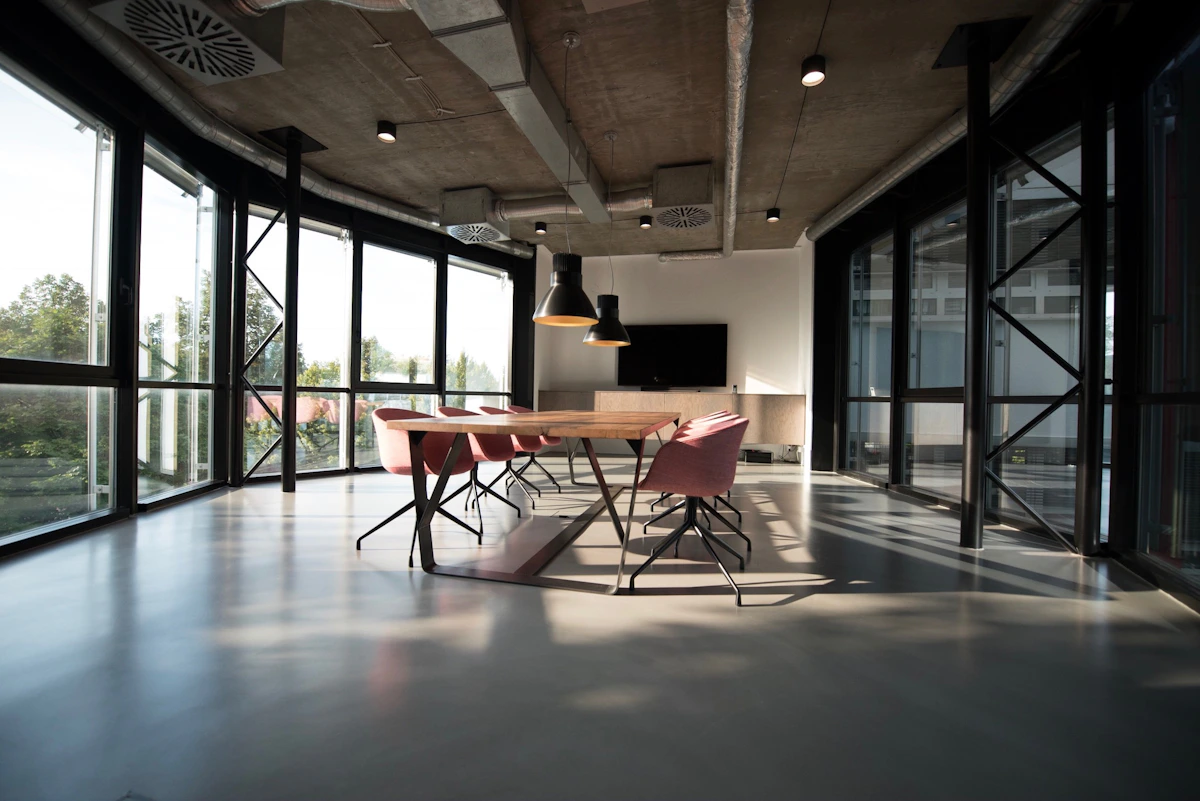
For businesses, standardised laptop configurations can make maintenance and IT support easier.
8. Common Mistakes When Buying an Office Laptop
- Buying an underpowered laptop: A very basic processor may struggle with several applications running together.
- Choosing 8GB RAM without considering future needs: Check whether memory can be upgraded.
- Buying a small SSD: Business files, applications and updates can use storage quickly.
- Ignoring keyboard comfort: Employees who type for hours need a comfortable keyboard.
- Not checking ports: Missing HDMI, USB or Ethernet can create additional accessory costs.
- Ignoring battery life: A laptop with poor battery performance may be inconvenient for mobile employees.
- Choosing a gaming laptop unnecessarily: Dedicated graphics are not required for most office tasks.
- Ignoring software compatibility: Verify the operating system and processor architecture before purchasing.
- Not checking warranty: Confirm the seller, invoice and manufacturer's warranty terms.
- Buying different configurations without planning: Standardised models can simplify IT support for teams.
9. New Laptop vs Refurbished Business Laptop
Businesses looking to reduce IT costs may also consider refurbished business laptops. Models from business-focused families such as Dell Latitude, Lenovo ThinkPad and HP EliteBook may offer useful keyboards, ports and build features.
| Feature | New laptop | Refurbished business laptop |
|---|---|---|
| Condition | New product | Previously used and possibly restored |
| Price | Usually higher for comparable premium specifications | Can be more affordable |
| Battery | New battery | Battery health should be checked |
| Warranty | Manufacturer warranty as specified | Depends on seller and product |
| Build | Depends on product range | Business-class models may have robust construction |
| Software support | Depends on model and OS support | Check Windows compatibility carefully |
Before buying a refurbished laptop, check processor generation, battery health, SSD health, display, keyboard, ports, charger, BIOS status, operating system activation and written warranty. Confirm that the laptop meets the official requirements of the operating system you plan to use.
10. Office Laptop Recommendations by Budget
Your office laptop budget should reflect the workload and expected period of use.
| Budget range | What to look for | Suitable for |
|---|---|---|
| Under ₹30,000 | Entry-level processor, SSD and basic memory | Basic office tasks |
| ₹30,000–₹45,000 | Modern entry-level processor and SSD | Documents, browsing and email |
| ₹45,000–₹60,000 | Core 5 / Ryzen 5 class, 16GB RAM where possible | Everyday business productivity |
| ₹60,000–₹80,000 | Better processors, displays and build features | Professional multitasking |
| ₹80,000–₹1,20,000 | Core Ultra, Ryzen 7 and premium business features | Managers and demanding workloads |
| Above ₹1,20,000 | Premium business laptops and advanced configurations | Executives and specialised workloads |
These are broad planning categories, not guaranteed market prices. Actual configurations and prices change between retailers and sales.
11. Tips for Businesses Buying Multiple Laptops
If you are purchasing laptops for an office team, consider the total cost of ownership instead of comparing only the purchase price.
- Standardise configurations: Select a few approved laptop configurations for different employee roles.
- Check software requirements: Confirm that every model supports your business applications.
- Plan RAM and storage: Avoid configurations that will become limiting too quickly.
- Review warranty coverage: Compare service options and support terms.
- Maintain asset records: Record serial numbers, purchase invoices and assigned employees.
- Plan backups: Protect important business documents and data.
- Use security controls: Apply updates, access controls and endpoint protection.
- Plan maintenance: Keep track of repairs, battery condition and warranty expiry.
12. Frequently Asked Questions (FAQs)
1. Which laptop is best for office work in India?
The best laptop depends on your workload. A modern Dell, HP, Lenovo, ASUS or Acer productivity laptop with 16GB RAM and an SSD is a sensible starting point for most office users.
2. Is 8GB RAM enough for office work?
8GB RAM can handle basic documents, email and browsing. For multitasking and business applications, 16GB RAM is recommended.
3. Which processor is best for office use?
Modern Intel Core 5/Core Ultra and AMD Ryzen 5 processors are suitable for most office workloads. Choose a higher-performance processor if you use demanding software or large datasets.
4. Is a gaming laptop good for office work?
Yes, gaming laptops can handle office applications. However, they are often heavier and may have shorter battery life. Most office users do not need a dedicated gaming GPU.
5. Is a 512GB SSD enough for office work?
For most office users, 512GB SSD storage is sufficient. If you store large media files, project folders or extensive data locally, consider a 1TB SSD.
6. Which laptop is best for TallyPrime and accounting?
A Windows laptop with a modern Core 5/Core i5 or Ryzen 5 processor, 16GB RAM and a 512GB SSD is a good starting point. Check the software's current system requirements and peripheral compatibility.
7. Should a business buy a refurbished laptop?
A refurbished business laptop can be a cost-conscious option if it has been properly inspected and comes with a clear invoice and written warranty. Check its condition, battery, storage and software compatibility carefully.
8. Is a MacBook suitable for office work?
Yes, if your business applications support macOS. Verify compatibility with accounting tools, printers, VPN software and other company systems before choosing it.
9. Which screen size is best for office work?
A 14-inch laptop is convenient for travel, while a 15.6-inch or 16-inch display provides more workspace for spreadsheets and documents.
10. How long should an office laptop last?
A good office laptop can serve for several years, depending on its build quality, specifications, workload, battery condition and maintenance. Businesses should also plan for software support and security updates.
Conclusion
Choosing the best laptop for office work in India depends on your daily tasks, business applications and budget. For basic office work, a modern entry-level processor with an SSD can be sufficient. For professional multitasking, accounting, large spreadsheets and business applications, 16GB RAM and a modern Core 5, Core Ultra or Ryzen 5 processor are sensible priorities.
For demanding workloads, consider 32GB RAM, a larger SSD and a higher-performance processor. If employees travel frequently, portability, battery life and build quality should also influence your decision.
Before purchasing, compare the complete model number, specifications, warranty, service support and software compatibility. The right office laptop should make everyday work easier while supporting your business requirements.
Looking for Office Laptops for Your Business?
Need laptops for employees, accounting, office administration, business meetings or professional work? Virnobyte Pvt. Ltd. can help you enquire about available new and refurbished laptops, configurations, accessories and IT support services.
Virnobyte Pvt. Ltd.
Technology • Innovation • Trust
Address: Sadichha Complex, Sawtamali Temple Road, Jadhavwadi, Chikhali, Pune – 411062, Maharashtra
Call: 8669883332
Email: info@virnobyte.com
Website: www.virnobyte.com
Contact Virnobyte to enquire about currently available laptop models and business configurations.