
Best Laptop for Work From Home
Discover the best laptops for work from home in India. Compare processors, RAM, SSD storage, battery life, webcam and display features to choose the ideal laptop for remote work and productivity.
By Virnobyte Team · · 18 min read

Best Laptop for Work From Home in India (2026)
Find the right laptop for remote work, online meetings, office applications, freelancing, business management and everyday productivity.
Compare processors, RAM, SSD storage, battery life, webcam quality and display features before choosing your next work laptop.
Working from home has become a common way of working for employees, freelancers, business owners, consultants and students. A reliable laptop helps you attend online meetings, manage emails, prepare documents, work with spreadsheets, access cloud applications and complete daily tasks without interruptions.
However, choosing the right laptop for remote work is not just about buying a model with a powerful processor. You also need a comfortable keyboard, a clear webcam, a good microphone, reliable Wi-Fi, sufficient RAM and dependable battery life.
For basic office work, you may not need an expensive laptop. But if your work involves programming, video editing, graphic design, accounting or multitasking with several applications, you should consider a more powerful configuration.

A reliable laptop is an important part of a comfortable and productive home office.
1. What Should You Look for in a Work-From-Home Laptop?
Before purchasing a laptop, understand the features that affect everyday remote working. A balanced configuration can help you work comfortably for several years.
Processor (CPU)
The processor manages everyday computing tasks, application performance, multitasking and system responsiveness. For work from home, choose a processor that can comfortably handle your daily applications.
- Intel Core i3 / Core 3: Suitable for basic documents, emails, browsing and online classes.
- Intel Core i5 / Core 5: A good choice for office applications, video meetings, spreadsheets and multitasking.
- Intel Core Ultra 5: Suitable for modern productivity laptops, with features varying by processor generation.
- Intel Core i7 / Core Ultra 7: Worth considering for demanding multitasking, programming and professional applications.
- AMD Ryzen 5: A strong option for general office work and productivity.
- AMD Ryzen 7: Suitable for heavier workloads, programming and demanding multitasking.
Compare the exact processor model and generation. A newer Core i5 may offer better performance or efficiency than an older Core i7. Do not select a laptop only by its processor family name.
RAM (Memory)
RAM helps your laptop manage multiple applications at the same time. When working from home, you may keep a browser, video meeting application, spreadsheet, email client and document editor open together.
- 8GB RAM: Suitable for basic tasks, but can become limiting with many open applications.
- 16GB RAM: Recommended for most work-from-home users.
- 32GB RAM: Useful for developers, designers, analysts and heavy multitaskers.
- 64GB RAM: Relevant for specialised workloads such as virtual machines, large datasets and advanced professional applications.
SSD Storage
An SSD makes a laptop more responsive by improving boot times, application loading and file access. It is a better choice than relying on a traditional hard drive for your primary operating system and applications.
- 256GB SSD: Suitable for light users with limited local files.
- 512GB SSD: A practical starting point for office work and everyday productivity.
- 1TB SSD: Recommended if you store large documents, project files, photos and software locally.
- 2TB SSD: Useful for users who handle large media files and extensive project libraries.
Also check whether the laptop supports SSD upgrades or has an additional storage slot.
Battery Life
Battery life is important if you work from different rooms, travel occasionally or prefer not to keep your laptop connected to a charger throughout the day.
Look for:
- A battery capacity suitable for the laptop's size and hardware
- Efficient processor configurations
- Fast charging support, if available
- Independent battery test results rather than only manufacturer claims
- Replaceable or serviceable battery options where possible
Actual battery life depends on brightness, video meetings, Wi-Fi use, background applications and workload. A manufacturer estimate should not be treated as guaranteed everyday usage time.
Webcam and Microphone
Video meetings are a regular part of remote work. A poor webcam or unclear microphone can make professional communication difficult.
Look for:
- 1080p Full HD webcam where possible
- 720p webcam as a basic starting point
- Noise-reduction microphone features
- Privacy shutter or camera disable option
- Good low-light camera performance
If the built-in webcam is not good enough, an external USB webcam can improve video quality. A separate headset or microphone can also improve call clarity.
Display Quality
You may spend several hours looking at your laptop screen. A comfortable display can make long working sessions easier.
- 14-inch display for portability
- 15.6-inch or 16-inch display for a larger workspace
- Full HD or higher resolution
- IPS panel with good viewing angles
- Anti-glare coating for indoor work
- Good brightness, preferably around 300 nits or higher for brighter rooms
Keyboard and Touchpad
If your work involves typing emails, preparing reports or entering data, keyboard comfort matters.
Look for a comfortable key layout, sufficient key travel, a responsive touchpad and a dedicated number pad if you regularly work with spreadsheets or accounting software.
Wi-Fi and Connectivity
Remote work depends on a stable internet connection. Check the laptop's wireless connectivity and physical ports before purchasing.
- Wi-Fi 6 or newer where available
- Bluetooth connectivity
- USB-A ports for common accessories
- USB-C for compatible charging and data transfer
- HDMI for an external monitor
- Headphone or headset connection
- Ethernet support directly or through an adapter, if required
2. Best Laptops for Work From Home in India (2026)
Different laptop families are designed for different types of users. The following options are worth comparing when shopping for a work-from-home laptop.
1. ASUS Vivobook 14 – Best for Everyday Remote Work
Best for: Office employees, freelancers, students and general productivity users.
- Processor: Intel Core 5/Core i5 or AMD Ryzen 5, depending on configuration
- RAM: 16GB recommended
- Storage: 512GB or 1TB SSD
- Display: 14-inch Full HD or higher, depending on model
- Graphics: Integrated graphics in many configurations
The ASUS Vivobook 14 is a practical laptop family for everyday productivity. It is worth considering for people who regularly use email, Microsoft Office, browser applications, video meetings and cloud-based tools.
Its compact screen size makes it convenient for users who occasionally travel or move between workspaces.
Consider before buying: Check the webcam resolution, battery capacity, RAM upgrade options and screen brightness. Some configurations have soldered memory.
2. Lenovo IdeaPad Slim 3 – Best for Office and Productivity
Best for: Office employees, business owners and home-based professionals.
- Processor: Intel Core 5/Core i5 or AMD Ryzen 5, depending on model
- RAM: 16GB recommended
- Storage: 512GB SSD or larger
- Display: 14-inch or 15.3-inch options, depending on variant
- Graphics: Integrated graphics in common configurations
The IdeaPad Slim 3 family is worth considering for users who need a balanced laptop for documents, spreadsheets, video calls and regular office applications.
Different screen sizes and processor configurations allow buyers to compare portability and workspace requirements.
Consider before buying: Confirm the exact processor, screen panel, webcam, memory configuration and whether the RAM can be upgraded.
3. HP 15 – Best for Home Office and Everyday Business
Best for: Professionals who need a larger screen for everyday office tasks.
- Processor: Intel Core 5/Core i5 or AMD Ryzen 5, depending on configuration
- RAM: 16GB recommended
- Storage: 512GB or 1TB SSD
- Display: 15.6-inch Full HD in selected configurations
- Graphics: Integrated graphics in common configurations
The HP 15 family offers configurations for general productivity, office work and home use. A larger screen can be useful for spreadsheets, document editing and working with multiple windows.
Consider before buying: Check whether the specific configuration includes 16GB RAM, a Full HD IPS panel and a suitable webcam. Specifications differ between variants.
4. Dell Inspiron 14 / 15 – Best for General Professional Use
Best for: Office workers, consultants and business users.
- Processor: Intel Core 5/Core i5 or AMD Ryzen options, depending on model
- RAM: 16GB recommended
- Storage: 512GB or 1TB SSD
- Display: 14-inch or 15-inch class options
- Graphics: Integrated graphics in many configurations
Dell Inspiron laptops are worth comparing for everyday productivity and general professional use. The range includes different display sizes, processor choices and configurations.
Consider before buying: Compare the exact model number, port selection, battery capacity, warranty and display quality.
5. Lenovo ThinkPad E14 – Best for Business-Focused Work
Best for: Business professionals, consultants and frequent typists.
- Processor: Intel Core or AMD Ryzen options, depending on generation
- RAM: 16GB or 32GB, depending on configuration
- Storage: 512GB or 1TB SSD
- Display: 14-inch business-oriented display options
- Graphics: Integrated graphics in many configurations
The ThinkPad E14 is worth considering for people who spend long hours typing, preparing reports and working with business applications.
ThinkPad models are known for their business-focused design and keyboard experience. The exact features and durability specifications depend on the generation and configuration.
Consider before buying: Check the display brightness, webcam specification, memory upgrade options and business support terms.
6. Acer Aspire 5 – Best for Everyday Multitasking
Best for: Home-based employees, students and general productivity.
- Processor: Intel Core i5/Core 5 or AMD Ryzen 5, depending on configuration
- RAM: 16GB recommended
- Storage: 512GB SSD
- Display: 14-inch or 15.6-inch options, depending on model
- Graphics: Integrated graphics in many configurations
The Acer Aspire 5 family offers a range of everyday laptops for productivity and general computing. It is worth comparing when you want a balance of performance, storage and display size.
Consider before buying: Verify the exact processor generation, screen type, webcam and battery specifications.
7. Apple MacBook Air – Best for Battery-Focused Productivity
Best for: Professionals who use compatible macOS applications and value portability.
- Processor: Apple Silicon, depending on generation
- RAM: Choose 16GB or more where available and suitable
- Storage: 512GB SSD recommended for regular professional use
- Display: High-resolution Retina display
- Camera: Built-in high-definition camera, depending on generation
The MacBook Air is worth considering for professionals who use browser-based tools, office applications, communication software and compatible creative applications.
Its lightweight design and efficient Apple Silicon platform make it attractive for users who need a portable work machine.
Consider before buying: Check compatibility with your required Windows-only applications, accounting software, printer drivers and business tools. Memory and storage are generally not user-upgradeable after purchase, so choose the configuration carefully.
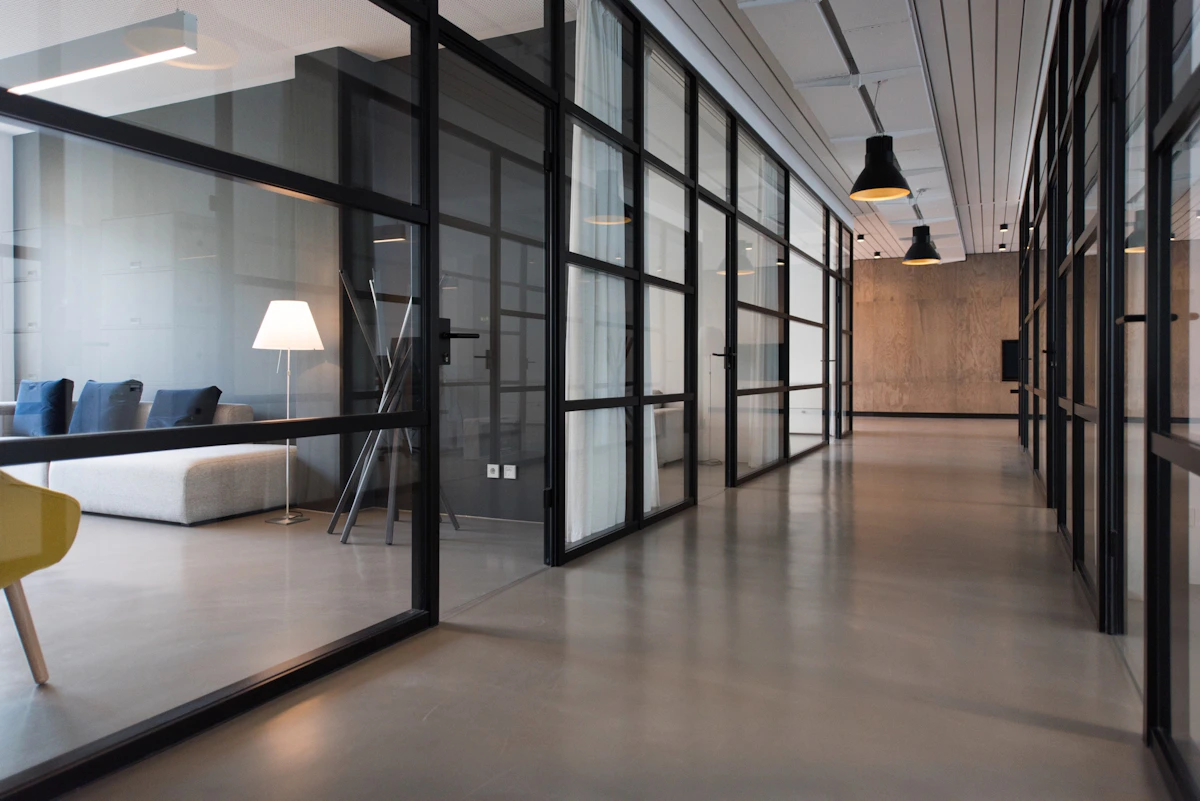
A comfortable home-office setup combines a reliable laptop, suitable lighting and an organised workspace.
3. Laptop Comparison for Work From Home
Use this table to compare the different laptop families by their intended use. It is a buying guide, not a list of identical specifications across all variants.
| Laptop family | Recommended processor class | RAM target | Best for |
|---|---|---|---|
| ASUS Vivobook 14 | Core 5 / Ryzen 5 | 16GB | Everyday remote work |
| Lenovo IdeaPad Slim 3 | Core 5 / Ryzen 5 | 16GB | Office productivity |
| HP 15 | Core 5 / Ryzen 5 | 16GB | Home office and documents |
| Dell Inspiron 14 / 15 | Core 5 / Ryzen 5 | 16GB | General professional use |
| Lenovo ThinkPad E14 | Core / Ryzen 5 or higher | 16GB–32GB | Business and typing-intensive work |
| Acer Aspire 5 | Core i5 / Ryzen 5 | 16GB | Everyday multitasking |
| Apple MacBook Air | Apple Silicon | 16GB or more | Portable productivity |
The processor and memory recommendations are target configurations. Always check the complete model number and regional specification before purchasing.
4. Best Laptop Configuration for Different Work-From-Home Jobs
Not every remote worker needs the same laptop. Your software and daily workload should decide the configuration.
For Office Employees
If your work involves emails, spreadsheets, presentations, video meetings and documents, you do not need a dedicated gaming GPU.
Recommended configuration:
- Intel Core i5/Core 5 or AMD Ryzen 5
- 16GB RAM
- 512GB SSD
- 14-inch or 15.6-inch Full HD IPS display
- Good webcam and microphone
- Reliable Wi-Fi connectivity
For Business Owners
Business owners often use accounting software, CRM applications, spreadsheets, email, inventory systems and online meetings.
Recommended configuration:
- Modern Core i5/Core Ultra 5 or Ryzen 5 processor
- 16GB–32GB RAM
- 512GB–1TB SSD
- Comfortable keyboard and number pad if required
- Good connectivity and security features
For Programmers and Developers
Developers may use code editors, integrated development environments, local servers, virtual machines, browsers and databases.
Recommended configuration:
- Intel Core i7/Core Ultra 7 or AMD Ryzen 7
- 32GB RAM for demanding development workflows
- 1TB SSD
- Full HD or higher-resolution display
- Good keyboard and external monitor support
For Graphic Designers
Graphic designers use applications such as Photoshop, Illustrator and other creative tools. Their requirements depend on image size, number of layers and application features.
Recommended configuration:
- Modern Core i7/Core Ultra 7 or Ryzen 7
- 16GB–32GB RAM
- 1TB SSD
- Dedicated GPU for more demanding workflows
- Colour-accurate display with suitable colour coverage
For Video Editors
Video editing involves larger files, rendering and playback of high-resolution footage. A stronger processor, more memory and dedicated graphics may be necessary.
Recommended configuration:
- Core i7/Core Ultra 7 or Ryzen 7 class processor
- 32GB RAM for demanding projects
- 1TB SSD or larger
- Dedicated GPU where supported by your editing application
- Good display quality and external storage support
For Customer Support and Online Teaching
If you spend most of your day on video calls, browser applications, presentations and communication platforms, camera quality, microphone clarity and stable internet connectivity may matter more than high-end graphics.
Recommended configuration:
- Core i5/Core 5 or Ryzen 5 processor
- 16GB RAM
- 512GB SSD
- Good webcam and microphone
- Comfortable headset support
- Reliable Wi-Fi
5. Windows Laptop vs MacBook for Work From Home
Both Windows laptops and MacBooks can be excellent work machines. The right choice depends on the applications and devices you use.
| Feature | Windows laptop | MacBook |
|---|---|---|
| Software compatibility | Broad Windows software support | macOS-compatible applications required |
| Model choices | Wide selection of brands and budgets | Limited Apple product range |
| Hardware upgrades | Some models allow RAM and SSD upgrades | Memory and storage generally fixed |
| Business software | Strong support for Windows-specific tools | Check compatibility with required tools |
| Portability | Varies by model | MacBook Air models are designed for portability |
| Best for | General office, business and specialised software | Compatible creative and productivity workflows |
If your work requires specific Windows-only accounting software, ERP tools, engineering applications or printer drivers, check compatibility before purchasing a MacBook.
6. How Much Should You Spend on a Work-From-Home Laptop?
Your budget should depend on the type of work you do, how many applications you run and how long you expect to use the laptop.
| Budget range | What to look for | Suitable for |
|---|---|---|
| Under ₹30,000 | Entry-level processor, SSD and 8GB RAM where possible | Basic browsing and documents |
| ₹30,000–₹40,000 | Modern entry-level processor, SSD and upgrade options | Light office work and online classes |
| ₹40,000–₹55,000 | Core i5/Ryzen 5 class, 16GB RAM target | Everyday remote work |
| ₹55,000–₹75,000 | 16GB RAM, 512GB–1TB SSD and better display options | Business and multitasking |
| ₹75,000–₹1,00,000 | Core Ultra 5/7 or Ryzen 7 class, 16GB–32GB RAM | Developers and professionals |
| Above ₹1,00,000 | Premium display, strong battery and advanced hardware | Power users and creative professionals |
These are broad planning categories, not live market quotations. Actual prices depend on configuration, offers, retailer and availability.
7. Essential Accessories for a Home Office
A good laptop is only one part of a productive remote-working setup. A few accessories can make your workday more comfortable.
External Monitor
An external monitor provides more screen space for spreadsheets, documents, video meetings and multitasking. A 24-inch Full HD monitor is a practical starting point for many home offices.
Wireless Keyboard and Mouse
A separate keyboard and mouse can improve comfort when your laptop is connected to an external monitor or placed on a laptop stand.
Webcam and Headset
An external webcam and a headset with a good microphone can improve online meeting quality, particularly if your laptop's built-in camera or microphone is basic.
UPS or Power Backup
If power interruptions are common in your area, consider a suitable UPS or backup solution for your laptop, router and other essential equipment.
External SSD or Backup Drive
Keep important work documents and project files backed up. An external SSD or another reliable backup solution can help protect important data.

A separate monitor, keyboard, mouse and headset can improve the home-office experience.
8. Tips to Improve Your Work-From-Home Experience
- Use a stable broadband connection for video meetings and cloud applications.
- Position your laptop on a stable surface with enough ventilation.
- Use a laptop stand to improve screen height and posture.
- Keep your operating system, browser and security software updated.
- Use a headset when background noise affects meetings.
- Back up important work documents regularly.
- Enable screen locking and strong account authentication.
- Use a separate work profile or account where appropriate.
- Keep unnecessary startup applications disabled.
- Use an external monitor if your work involves multiple windows.
- Check your webcam, microphone and internet connection before important meetings.
9. Common Mistakes to Avoid When Buying a Work Laptop
- Buying only by processor name: Compare the complete model and generation.
- Choosing only 8GB RAM: 16GB is a more comfortable target for regular multitasking.
- Ignoring the webcam: Video calls are a major part of remote work.
- Ignoring battery life: Check independent tests and realistic usage reports.
- Choosing a poor display: A dim or low-quality screen can be uncomfortable during long working sessions.
- Ignoring upgrade options: Check whether RAM and SSD can be upgraded.
- Buying too much hardware: You do not need a gaming GPU for ordinary email, documents and meetings.
- Ignoring connectivity: Check USB, USB-C, HDMI, Wi-Fi and headset support.
- Not checking software compatibility: Confirm that your work applications run on the chosen operating system.
- Ignoring warranty and service: Check the warranty terms and available support before purchasing.
10. Frequently Asked Questions (FAQs)
1. Which laptop is best for work from home in India?
ASUS Vivobook, Lenovo IdeaPad Slim, HP 15, Dell Inspiron and Lenovo ThinkPad E14 are laptop families worth comparing. The best choice depends on your budget, software and daily workload.
2. Is 8GB RAM enough for work from home?
8GB can handle basic browsing, emails and documents. However, 16GB RAM is recommended if you regularly use video meetings, multiple browser tabs, spreadsheets and office applications together.
3. Is 16GB RAM enough for office work?
Yes. For most office employees, business users and remote workers, 16GB RAM is a good configuration for multitasking and everyday productivity.
4. Which processor is best for work from home?
Intel Core i5/Core 5 and AMD Ryzen 5 processors are good starting points for everyday remote work. Choose Core i7/Core Ultra 7 or Ryzen 7 for more demanding professional applications.
5. Is a dedicated graphics card necessary for work from home?
No. Integrated graphics are sufficient for emails, video meetings, documents, spreadsheets and most office applications. A dedicated GPU is useful for demanding design, video editing and 3D applications.
6. Is a MacBook good for work from home?
Yes, if your required applications and accessories are compatible with macOS. Check Windows-only business software and specialised tools before purchasing.
7. What is the ideal SSD storage for remote work?
512GB SSD is a practical starting point. Choose 1TB if you store many documents, software applications, photos, videos or project files locally.
8. Is a 1080p webcam important for work from home?
A 1080p webcam can provide clearer video than a basic camera, especially during frequent meetings. A good microphone and lighting are also important.
9. Can I use a refurbished laptop for work from home?
Yes. A properly inspected refurbished business laptop can be a practical option. Check the processor, RAM, SSD health, battery, webcam, keyboard, ports, operating system and written warranty before buying.
10. Should I buy a 14-inch or 15.6-inch laptop?
A 14-inch laptop is generally more portable. A 15.6-inch or 16-inch laptop provides a larger screen for spreadsheets, documents and multitasking. Choose according to your workspace and travel needs.
Conclusion
Choosing the best laptop for work from home in India depends on your job, software requirements and budget. For most users, a modern Intel Core i5/Core 5 or AMD Ryzen 5 processor, 16GB RAM, 512GB SSD and Full HD display provide a good starting point.
Do not ignore the webcam, microphone, keyboard, Wi-Fi and battery life. These features directly affect your everyday remote-working experience.
If you are a developer, designer or video editor, consider a stronger processor, 32GB RAM and dedicated graphics where your applications require them. Choose a laptop that matches your actual workload instead of spending more on features you may never use.
Looking for a Laptop for Work From Home?
Need help choosing a laptop for office work, remote jobs, freelancing, business management, online meetings or professional applications?
Virnobyte Pvt. Ltd. can help you enquire about available new and refurbished laptops, business laptop configurations, RAM and SSD upgrades, accessories and computer support.
Virnobyte Pvt. Ltd.
Technology • Innovation • Trust
Address: Sadichha Complex, Sawtamali Temple Road, Jadhavwadi, Chikhali, Pune – 411062, Maharashtra
Call: 8669883332
Email: info@virnobyte.com
Website: www.virnobyte.com
Contact Virnobyte to enquire about currently available laptop models and configurations.