
CCTV Installation for Small Businesses
Explore CCTV installation for small businesses in India. Learn about camera types, installation costs, DVR/NVR systems, remote monitoring and security solutions for shops, offices and warehouses.
By virnobyte team · · 16 min read

CCTV Installation for Small Businesses in India (2026): Complete Guide to Cameras, Costs and Security
Running a small business involves managing customers, employees, stock, equipment and daily operations. Whether you own a retail shop, office, warehouse, clinic, restaurant or manufacturing unit, protecting your business premises is important.
A CCTV surveillance system can help monitor business activities, record important events, review incidents and provide authorised users with remote access to camera footage.
Modern CCTV systems offer features such as HD and 4K video, night vision, motion detection, human detection, mobile monitoring and centralised recording. Businesses can choose between affordable HD analog systems and advanced IP camera installations depending on their requirements and budget.
In this article, we explain CCTV installation for small businesses in India, including camera types, installation costs, DVR and NVR systems, recording storage, remote monitoring and important buying tips.
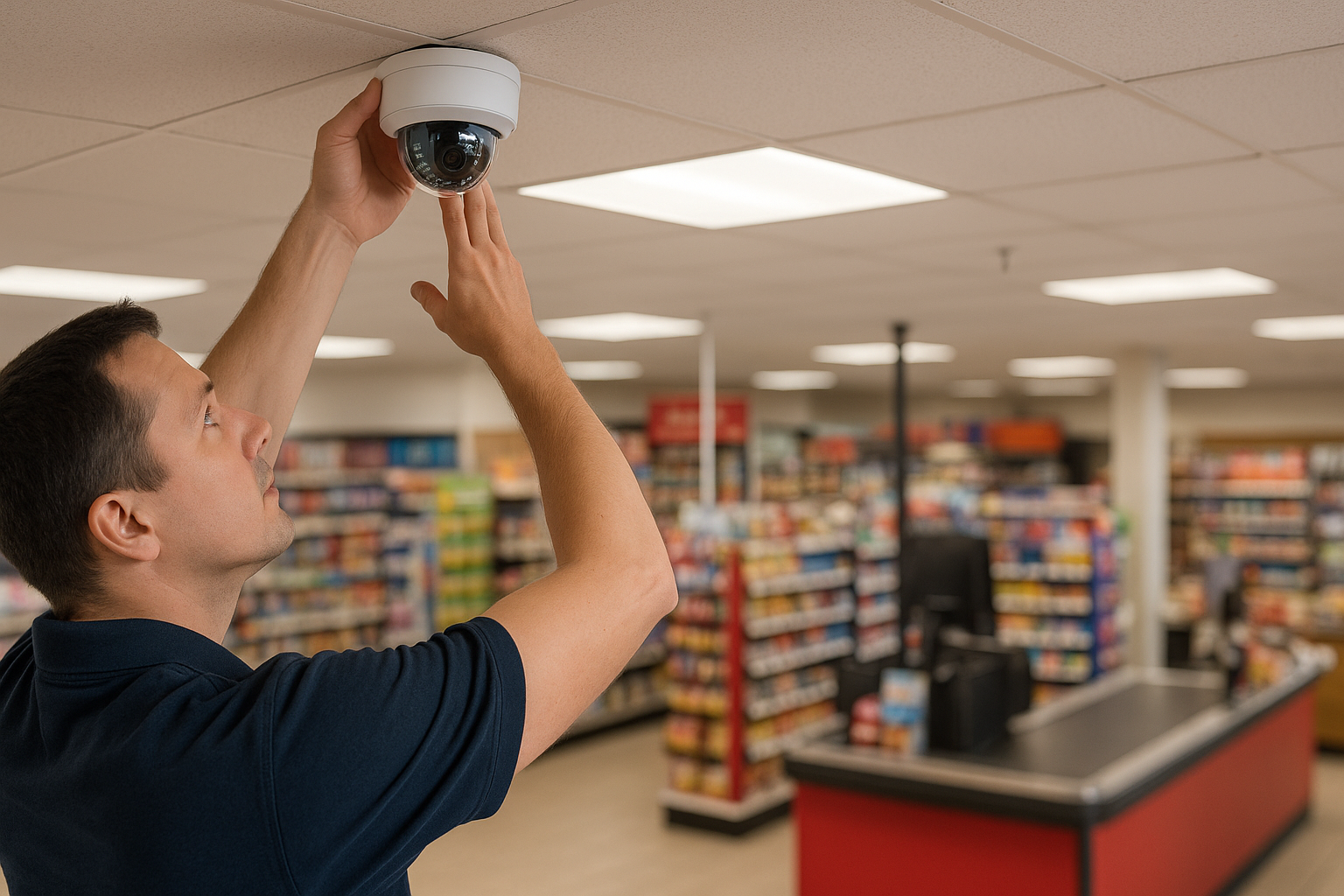
1. Why Do Small Businesses Need CCTV Cameras?
CCTV cameras are useful for businesses that want to monitor important areas and maintain video records of activities within their premises.
Benefits of installing CCTV cameras
- Monitor entrances and exits: Review people entering and leaving your premises.
- Protect inventory: Monitor storage rooms, stock areas and valuable equipment.
- Observe billing counters: Record activity around cash counters and payment areas.
- Review incidents: Access recorded footage when investigating theft, damage or disputes.
- Remote monitoring: View authorised camera feeds from a mobile phone or computer.
- Improve operational visibility: Monitor common areas and business premises when managers are away.
- Support workplace safety: Review incidents in appropriate work and access areas.
CCTV does not replace physical security, access control or employee safety procedures. It works best as one part of a broader business security plan.
2. Which Businesses Should Install CCTV Cameras?
CCTV systems can be useful for businesses of different sizes and industries.
| Business Type | Recommended Monitoring Areas |
|---|---|
| Retail shops | Entrance, billing counter, shelves and stockroom |
| Small offices | Reception, entrance, corridors and equipment areas |
| Restaurants and cafes | Entrance, billing counter, storage and service areas |
| Warehouses | Loading bays, storage racks, gates and dispatch areas |
| Clinics | Reception, entrance and appropriate common areas |
| Manufacturing units | Gates, production areas, inventory and loading zones |
| Salons and service centres | Reception, entrance and billing counter |
| Educational institutes | Entrances, corridors and common areas |
3. Types of CCTV Cameras for Small Businesses
Before selecting a CCTV system, understand the different camera types and where they are most useful.
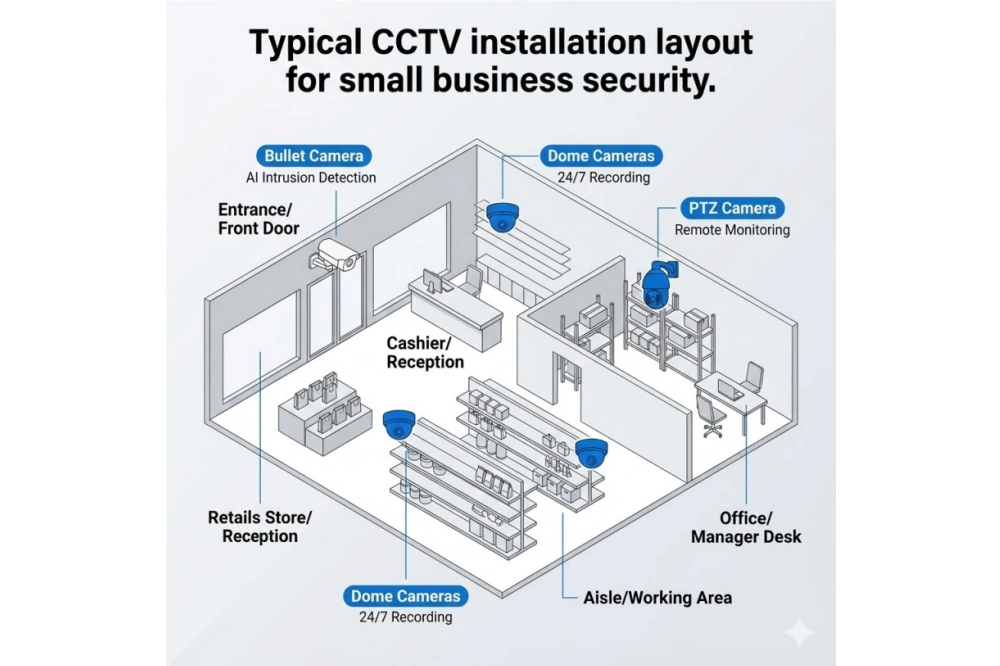
A. Dome CCTV Cameras
Dome cameras are commonly installed on ceilings and are suitable for indoor business surveillance.
Suitable for:
- Retail shops.
- Office reception areas.
- Billing counters.
- Corridors and common areas.
- Clinics and showrooms.
The compact design makes dome cameras suitable for many indoor installations. Vandal-resistant versions are available for selected locations.
B. Bullet CCTV Cameras
Bullet cameras are commonly used outdoors to monitor longer viewing distances and specific directions.
Suitable for:
- Main entrances and gates.
- Parking areas.
- Warehouse exteriors.
- Building perimeters.
- Loading and unloading zones.
Choose a camera with an appropriate weather-protection rating for outdoor use.
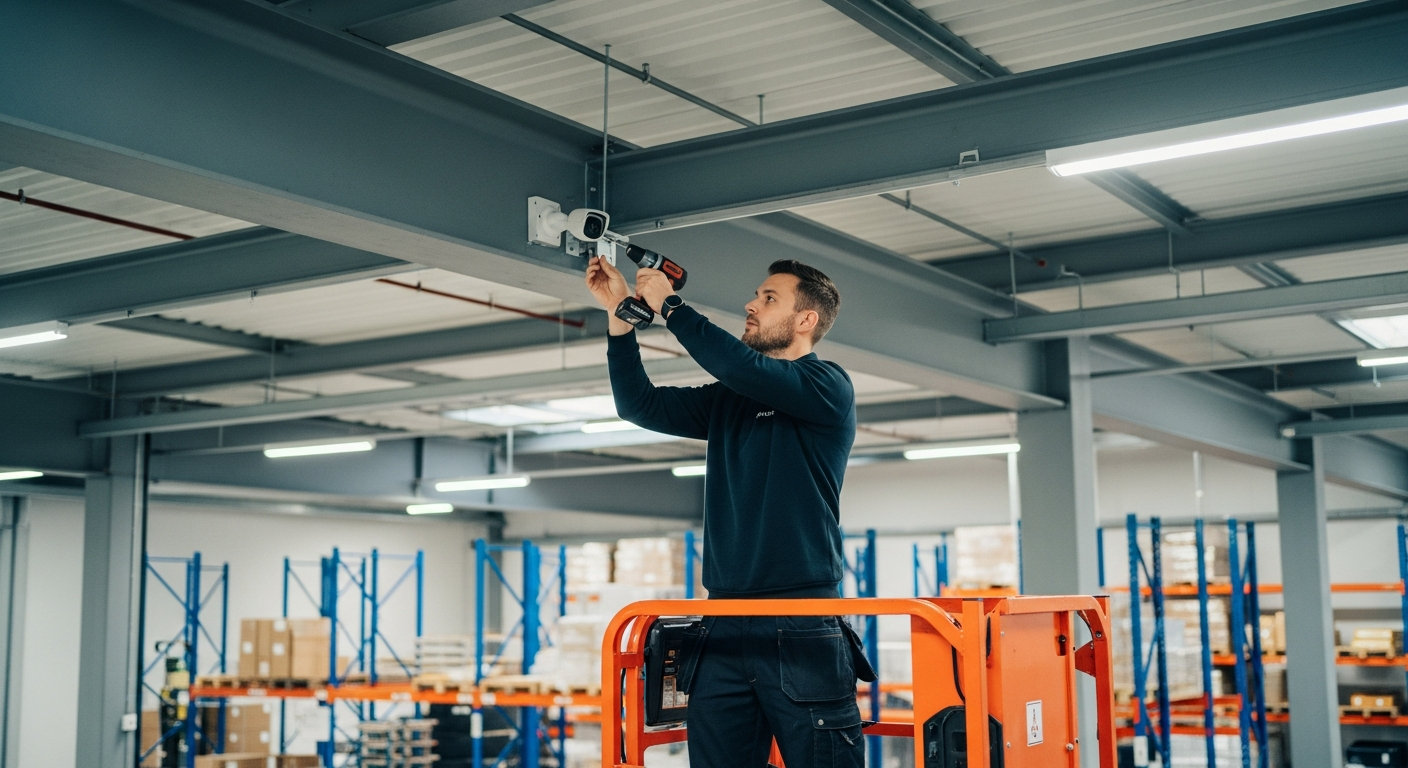
C. IP CCTV Cameras
IP cameras transmit video over a network and are commonly used in modern office and commercial surveillance systems.
Benefits include:
- Network-based video transmission.
- High-resolution camera options.
- PoE support on compatible models.
- Integration with compatible NVR systems.
- Advanced analytics on selected models.
D. Wi-Fi CCTV Cameras
Wi-Fi cameras connect through a wireless network and can be convenient for smaller premises where extensive cabling is difficult.
Suitable for:
- Small shops.
- Small office rooms.
- Reception areas.
- Temporary monitoring requirements.
Remember that most Wi-Fi cameras still require a power connection. Wi-Fi connectivity does not automatically mean that a camera is completely wireless.
E. PTZ CCTV Cameras
PTZ cameras support pan, tilt and zoom functions. They are useful for larger premises where a security operator needs to control the camera direction or use supported automatic patrol features.
Suitable for:
- Large warehouses.
- Industrial premises.
- Large parking areas.
- Commercial campuses.
4. How Many CCTV Cameras Does a Small Business Need?
The number of cameras depends on the size of the premises, the number of entrances, business activities and the areas that need monitoring.
| Business Type | Suggested Camera Count | Example Coverage |
|---|---|---|
| Small retail shop | 2–4 cameras | Entrance, counter and stock area |
| Small office | 4–6 cameras | Reception, entrance, corridor and common areas |
| Restaurant or cafe | 4–6 cameras | Entrance, billing and service areas |
| Showroom | 6–8 cameras | Entrance, display areas and billing counter |
| Small warehouse | 6–12 cameras | Gates, storage and loading areas |
| Manufacturing unit | 8–16+ cameras | Production, gates and inventory areas |
These are initial planning estimates. A site survey is recommended to identify blind spots, camera angles, cable routes and the actual number of cameras required.
5. CCTV Installation Cost for Small Businesses in India (2026)
The CCTV installation cost depends on the camera count, camera resolution, brand, DVR or NVR, storage capacity, wiring and labour charges.
The following estimates can help small business owners plan their budgets.
| Business CCTV Setup | Typical Configuration | Estimated Installed Cost |
|---|---|---|
| Small shop | 2–4 HD cameras, DVR and storage | ₹9,000–₹20,000 |
| Small office | 4–6 cameras, recorder and storage | ₹15,000–₹35,000 |
| Retail showroom | 6–8 cameras with recording system | ₹25,000–₹50,000 |
| Small warehouse | 8–12 cameras, NVR and storage | ₹35,000–₹85,000 |
| Manufacturing unit | 12–16+ cameras and network equipment | ₹60,000–₹1,50,000+ |
These are indicative 2026 planning ranges, not fixed quotations. Actual costs depend on the equipment models, cable distances, storage, installation complexity, taxes and site conditions. Advanced IP cameras and AI analytics can increase the budget.
What is included in a CCTV installation package?
- CCTV cameras.
- DVR or NVR recorder.
- Surveillance-grade hard disk.
- Power supplies and connectors.
- Video or network cabling.
- Mounting accessories and basic conduit.
- Installation labour.
- Recorder and camera configuration.
- Mobile viewing setup, if supported.
6. DVR vs NVR: Which Is Better for a Small Business?
A DVR and NVR are recording devices used to manage and store CCTV footage. The correct choice depends on the type of camera and the business installation.
DVR – Digital Video Recorder
A DVR is generally used with compatible HD analog CCTV cameras. The camera video signal travels to the recorder through coaxial cabling.
Advantages:
- Can be an economical option for basic surveillance.
- Suitable for many small shop installations.
- Useful when upgrading an existing compatible analog setup.
- Available in different channel configurations.
NVR – Network Video Recorder
An NVR records video from compatible IP cameras over a network. Some NVRs include PoE ports, allowing compatible cameras to receive power and data through one Ethernet cable.
Advantages:
- Suitable for network-based surveillance.
- Supports compatible high-resolution IP cameras.
- Can simplify camera connectivity through PoE.
- Offers flexibility for larger network installations.
- Supports advanced features on compatible camera and recorder combinations.
| Feature | DVR System | NVR System |
|---|---|---|
| Camera technology | HD analog | IP network cameras |
| Connectivity | Coaxial video cable | Ethernet network |
| Recording | Video processed at recorder | Network video recording |
| PoE support | Not typical in traditional DVRs | Available on compatible models |
| Best application | Basic small business setups | New IP-based installations |
Recommendation: For a new business installation with several cameras, consider an IP CCTV system with a compatible NVR and PoE networking. For a simple budget installation or existing analog system, a DVR may be sufficient.
7. Why Is PoE Networking Useful for Business CCTV?
Power over Ethernet (PoE) allows compatible IP cameras to receive electrical power and network data through a single Ethernet cable.
It can simplify installation because a separate power connection is not required at every compatible camera location.
Benefits of PoE CCTV systems
- One Ethernet cable can carry data and power.
- Centralised power management through a PoE switch or NVR.
- Can simplify cable routing.
- Suitable for multi-camera business installations.
- Can support future network expansion with proper planning.
Make sure the PoE switch or NVR has sufficient power budget for all connected cameras. Also check cable length and network specifications before installation.
8. Remote CCTV Monitoring for Small Businesses
Remote monitoring allows authorised business owners and managers to view CCTV feeds from their smartphones or computers when they are away from the premises.
How does remote monitoring work?
- CCTV cameras connect to a compatible DVR or NVR.
- The recorder connects to the business network.
- The network has an internet connection.
- The camera or recorder application is configured.
- Authorised users access live footage and playback.
Benefits of remote viewing
- Check the shop or office when away.
- View authorised camera feeds from a mobile device.
- Review recorded footage.
- Receive motion notifications where supported.
- Monitor multiple locations with compatible systems.
Remote viewing depends on compatible equipment, internet connectivity, application support and secure configuration. Some recording systems continue recording locally even when the internet connection is unavailable.

9. Best CCTV Camera Features for Small Businesses
1. Full HD or 4MP resolution
2MP Full HD cameras can be suitable for basic monitoring. 4MP cameras provide more image detail and may be useful for billing counters, entrances and important business areas.
2. Night vision
Infrared night vision allows cameras to record in low-light conditions. Outdoor areas may benefit from suitable colour night vision or additional lighting.
3. Motion detection
Motion detection can help generate alerts when movement is detected. Configure motion zones to reduce unnecessary notifications.
4. Human and vehicle detection
Selected advanced cameras use analytics to classify people and vehicles. These features can help businesses monitor restricted zones and entrances more effectively.
5. Wide Dynamic Range (WDR)
WDR helps cameras capture scenes containing both bright and dark areas, such as entrances with strong daylight coming through glass doors.
6. Weather protection
Outdoor cameras should have a suitable IP rating for dust and water resistance. Choose equipment designed for the actual environmental conditions.
7. Surveillance-grade storage
Use a compatible surveillance hard disk designed for CCTV recording workloads. Storage requirements depend on the number of cameras, resolution, bitrate and recording schedule.
10. Recommended CCTV Camera Placement for Small Businesses
Correct camera placement is essential. A camera with high resolution may still produce poor footage if it is installed at the wrong angle or its view is blocked.
For retail shops
- Main entrance and exit.
- Billing and cash counter.
- Product display area.
- Storage room or stock area.
For offices
- Main entrance.
- Reception area.
- Corridors and common areas.
- Server room entrance.
- Equipment storage areas.
For warehouses
- Main gate.
- Loading and unloading areas.
- Storage aisles.
- Dispatch and inventory areas.
- External building perimeter.
For restaurants and cafes
- Customer entrance.
- Billing counter.
- Appropriate service and storage areas.
- Delivery entrance.
Never install CCTV cameras in washrooms, changing rooms or other private spaces. Camera coverage should respect employee and customer privacy.
11. CCTV Installation Process for Small Businesses
A professional CCTV installation generally follows a planned process to ensure that the cameras, recording equipment and network work correctly.
- Site inspection: Assess the premises, entrances, important assets and security requirements.
- Camera placement planning: Identify suitable mounting locations and viewing angles.
- Equipment selection: Select cameras, DVR/NVR, hard disk, cables and network accessories.
- Cabling: Route the required video, network and power cables.
- Camera installation: Mount and position the cameras securely.
- Recorder configuration: Connect cameras and configure recording settings.
- Network setup: Configure mobile viewing and authorised access where required.
- Testing: Check live footage, recording, playback, night vision and remote access.
- Customer handover: Provide login details, operating instructions and warranty information.
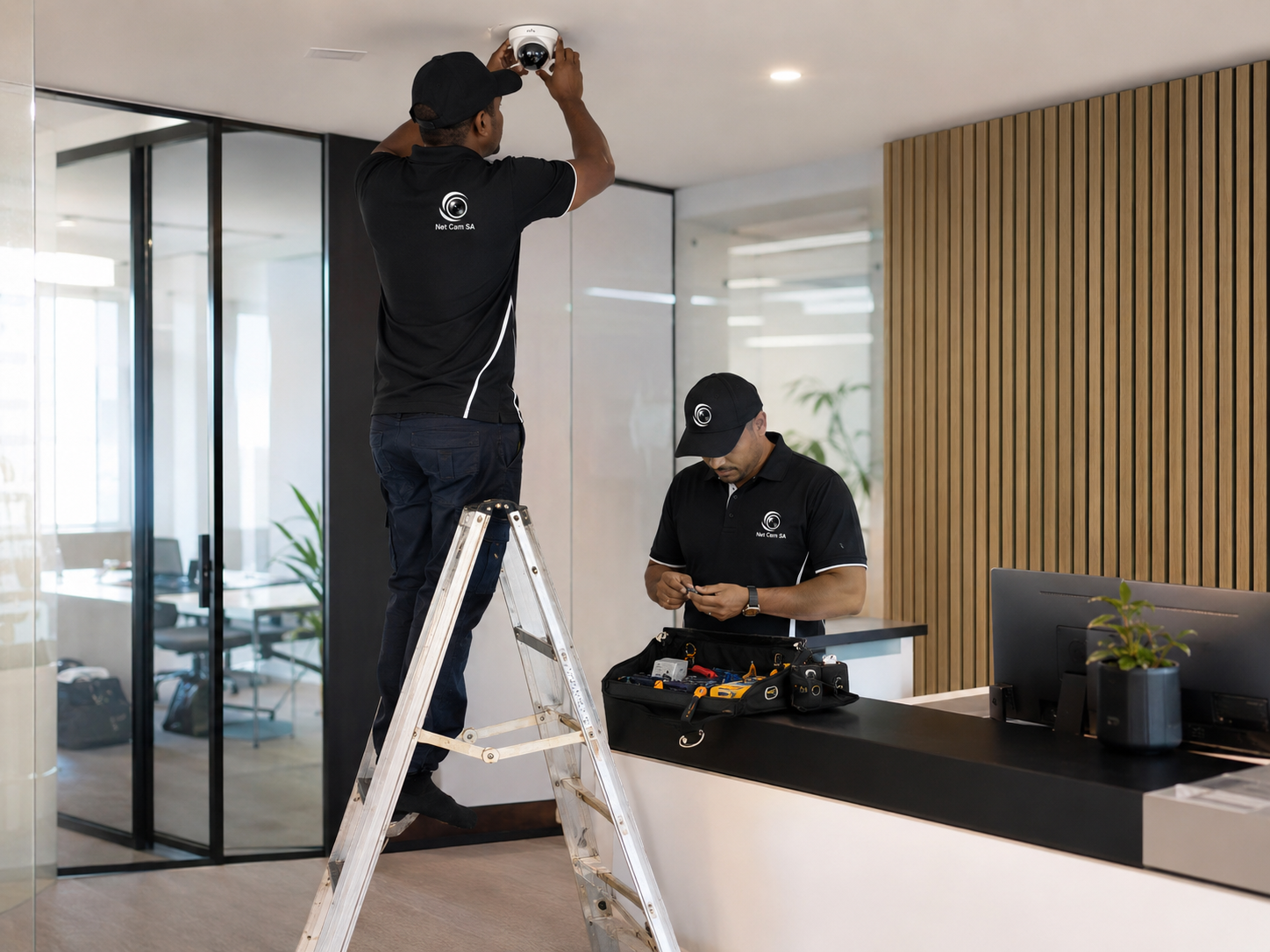
12. How to Choose a CCTV Installation Company
Choosing the right installation partner is important because incorrect wiring, poor camera placement and improper configuration can affect system performance.
Before confirming an installation, check the following:
- Experience: Ask about previous residential and commercial CCTV projects.
- Equipment details: Confirm the camera and recorder brand and exact model number.
- Installation quality: Check whether cables will be properly routed and protected.
- Storage planning: Confirm the hard disk capacity and expected retention period.
- Remote viewing: Request a demonstration of live viewing and playback.
- Warranty: Get product and workmanship warranty terms in writing.
- After-sales service: Confirm who will assist if a camera stops working.
- Quotation: Request an itemised quotation with taxes and additional charges clearly mentioned.
13. CCTV Maintenance for Small Businesses
Regular maintenance helps ensure that the CCTV system remains operational and recordings are available when needed.
Monthly maintenance checklist
- Clean camera lenses and protective covers.
- Check that all cameras are online.
- Verify recording and playback.
- Check hard disk health and storage availability.
- Test night vision and camera angles.
- Check network and power connections.
- Verify date and time settings.
- Check UPS and power backup.
- Review user accounts and access permissions.
Why consider a CCTV AMC?
An Annual Maintenance Contract (AMC) can help businesses arrange periodic inspections and technical support for their surveillance system.
Depending on the agreement, an AMC may include:
- Periodic camera inspection.
- Cleaning and alignment checks.
- DVR/NVR health checks.
- Recording and playback testing.
- Basic configuration support.
- Fault diagnosis and repair assistance.
Always confirm what is included in the AMC. Replacement cameras, hard disks, spare parts and major rewiring may be chargeable separately.
14. CCTV Privacy and Security for Businesses
Businesses should use CCTV responsibly and protect access to recorded footage.
- Inform employees and visitors about surveillance in monitored areas.
- Use cameras for legitimate security and safety purposes.
- Avoid recording private areas such as washrooms and changing rooms.
- Restrict video access to authorised personnel.
- Change default passwords and use strong, unique credentials.
- Keep camera and recorder firmware updated where supported.
- Use secure remote access rather than exposing recorder services unnecessarily.
- Set a suitable retention period and manage recordings responsibly.
15. Why Choose Virnobyte for Small Business CCTV Installation?
VIRNOBYTE PRIVATE LIMITED provides IT hardware, networking and technology solutions for small businesses, offices and commercial premises.
We understand that every business has different surveillance requirements. A small shop may need only a few cameras, while an office, warehouse or manufacturing unit may require a larger IP CCTV network with centralised recording.
Our CCTV and IT-related services include:
- CCTV camera supply and installation.
- Indoor dome and outdoor bullet camera setup.
- IP CCTV and network camera solutions.
- DVR and NVR installation and configuration.
- LAN cabling and PoE networking.
- Wi-Fi and router configuration.
- Remote viewing setup where supported.
- CCTV troubleshooting and maintenance support.
- Hardware and networking AMC services.
- IT support and consulting for businesses.
Virnobyte has its head office in Pune, Maharashtra, a strong presence in Karnataka and Goa, and serves customers across India. On-site installation availability depends on the project location and feasibility.
Frequently Asked Questions (FAQs)
1. How much does CCTV installation cost for a small business?
A basic two-to-four-camera system may cost approximately ₹9,000–₹20,000 installed. A four-to-eight-camera business system may cost approximately ₹15,000–₹50,000 or more depending on equipment, storage and installation requirements.
2. How many CCTV cameras does a small shop need?
A small shop may need two to four cameras covering the entrance, billing counter and stock area. The exact requirement depends on the shop layout and size.
3. Is IP CCTV better than analog CCTV for businesses?
IP CCTV is often suitable for new network-based installations and larger systems. Analog CCTV can be an economical choice for basic monitoring or upgrading an existing compatible system.
4. Can I monitor my business CCTV cameras from home?
Yes. Compatible DVR and NVR systems can support authorised mobile or computer viewing. A working internet connection and secure remote-access configuration are required.
5. Does CCTV record without internet?
Most DVR and NVR systems can continue recording locally to an installed hard disk when internet connectivity is unavailable. Remote viewing and internet-based alerts may stop until the connection returns.
6. Which is better for a small business, DVR or NVR?
A DVR is suitable for compatible analog cameras, while an NVR is designed for IP cameras. For a new multi-camera network installation, an NVR with compatible PoE cameras may be worth considering.
7. How many days of CCTV footage can be stored?
Recording duration depends on the camera count, resolution, bitrate, compression, frame rate and recording schedule. Ask the installer to calculate storage based on your required retention period.
8. Does CCTV installation include a hard disk?
Not always. Some packages include a surveillance hard disk, while others quote it separately. Confirm the capacity and model before approving the quotation.
9. Do small businesses need a CCTV AMC?
An AMC can be useful for businesses that want periodic inspection and technical support. Check whether the agreement covers labour, parts, replacement equipment and emergency visits.
10. Can CCTV cameras be installed in warehouses and factories?
Yes. Warehouses and factories can use a combination of indoor dome cameras, outdoor bullet cameras and selected PTZ cameras. The design should account for lighting, dust, mounting height, network connectivity and environmental conditions.
Conclusion: Invest in the Right CCTV System for Your Business
CCTV installation is a practical security investment for small businesses. Whether you operate a retail shop, office, restaurant, clinic, warehouse or manufacturing unit, the right surveillance system can help monitor important areas and provide recorded footage for reviewing incidents.
For smaller premises, a two-to-four-camera system may be a suitable starting point. Businesses with larger premises may benefit from an IP camera system with an NVR, PoE networking and sufficient surveillance storage.
Before purchasing, compare camera specifications, installation quality, storage capacity, warranty and after-sales support. A properly planned system can provide better coverage and long-term value than simply purchasing the cheapest available cameras.
Looking for CCTV Installation for Your Small Business?
VIRNOBYTE PRIVATE LIMITED
Technology • Innovation • Trust
Get assistance with CCTV cameras, DVR/NVR installation, IP surveillance, networking, Wi-Fi setup and business IT support.
Head Office:
Sadichha Complex, Sawtamali Temple Road, Jadhavwadi, Chikhali, Pune – 411062, Maharashtra, India.
Phone: 8669883332
Email: info@virnobyte.com
Website: www.virnobyte.com
Presence: Pune, Maharashtra | Karnataka | Goa | Pan India
Contact Virnobyte to discuss your business CCTV requirements and request a project-specific quotation.