
CCTV Maintenance Checklist for Businesses
Maintain your business CCTV system with this practical checklist. Learn to inspect cameras, clean lenses, test recordings, check hard drives, verify connectivity and prevent security failures.
By virnobyte team · · 19 min read

CCTV Maintenance Checklist for Businesses: Complete Guide (2026)
A CCTV surveillance system plays an important role in protecting business premises, employees, customers, inventory and valuable equipment. However, installing cameras is only the first step. Regular inspection and maintenance are necessary to keep the entire system working properly.
Dust-covered lenses can produce unclear images, loose cables can interrupt video feeds, hard disk problems can stop recording, and network failures can prevent remote viewing. These issues may remain unnoticed until someone needs to check recorded footage.
For this reason, businesses should follow a structured CCTV maintenance routine. It should include camera inspection, lens cleaning, recording tests, HDD health checks, cable inspection, network testing, power backup verification and security reviews.
In this article, we explain how to maintain CCTV cameras, how often to perform maintenance and which tasks business owners or technicians should include in a regular inspection checklist.
1. Why Is Regular CCTV Maintenance Important?
A CCTV system contains multiple components that work together, including cameras, cables, power supplies, network switches, DVRs or NVRs, hard drives and monitoring applications.
If any one of these components develops a fault, the system may not capture or store useful video footage.
Benefits of regular CCTV maintenance
- Clearer video footage: Cleaning lenses and checking focus helps maintain image quality.
- Reliable recording: Regular playback tests help identify recording gaps and storage faults.
- Early fault detection: Cable damage, loose connectors and overheating can be identified before they cause larger problems.
- Better night vision: Checking infrared illumination helps ensure useful footage after business hours.
- Improved remote monitoring: Testing the network and mobile application helps maintain remote access.
- Storage management: HDD health and recording retention checks help prevent unexpected loss of footage.
- System security: Firmware, passwords and user permissions can be reviewed regularly.
According to Axis Communications' security camera maintenance guide, regular maintenance can help identify physical, software and connectivity issues before they compromise surveillance performance.
2. How Often Should CCTV Maintenance Be Done?
The maintenance frequency depends on the business type, number of cameras, installation environment and importance of the surveillance system.
A shop with four indoor cameras may require less frequent physical inspection than a factory with outdoor cameras exposed to dust, rain, heat and vibration.
| Maintenance Frequency | Recommended Checks | Who Can Perform It? |
|---|---|---|
| Daily | Check camera status, recording indicators and system alerts | Authorised business staff |
| Weekly | Review camera views, recording playback and visible image quality | Authorised staff or security supervisor |
| Monthly | Inspect cables, HDD health, night vision, alerts and remote access | Trained staff or CCTV technician |
| Quarterly | Detailed camera inspection, cleaning, power backup and system security review | CCTV technician |
| Annually | Comprehensive system assessment and upgrade planning | Qualified CCTV service provider |
These are suggested intervals, not mandatory rules for every installation. Businesses operating critical systems or sites exposed to dust, moisture and weather may need more frequent inspections. Follow the manufacturer's recommendations and your site's risk requirements.
3. Daily CCTV Maintenance Checklist for Businesses
Daily checks are simple inspections that help identify visible problems before they affect the security system.
A. Check camera status
- Confirm that all installed cameras are showing an active feed.
- Check for offline-camera notifications.
- Identify any black screens or missing camera channels.
- Check whether important camera views are obstructed.
B. Check recording indicators
- Confirm that the DVR or NVR is powered on.
- Check recording status for the required camera channels.
- Look for HDD or storage warnings.
- Check for unusual recorder error messages.
C. Check system alerts
- Review critical camera-disconnection alerts.
- Check unusual motion or alarm notifications.
- Report any failed cameras or recording interruptions.
4. Weekly CCTV Maintenance Checklist
Weekly checks focus on camera image quality, recording continuity and whether the system still covers the intended areas.
A. Inspect live camera views
- Check every camera's live feed.
- Confirm that camera angles have not shifted.
- Check whether shelves, new signs, partitions or other objects create blind spots.
- Check that entrances and important areas remain visible.
- Look for blurry or distorted images.
B. Test CCTV recording and playback
A working live feed does not always mean that the DVR or NVR is saving footage correctly. Always check playback.
- Select each camera channel in the recorder.
- Choose a recent date and time.
- Play back a short recording.
- Confirm that the video is clear and continuous for the selected period.
- Check for recording gaps or missing channels.
For important security systems, perform recording tests regularly rather than relying only on status indicators. The SWGDE recommendations for video security systems also describe checking recorded footage, camera views and date/time as part of routine system checks.
5. Monthly CCTV Camera Maintenance Checklist
Monthly maintenance should examine the physical condition of the cameras, connectors, recorder, storage and network equipment.
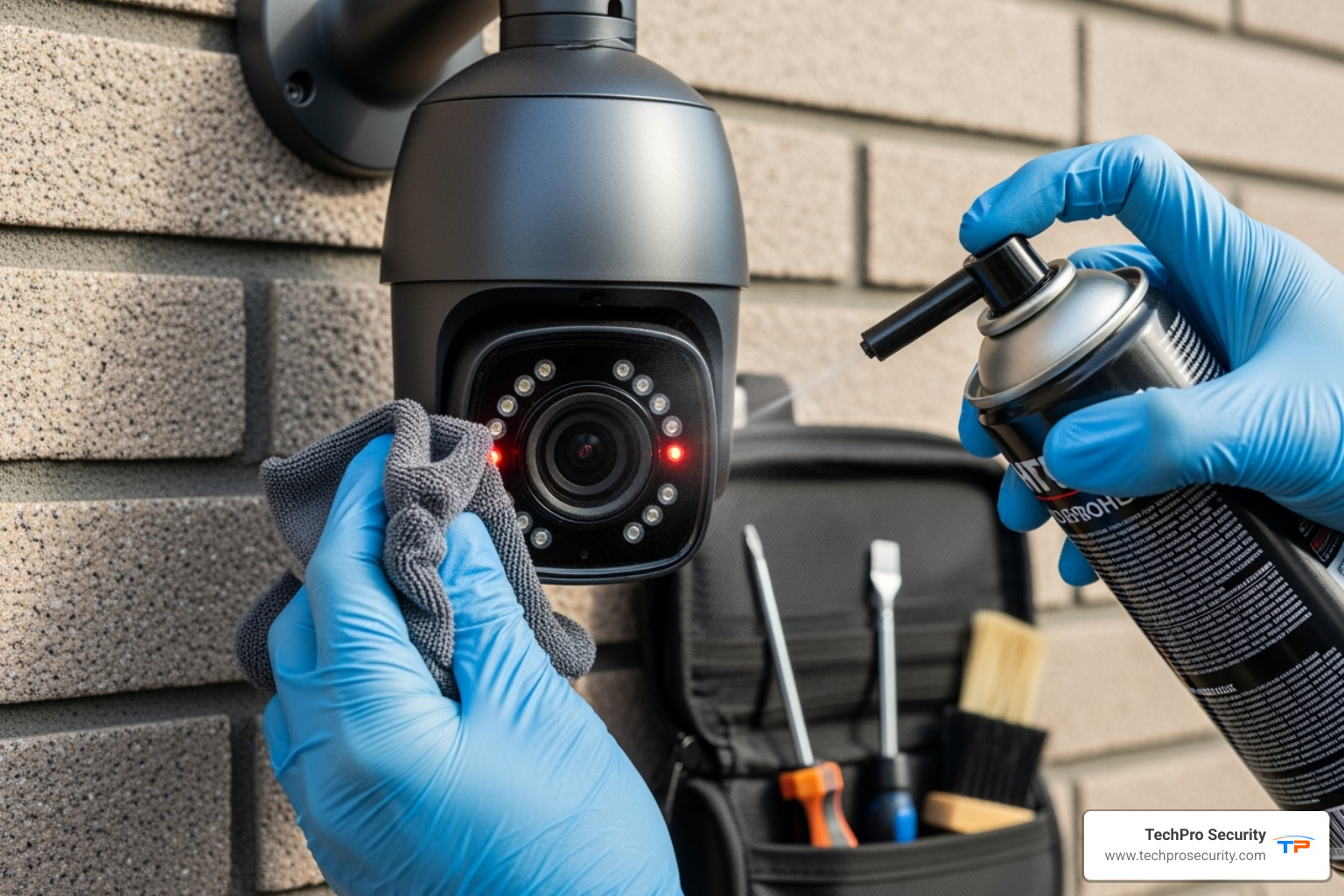
A. Clean CCTV camera lenses and housings
Dust, fingerprints, spider webs, watermarks and dirt can reduce image quality. This is especially noticeable at night when infrared illumination may reflect off dirt or nearby surfaces.
How to clean CCTV cameras safely:
- Check the manufacturer's cleaning instructions.
- Use a clean, soft microfiber cloth suitable for optical surfaces.
- Gently remove dust and dirt from the lens or external dome cover.
- Use only an approved lens-cleaning solution when needed.
- Wipe the outer camera housing with a suitable soft cloth.
- Inspect the image again after cleaning.

B. Check camera mounting and alignment
- Inspect brackets and mounting points for looseness.
- Check that cameras have not moved from their intended positions.
- Look for damaged housings, cracks or signs of tampering.
- Check outdoor camera seals and cable-entry points for moisture.
- Ensure the intended field of view is still available.
C. Inspect visible cables and connectors
Loose or damaged connections can cause video loss, intermittent disconnections or power problems.
- Inspect accessible Ethernet cables.
- Check coaxial cable and BNC connectors in analog systems.
- Check visible power cables and adapters.
- Look for damaged insulation or exposed wiring.
- Inspect outdoor connectors for corrosion or water ingress.
- Check that cable entry points remain protected.
Electrical repairs and work at height should be handled by qualified personnel using suitable safety procedures.
D. Check night vision and lighting
Night vision should be tested after dark or using an appropriate manufacturer-recommended test procedure.
- Check whether infrared illumination operates correctly.
- Review nighttime image clarity.
- Look for excessive glare or reflection.
- Check for dark areas or insufficient illumination.
- Confirm that external lighting works in important areas.
- Check whether camera covers or nearby surfaces create infrared reflections.
E. Test motion detection and alerts
- Test motion detection in the configured monitoring area.
- Check that the detection zone covers the required area.
- Review sensitivity settings.
- Confirm that supported event notifications reach authorised users.
- Check that recording starts when the configured event occurs.
6. DVR and NVR Maintenance Checklist
The DVR or NVR is the central recording device in many CCTV systems. It receives video from connected cameras, stores recordings and provides playback and remote-viewing functions.
A recorder fault can affect multiple cameras at once. For this reason, recorder maintenance is particularly important for businesses.
A. Check recorder condition
- Confirm that the DVR or NVR is operating normally.
- Check system indicators and error messages.
- Inspect the external casing for damage.
- Keep ventilation openings free from dust and obstruction.
- Ensure that the recorder has sufficient ventilation.
- Check that cooling fans operate where fitted.
B. Check hard disk health
The hard disk stores recorded CCTV footage. If the HDD becomes faulty or stops writing data, the system may not preserve important recordings.
- Open the recorder's HDD or storage management menu.
- Check whether all installed drives are detected.
- Review reported HDD status and warning messages.
- Check available capacity.
- Review the actual number of days of recordings retained.
- Check for unusual noise or repeated storage errors.
- Inspect SMART or disk-health information if the recorder supports it.
For continuous CCTV recording, compatible surveillance-grade HDDs such as WD Purple or Seagate SkyHawk are commonly recommended.
Read our related guide: CCTV Hard Disk vs Normal Hard Disk (replace the homepage link with the published article URL).
C. Check recording settings
- Confirm that the required camera channels are recording.
- Review continuous and motion-based recording schedules.
- Check whether recording retention meets business requirements.
- Confirm that date and time settings are correct.
- Check overwrite settings.
- Test playback and export of a selected recording.
7. Network and Remote Viewing Maintenance
Modern IP cameras, NVR systems and remote-viewing applications depend on network connectivity. A camera may continue recording locally while mobile viewing is unavailable, so both functions should be checked separately.
Network maintenance checklist
- Check that all IP cameras appear online.
- Inspect Ethernet cable connections.
- Check PoE switch status and port indicators.
- Review the router and internet connection.
- Check for network disconnection alerts.
- Confirm that remote viewing works on an authorised mobile phone.
- Test local playback separately from remote playback.
- Review network capacity where multiple high-resolution cameras are installed.
If a camera is frequently disconnecting, the problem may be related to the Ethernet cable, power supply, switch, Wi-Fi signal or network configuration.
Read our related guide: CCTV Camera Not Connecting to Mobile (replace the homepage link with the actual published article URL).
8. Power Supply and UPS Maintenance
CCTV cameras and recording devices need a reliable power supply. Unexpected power failures can interrupt recording and prevent cameras from operating.
Power maintenance checklist
- Check camera power adapters and power supplies.
- Inspect visible power connectors for damage.
- Check for unusual heating or burning smells.
- Verify PoE switch power status and available power budget.
- Inspect UPS status indicators.
- Test backup operation using a controlled procedure.
- Check UPS battery condition and replacement requirements.
- Confirm that the recorder and essential network equipment receive backup power where designed.
A UPS can help keep a CCTV system operating during short power interruptions, but its runtime depends on the connected load, battery condition and UPS capacity.
9. CCTV Firmware and Cybersecurity Maintenance
Internet-connected cameras and recording devices should also be maintained from a cybersecurity perspective. Outdated firmware, default passwords and unnecessary user accounts can create security risks.
Cybersecurity maintenance checklist
- Check firmware versions for cameras and recorders.
- Review official manufacturer security advisories.
- Install approved firmware updates after checking compatibility.
- Change default passwords where applicable.
- Use strong, unique passwords.
- Remove access for users who no longer need it.
- Review administrator and remote-viewing permissions.
- Use secure manufacturer-supported remote access.
- Keep network equipment updated.
- Record important configuration changes.
Firmware updates should not be installed blindly during a business-critical period. Back up configuration settings, verify the exact model and hardware revision, review release notes and obtain the appropriate approval before updating.
10. Quarterly CCTV Maintenance Checklist
Quarterly maintenance should include a more comprehensive inspection by a trained technician. This helps identify issues that may not be visible during routine daily or weekly checks.
| Maintenance Area | Quarterly Inspection |
|---|---|
| Camera condition | Inspect housings, brackets, seals and physical damage. |
| Image quality | Check focus, clarity, colour, glare and camera alignment. |
| Recording | Test playback from each camera channel. |
| HDD storage | Review drive health, capacity and recording retention. |
| Night vision | Check infrared operation and nighttime image quality. |
| Network | Review IP camera connections, PoE switches and remote access. |
| Power backup | Test UPS operation and inspect battery condition. |
| Cybersecurity | Review firmware, accounts and device access permissions. |
| Coverage | Check whether camera angles still cover critical areas. |
| Documentation | Record faults, repairs, replaced parts and next inspection date. |
Axis Communications recommends a structured approach covering regular camera checks, monthly wiring and alert tests, and quarterly firmware, enclosure and backup-power reviews. The exact schedule should be adapted to the site and manufacturer's guidance.
11. Annual CCTV Maintenance and System Audit
An annual system audit provides an opportunity to review whether the surveillance system still meets the business's security requirements.
Annual review checklist
- Review the number and location of cameras.
- Identify outdated or unsupported camera models.
- Check whether camera resolution is still sufficient.
- Review HDD capacity and actual retention period.
- Assess DVR/NVR storage and channel capacity.
- Review network bandwidth and PoE capacity.
- Check the condition of cables and external enclosures.
- Review backup power requirements.
- Evaluate firmware support and cybersecurity risks.
- Review the need for additional coverage.
- Assess whether maintenance or replacement is more economical.
- Update the CCTV asset register and maintenance records.
12. Common CCTV Problems Found During Maintenance
The following table lists common faults, their possible causes and the first checks a technician should perform.
| Problem | Possible Cause | Suggested Action |
|---|---|---|
| Blurry camera image | Dirty lens, condensation or incorrect focus | Clean the lens and check focus and housing seals. |
| Camera shows offline | Power, cable or network problem | Check connectivity and power supply. |
| CCTV not recording | HDD failure or incorrect schedule | Check disk status and recording configuration. |
| Night vision not working | Weak power, dirty cover or faulty IR illumination | Inspect power, lens and IR operation. |
| Recordings disappear | Storage full or overwrite configuration | Review retention and storage settings. |
| Mobile viewing not working | Internet or remote-access problem | Test local network and remote access separately. |
| Camera angle changes | Loose mounting bracket or accidental movement | Secure the mount and restore the intended view. |
| Video flickering | Power interference or damaged cable | Inspect cabling, power and electrical installation. |
| Recorder overheating | Blocked ventilation or dusty fans | Improve ventilation and arrange safe cleaning. |
13. CCTV Maintenance Checklist: Quick Inspection Record
Businesses can use the following checklist during routine inspections. Record the inspection date, camera identification, result and any corrective action required.
Camera inspection
- Camera housing is undamaged.
- Lens and dome cover are clean.
- Camera is securely mounted.
- Correct viewing angle and focus are maintained.
- No important area is obstructed.
- Daytime image quality is acceptable.
- Night vision works correctly.
Recording system
- DVR/NVR is operating normally.
- All required camera channels are recording.
- Playback has been tested.
- Hard disk status is normal.
- Storage capacity is sufficient.
- Date and time are correct.
- Recording retention meets requirements.
Network and power
- Visible network and power cables are in good condition.
- Connectors are secure.
- PoE switches operate normally where installed.
- Internet and remote viewing are working.
- UPS backup is operational where installed.
Security and documentation
- Default passwords have been changed where applicable.
- Only authorised users have access.
- Firmware status has been reviewed.
- Important recorded footage is preserved according to policy.
- Maintenance findings and repairs are documented.
- Next inspection date is recorded.
For a more structured inspection template, businesses can also refer to the MapTrack CCTV System Inspection Checklist, which covers camera condition, lens, cabling, storage, recording and remote access.
14. Who Should Perform CCTV Maintenance?
Not every maintenance task requires a technician. Routine visual inspections can be carried out by authorised business staff, while technical, electrical and access-related work should be assigned to qualified personnel.
| Task | Responsible Person |
|---|---|
| Check live camera views | Authorised business staff |
| Review recording status | Security supervisor or authorised staff |
| Check mobile viewing | Authorised staff or IT support |
| Clean accessible camera covers | Trained staff using approved materials |
| Inspect elevated camera mounts | Qualified technician |
| Repair electrical or power faults | Qualified electrical technician |
| Replace HDD or reconfigure recorder | CCTV technician |
| Configure network or firmware | Qualified IT/CCTV technician |
| Perform system audit | CCTV service provider |
Businesses should also decide who is permitted to access live feeds, recorded footage and administrator settings. Technicians should access sensitive footage only when authorised and should not copy recordings without permission.
15. Why Is a CCTV Annual Maintenance Contract (AMC) Useful for Businesses?
A CCTV Annual Maintenance Contract, commonly called an AMC, provides an organised way to manage inspections, preventive maintenance and technical support.
Instead of waiting for cameras to fail, businesses can schedule regular maintenance visits and document the condition of their surveillance systems.
Common AMC service activities
- Scheduled CCTV system inspection.
- Camera cleaning and alignment checks.
- DVR/NVR recording and playback tests.
- Hard disk health checks.
- Cable and connector inspection.
- Remote-viewing verification.
- Power supply and UPS checks.
- Maintenance reports and fault recommendations.
- Repair coordination according to the contract.
The exact services, response times, visit frequency, labour coverage and replacement-part coverage depend on the agreement. Businesses should review the AMC scope before signing.
16. Why Choose Virnobyte for CCTV Maintenance and AMC Services?
Virnobyte Private Limited provides CCTV surveillance, computer hardware, networking and IT support solutions for shops, offices, showrooms, warehouses and other businesses.
We help businesses maintain their CCTV infrastructure through camera inspections, recording checks, HDD storage reviews, network troubleshooting and DVR/NVR configuration.
Our CCTV and IT services include:
- CCTV camera installation and maintenance.
- Indoor and outdoor camera inspection.
- DVR and NVR troubleshooting.
- Hard disk health and storage checks.
- Camera cleaning and alignment checks.
- Power supply and network connectivity inspection.
- Remote viewing configuration.
- Hardware and networking AMC services.
- IT support and infrastructure maintenance.
Virnobyte has its head office in Pune, Maharashtra, a strong presence in Karnataka and Goa, and serves customers across India. On-site service availability depends on location and project requirements.
Need Professional CCTV Maintenance for Your Business?
Keep your CCTV system ready when you need it most. Whether you operate a retail shop, office, showroom, warehouse or manufacturing unit, Virnobyte can help assess your surveillance system and recommend suitable maintenance support.
VIRNOBYTE PRIVATE LIMITED
Technology • Innovation • Trust
Head Office: Sadichha Complex, Sawtamali Temple Road, Jadhavwadi, Chikhali, Pune – 411062, Maharashtra, India.
Phone: 8669883332
Email: info@virnobyte.com
Website: www.virnobyte.com
Contact Virnobyte for CCTV maintenance, troubleshooting and AMC enquiries.
Frequently Asked Questions (FAQs)
1. How often should CCTV cameras be maintained?
Basic camera and recording checks can be performed daily or weekly, depending on the site's requirements. More detailed inspections are commonly scheduled monthly or quarterly. Outdoor and critical installations may require more frequent maintenance.
2. What is included in CCTV maintenance?
It generally includes cleaning lenses and housings, checking camera positions, testing recordings, inspecting HDD health, checking cables and power supplies, verifying night vision, testing remote access and reviewing system security.
3. How do I know if my CCTV camera is working properly?
Check the live feed, inspect image quality, verify the camera's viewing angle and play back recent footage. A live image alone does not confirm that recordings are being saved correctly.
4. How often should CCTV lenses be cleaned?
Cleaning frequency depends on the environment. Dusty shops, factories and outdoor locations may need more frequent cleaning than clean indoor offices. Inspect regularly and clean when dirt affects image quality.
5. Should CCTV hard disk health be checked?
Yes. Review the recorder's HDD status, health information and error alerts during routine maintenance. Also check the actual number of days of footage being retained.
6. Why is my CCTV camera blurry at night?
Common reasons include dirty lenses, dust on the dome cover, weak infrared illumination, low power or reflections from nearby walls and surfaces.
7. Should CCTV firmware be updated regularly?
Review manufacturer updates and security advisories periodically. Install compatible firmware when appropriate, following manufacturer instructions and after backing up settings where supported.
8. How can I prevent CCTV recording failure?
Regularly check HDD health, confirm recording on all channels, maintain stable power, inspect connections, review recording schedules and test playback.
9. Is a CCTV AMC necessary for a small business?
An AMC can be useful when a business wants scheduled inspections and predictable support. The value depends on the number of cameras, system importance and agreed maintenance scope.
10. What is the difference between CCTV repair and maintenance?
Maintenance involves routine inspection and preventive tasks to reduce the possibility of failure. Repair involves diagnosing and correcting an existing fault, such as a failed camera, damaged cable or defective HDD.
11. Can business staff clean CCTV cameras themselves?
Staff can clean safely accessible exterior surfaces when following manufacturer instructions. Work at height, opening sealed housings and electrical repairs should be handled by qualified technicians.
12. Should CCTV maintenance reports be kept?
Yes. Record inspection dates, camera status, recording tests, HDD condition, faults, replaced components and corrective actions. This helps track system health and plan future maintenance.
Helpful External Resources and Maintenance Guides
These resources provide further information about CCTV inspection, cleaning, preventive maintenance and system reliability.
- Axis Communications – Security Camera Maintenance Checklist: Guidance on regular camera inspection, cleaning, recording checks, wiring, firmware and backup power.
- OISD – CCTV Maintenance Checklist: An Indian industry-standard document containing a CCTV maintenance checklist in its LPG installations guidance. Its recommendations include lens cleaning, enclosure checks, cables, power, recording and lighting.
- MapTrack – CCTV System Inspection Checklist: A structured checklist covering camera condition, focus, cabling, recording, HDD health, network access and firmware.
- AMCFlow – CCTV Maintenance Checklist: Practical maintenance activities for cameras, DVRs, NVRs, HDDs, power supplies and remote viewing.
- Techmara – CCTV Maintenance Checklist: A downloadable inspection list covering camera condition, cabling, recording equipment and time settings.
- Western Digital – WD Purple Surveillance HDD: Product information for storage designed for CCTV and surveillance applications.
- Seagate – SkyHawk Surveillance HDD: Information about hard drives designed for continuous video surveillance workloads.
Disclaimer: This checklist is a general maintenance guide. Actual inspection intervals depend on the business, environment, equipment and manufacturer instructions. Do not perform electrical repairs, work at height or open sealed equipment unless qualified. Firmware updates, drive formatting and configuration changes should be performed only after checking compatibility and preserving required footage. External images belong to their respective owners; obtain permission or use licensed images before commercial publication.