
Gaming PC Build Under ₹50,000
Build the best gaming PC under ₹50,000 in India. Explore budget-friendly processors, graphics cards, RAM, SSDs, motherboards and power supplies for smooth 1080p gaming.
By Virnobyte Team · · 11 min read

Best Gaming PC Build Under ₹50,000 in India (2026): Complete 1080p Gaming Guide
Want to build a gaming PC without spending more than ₹50,000? You can create a capable budget gaming desktop by choosing the right processor, graphics card, RAM, SSD, motherboard and power supply. This guide explains a practical gaming PC configuration, component selection, upgrade options and important buying tips for gamers in India.

Whether you enjoy competitive games, popular multiplayer titles or casual gaming, a well-balanced PC can deliver a good Full HD gaming experience. You can also use the same computer for everyday work, online classes, programming and entry-level content creation.
Budget clarification: The ₹50,000 budget in this article is for the PC tower only. Monitor, keyboard, mouse, speakers, UPS and Windows licence are not included. Prices are indicative planning estimates, not live retailer quotations.
1. Best Gaming PC Configuration Under ₹50,000
For a dedicated graphics card build, the AMD Ryzen 5 5600 paired with an AMD Radeon RX 6600 8GB is a combination worth considering. It offers six CPU cores, dedicated graphics memory and a good starting point for 1080p gaming.
| Component | Recommended specification | Target budget |
|---|---|---|
| Processor | AMD Ryzen 5 5600 | ₹10,400 |
| Graphics card | AMD Radeon RX 6600 8GB | ₹19,500 |
| Motherboard | Compatible B450M motherboard | ₹4,600 |
| RAM | 16GB DDR4 3200MHz (2 × 8GB) | ₹3,100 |
| SSD | 500GB NVMe SSD | ₹5,600 |
| Power supply | Quality 550W PSU | ₹3,500 |
| Cabinet | Airflow-focused Micro-ATX cabinet | ₹2,400 |
| Estimated total | ₹49,100 | |
Important: These figures are target allocations to help plan the build. Actual prices vary by brand, stock, retailer and warranty. Confirm the complete quotation before buying. If a suitable SSD or graphics card is more expensive, adjust the configuration rather than compromising on PSU quality.
2. Best Processor for a Budget Gaming PC
The processor manages game logic, calculations, background applications and communication between different PC components. Choosing a balanced CPU helps deliver consistent performance.
AMD Ryzen 5 5600
- 6 cores and 12 threads.
- Suitable for budget and mid-range gaming builds.
- Compatible with supported AM4 motherboards.
- Does not include integrated graphics, so a dedicated GPU is required.
Other processor options
- AMD Ryzen 5 5500: Consider it if you need to reduce the build cost.
- AMD Ryzen 5 5600G: Includes integrated Radeon graphics and can be used without a separate graphics card initially.
- Intel Core i3-12100F: An alternative entry-level gaming processor that requires a compatible Intel motherboard and dedicated graphics card.
Recommendation: For a dedicated-GPU build, consider the Ryzen 5 5600 if the processor and graphics card combination fits your budget.
3. Best Graphics Card for 1080p Gaming

The graphics processing unit (GPU) is one of the most important parts of a gaming computer. It handles rendering, textures, lighting and other visual effects.
AMD Radeon RX 6600 8GB
- 8GB GDDR6 dedicated graphics memory.
- Designed for Full HD gaming.
- Suitable for many popular esports and mainstream games.
- Offers a dedicated graphics solution for a budget gaming PC.
Alternative GPU choices
- NVIDIA GeForce RTX 3050 8GB: Compare its current price and performance before purchasing.
- Used graphics cards: Can help reduce the total cost, but check temperatures, fan condition, display output, stress-test results and warranty.
- Integrated graphics: Useful for basic gaming, but less suitable for demanding games than a dedicated graphics card.
Buying tip: Do not choose a GPU only by its VRAM capacity. Check real gaming benchmarks, power requirements, physical dimensions, condition and warranty.
4. How Much RAM Is Required for Gaming?
For a budget gaming PC, 16GB RAM is a practical starting point. It can support Windows, many modern games and everyday multitasking.
- Recommended capacity: 16GB.
- Configuration: 2 × 8GB dual-channel kit.
- Suggested speed: DDR4 3200MHz, subject to platform support.
- Upgrade option: 32GB for heavier multitasking and content creation.
Two compatible memory modules can provide dual-channel operation. Always check the motherboard's memory support list before purchasing RAM.
5. Best Motherboard for a Gaming PC
The motherboard connects the processor, memory, graphics card, SSD and other hardware. For the Ryzen 5 5600, select a compatible AM4 motherboard.
- MSI B450M compatible models.
- Gigabyte B450M compatible models.
- Suitable A520M motherboards.
- B550M motherboards if your budget allows.
Before buying, verify CPU support, BIOS version, RAM compatibility, M.2 slot availability, PCIe graphics slot and connectivity. Some older B450 motherboards may require a BIOS update to support the Ryzen 5 5600.
6. Best SSD for Gaming: 500GB or 1TB?
An NVMe SSD helps Windows start quickly, improves application loading and reduces game loading times compared with a traditional mechanical hard drive.
- 500GB NVMe SSD: A practical starting point for a strict budget.
- 1TB NVMe SSD: Better if you install several large games.
- Additional HDD or SSD: Useful for storing documents, videos and backups.
Check the motherboard's M.2 compatibility and the SSD's warranty. You can add more storage later when your budget allows.
7. Which Power Supply Should You Buy?
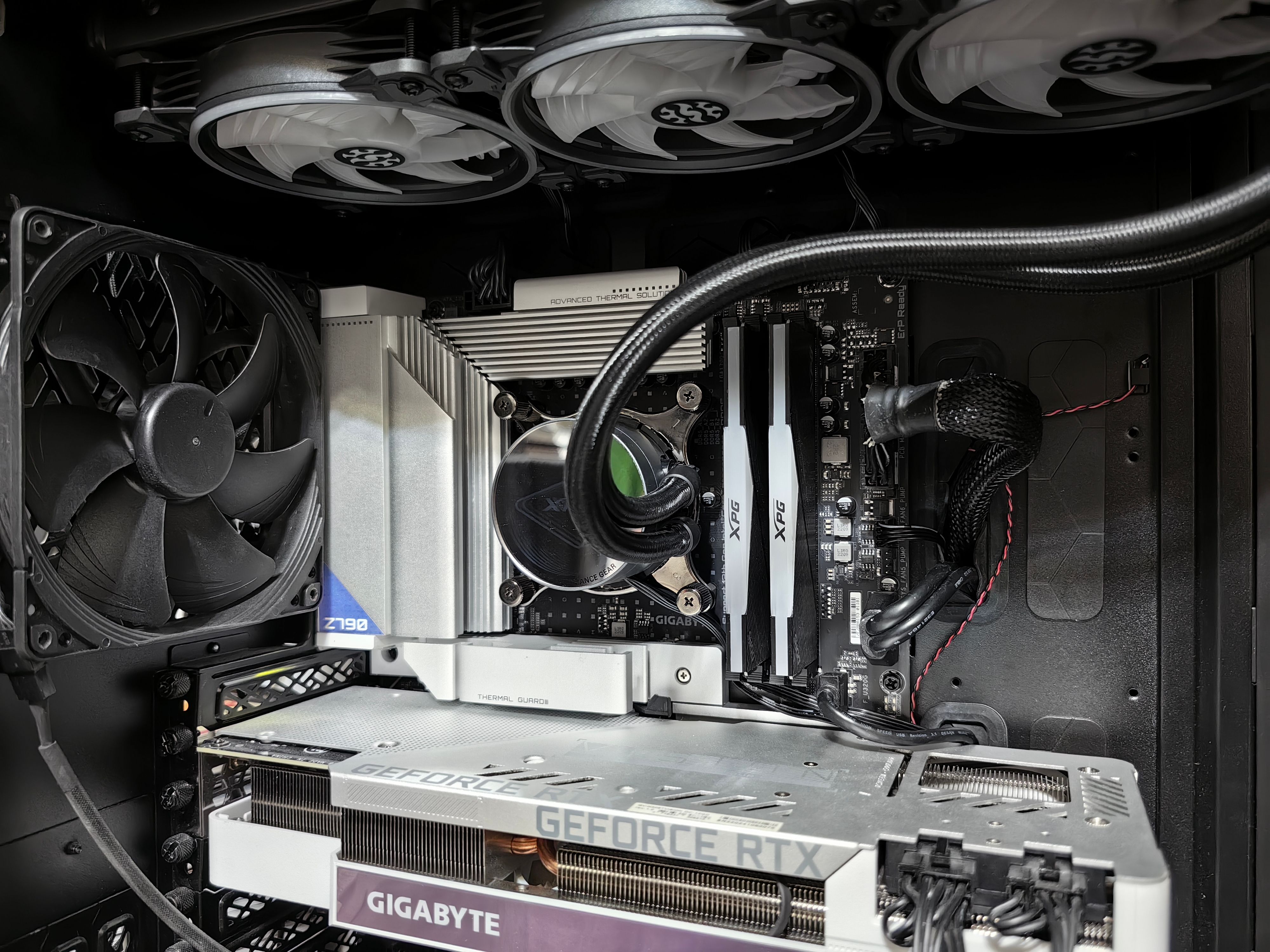
The power supply unit (PSU) provides power to the processor, graphics card, motherboard and storage devices. A reliable PSU is essential for system stability and component protection.
- Consider a quality 550W PSU for this class of build.
- Choose a reputable manufacturer and product series.
- Check the GPU's required PCIe power connectors.
- Look for suitable overload, over-voltage and short-circuit protections.
- Do not select a PSU based only on wattage or the 80 Plus label.
Always check the graphics card manufacturer's power recommendation and select a suitable power supply with enough capacity and the correct connectors.
8. Choose a Gaming Cabinet with Good Airflow
A gaming cabinet should provide enough room for the motherboard, graphics card, cooler and power supply. Proper airflow helps maintain suitable temperatures during long gaming sessions.
- Prefer a front mesh panel for airflow.
- Check graphics card length clearance.
- Check CPU cooler height clearance.
- Look for sufficient fan mounting points.
- Keep cables organised to improve airflow.
9. Gaming Performance: What Should You Expect?
A Ryzen 5 5600 and RX 6600 configuration is intended for Full HD gaming. Actual performance depends on the game, resolution, graphics settings, drivers, cooling and background applications.
| Game category | Expected experience |
|---|---|
| Competitive esports games | Good potential for high-refresh-rate gaming with suitable settings. |
| Popular multiplayer games | Suitable for Full HD gaming with settings adjusted as needed. |
| Older AAA games | Often suitable for medium to high settings. |
| New demanding AAA games | May require medium or low settings and upscaling where supported. |
| Video editing and multitasking | Suitable for entry-level and moderate workloads, depending on software. |
Do not expect every new game to run at ultra settings or at a fixed frame rate. Check independent benchmarks for the exact game and settings you plan to use.
10. How to Build a Gaming PC Step by Step
- Prepare your workspace: Use a clean, dry surface and take precautions against static electricity.
- Install the processor: Align the CPU with the socket markings and follow the motherboard instructions.
- Install RAM: Use the recommended motherboard slots for dual-channel memory.
- Install the SSD: Fit the NVMe drive into the compatible M.2 slot.
- Mount the motherboard: Secure it inside the cabinet using the correct standoffs.
- Install the CPU cooler: Apply thermal paste if required and connect the cooler fan.
- Install the PSU: Connect the motherboard and CPU power cables.
- Install the graphics card: Secure it in the primary PCIe slot and connect the required power cables.
- Connect cabinet cables: Attach power switch, USB, audio and fan connectors using the motherboard manual.
- Test the system: Check that the PC boots, verify component detection and install the operating system and drivers.
If you are new to PC assembly, professional installation can help prevent component damage, loose connections and cooling problems.
11. Common Gaming PC Building Mistakes
- Buying a graphics card without checking its condition and warranty.
- Choosing a low-quality power supply.
- Pairing an incompatible processor and motherboard.
- Ignoring BIOS compatibility.
- Using a single RAM stick when a dual-channel kit is affordable.
- Choosing insufficient storage for your games.
- Ignoring cabinet airflow and component clearance.
- Spending too much on RGB accessories instead of performance components.
- Forgetting assembly, shipping and applicable taxes in the final budget.
12. Custom Gaming PC vs Prebuilt Gaming PC
| Custom Gaming PC | Prebuilt Gaming PC |
|---|---|
| Select individual components according to your needs. | Configuration is selected by the seller. |
| More control over GPU, PSU and motherboard. | Component choices may be limited. |
| Flexible upgrade options. | Upgrade options depend on the model. |
| Can be customised for gaming and work. | Convenient for buyers who want a ready-made system. |
13. Custom Gaming PC Building and IT Services by Virnobyte
Virnobyte Private Limited provides computer hardware, custom gaming PC consultation, laptop and desktop solutions and IT support for individuals, gamers, professionals, startups and businesses.
Our services include:
- Custom Gaming PC Building: PC configurations for casual gaming, competitive gaming and performance-focused requirements.
- Gaming PC Upgrades: Processor, graphics card, RAM, SSD, cooling and power supply upgrades.
- Computer and Laptop Repair: Hardware diagnosis, troubleshooting and repair support.
- New and Refurbished Computers: Laptop and desktop sales based on availability and requirements.
- Hardware and Networking: LAN, Wi-Fi, router configuration, network setup and cable management.
- CCTV Installation: Camera installation and surveillance solutions.
- IT AMC Services: Annual maintenance and IT support for offices and businesses.
- Data Backup and Storage: SSD, HDD, NAS and backup solutions.
- Computer Accessories: Keyboards, mice, storage devices, cables and other accessories.
- Business IT Support: Hardware troubleshooting and technology assistance for small and medium-sized businesses.
14. Our Service Locations: Pune, Maharashtra, Karnataka, Goa and Pan India
Virnobyte welcomes enquiries from customers and businesses across India for computer hardware, custom PC solutions and IT support. Our primary service location is Pune, Maharashtra. On-site service outside our regular coverage area depends on location, project scope and availability.
Pune, Maharashtra
Our primary service location includes Chikhali, Jadhavwadi, Pimpri-Chinchwad, Moshi, Bhosari, Duddulgaon and nearby areas. Services include computer repair, laptop repair, custom gaming PC building, refurbished laptop sales, networking, CCTV and business IT support.
Other locations across Maharashtra
We welcome enquiries for computer hardware, laptop and desktop solutions, custom PC requirements and IT support projects across Maharashtra. On-site visits are subject to location and service availability.
Karnataka
Customers and businesses in Karnataka can contact Virnobyte for product enquiries, hardware recommendations, custom PC consultations and suitable remote IT assistance. On-site work depends on project location and availability.
Goa
We welcome enquiries from Goa for computer hardware, laptop and desktop requirements, gaming PC consultation and business IT solutions. Service arrangements are confirmed according to the location and scope of work.
Pan-India Services
Customers across India can contact Virnobyte for remote technical consultation, product enquiries, hardware recommendations and project-based IT requirements. Product delivery and on-site service depend on delivery pin code, logistics and service feasibility.
Contact Virnobyte to discuss your requirements, preferred components and budget. Our team can help you plan a suitable configuration before purchase.
15. Frequently Asked Questions
Can I build a gaming PC under ₹50,000 in India?
Yes. A configuration with a Ryzen 5 5600, RX 6600 8GB, 16GB RAM and an NVMe SSD may fit close to ₹50,000 when component prices are favourable.
Is 16GB RAM enough for gaming?
16GB is a practical starting point for many games. A 32GB upgrade can help with heavier multitasking, demanding titles and content creation.
Which graphics card is suitable for a ₹50,000 gaming PC?
The AMD Radeon RX 6600 8GB is one option to consider for a budget 1080p gaming build, depending on current pricing and availability.
Can I play GTA V and Valorant on this PC?
Yes. This class of configuration is suitable for games such as GTA V and Valorant. Actual performance depends on resolution, graphics settings, drivers and game updates.
Can I upgrade this PC in the future?
Yes. You can upgrade RAM, storage and the graphics card, provided the motherboard, PSU and cabinet support the new components.
Does the ₹50,000 budget include a monitor?
No. The configuration is for the PC tower only. A monitor, keyboard, mouse, UPS and other peripherals require a separate budget.
Does Virnobyte provide gaming PC building services in Pune?
Virnobyte provides custom gaming PC consultation and hardware solutions in Pune and nearby areas, subject to component availability and service requirements.
Does Virnobyte serve customers outside Pune?
Virnobyte welcomes enquiries from Maharashtra, Karnataka, Goa and other parts of India. Remote assistance, product supply and on-site services depend on location and the nature of the requirement.
Build Your Dream Gaming PC with Virnobyte
Looking for a custom gaming PC under ₹50,000? Get guidance on processors, graphics cards, RAM, SSDs, motherboards and power supplies.
Virnobyte Private Limited
Technology • Innovation • Trust
Address: Sadichha Complex, Sawtamali Temple Road, Jadhavwadi, Chikhali, Pune – 411062
Phone: 8669883332
Email: info@virnobyte.com
Website: www.virnobyte.com