
Best Computer Repair Shop in Chikhali, Pune
Looking for a computer repair shop in Chikhali, Pune? Get laptop and desktop repair, hardware upgrades, troubleshooting and reliable IT support for homes and businesses.
By virnobyte team · · 14 min read

Computer Repair Shop in Chikhali, Pune – Reliable Laptop & Desktop Repair Services
Are you searching for a reliable computer repair shop in Chikhali, Pune? Whether your laptop is running slowly, your desktop is not starting, your computer keeps overheating, or you need a hardware upgrade, finding the right technical support can help you get your device working properly again.
Computers and laptops are essential for everyday activities, including office work, online education, business operations, accounting, designing, communication and entertainment. Even a small technical problem can interrupt your work and cause unnecessary delays. Professional diagnosis and the right repair approach can help identify the actual problem and avoid unnecessary component replacements.
Virnobyte Private Limited provides computer-related services from its head office in Chikhali, Pune, Maharashtra. Our services include laptop repair, desktop repair, computer troubleshooting, hardware upgrades, SSD and RAM installation, software support and IT solutions for homes and businesses.
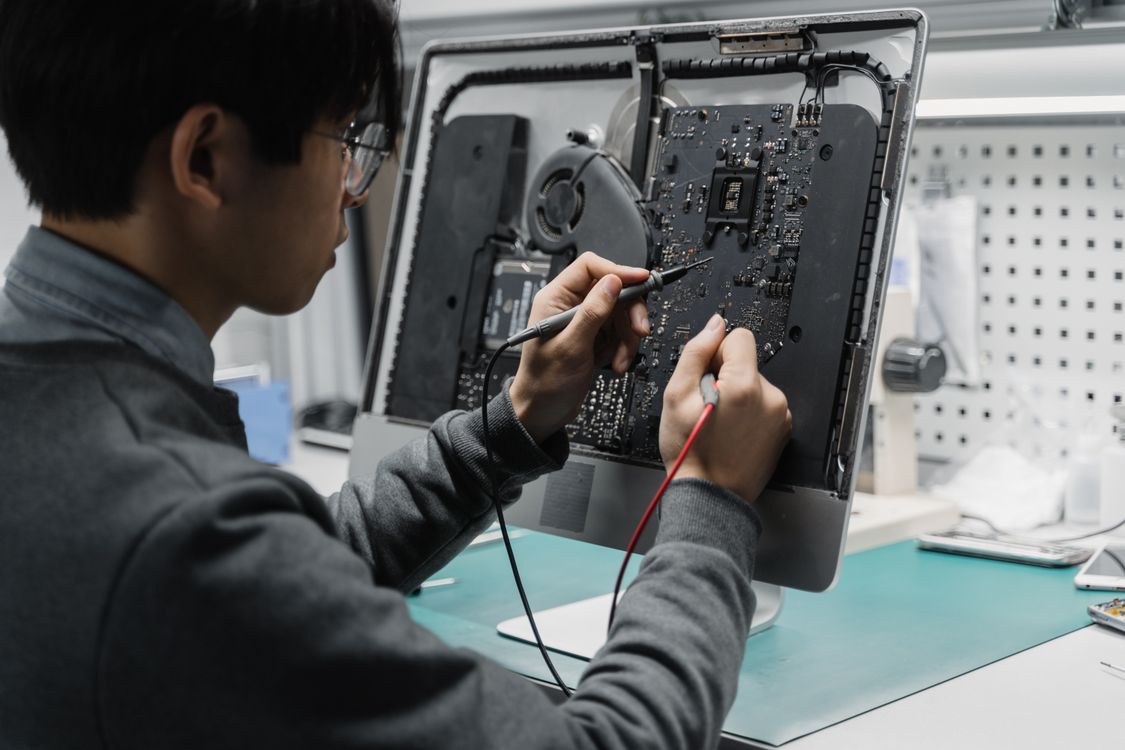
Why Choose a Professional Computer Repair Shop in Chikhali?
When a computer develops a problem, many users try random online solutions or replace components without checking the actual cause. This can sometimes lead to additional problems or unnecessary expenses. A professional computer repair service should first understand the symptoms, inspect the device and recommend a suitable solution.
When comparing computer repair shops in Chikhali and nearby areas of Pune, consider the following:
- Proper diagnosis: The technician should identify the likely cause of the problem before recommending a repair.
- Clear estimates: Ask for the expected repair cost, replacement part details and labour charges before approving the work.
- Compatible components: RAM, SSDs, batteries and other replacement parts should match the device specifications.
- Data protection: Important files should be backed up before formatting, reinstalling Windows or performing storage-related work whenever possible.
- Repair information: You should understand what work has been performed and whether any parts have been replaced.
- Testing after repair: The device should be checked for the reported problem and basic functionality before handover.
Laptop Repair Services in Chikhali, Pune
Laptops are compact devices containing several integrated components. A problem with the display, battery, keyboard, cooling system, charging circuit or storage drive can affect the entire device. The correct repair depends on the laptop model, its condition and the fault identified during inspection.
Virnobyte offers laptop-related repair and technical support for common hardware and software problems.
1. Laptop Not Starting
A laptop that does not turn on may have a power adapter issue, battery fault, charging problem, damaged power circuit or motherboard-related fault. Proper diagnosis helps narrow down the cause.
2. Laptop Screen Repair
Display problems may include a cracked screen, flickering, blank display, lines on the screen or backlight issues. The display panel, cable and related components may need inspection.
3. Laptop Keyboard Replacement
Unresponsive keys, typing errors, damaged keys or liquid-related keyboard problems can affect productivity. The keyboard may require cleaning, repair or replacement depending on the fault.
4. Battery and Charging Problems
If your laptop battery drains quickly, does not charge or shuts down unexpectedly, the battery, charger, charging port and power circuitry may need checking.
5. Laptop Overheating
Excessive heat may result from blocked air vents, dust accumulation, a cooling fan problem or high system load. Cleaning and cooling-system inspection can help address the issue.
6. Hinge and Body Repair
Loose hinges, damaged laptop bodies and broken screen frames can affect the safe opening and closing of a laptop. Early inspection may prevent further physical damage.
Desktop Computer Repair and Troubleshooting
Desktop computers are commonly used in offices, shops, educational institutions, homes, businesses and professional workstations. They can be upgraded with compatible components, but a fault in the power supply, motherboard, RAM, storage drive or graphics card can stop the system from working correctly.
Common desktop repair and support requirements include:
- Desktop computer not powering on or restarting repeatedly.
- Computer freezing, hanging or running slowly.
- Blue screen errors and Windows startup problems.
- Monitor not displaying anything or showing an unusual picture.
- RAM detection errors and memory-related problems.
- Hard disk or SSD detection and storage-related issues.
- CPU fan noise, overheating and cooling problems.
- Power supply, motherboard and graphics card troubleshooting.
- Computer assembly, component replacement and system upgrades.

Computer Slow or Hanging? Consider a Hardware Upgrade
Is your computer taking too long to start? Does it freeze when you open multiple applications? Are you experiencing slow file transfers or delays while working? A slow computer does not always need to be replaced. In some cases, a compatible RAM or SSD upgrade can improve everyday performance.
RAM Upgrade for Better Multitasking
RAM temporarily stores the information that your computer is actively using. A system with insufficient memory may struggle when several applications or browser tabs are open. Increasing RAM can improve multitasking when the existing memory capacity is a limiting factor.
Before purchasing RAM, check the supported memory generation, module type, available slots and maximum capacity for your particular laptop or desktop. Some laptops have memory soldered directly to the motherboard and may not support an upgrade.
Read the manufacturer's guidance: How to Install or Upgrade RAM in a Dell Computer.
SSD Upgrade for Faster Everyday Performance
Replacing a compatible hard disk drive with a solid-state drive (SSD) can significantly improve storage responsiveness. Depending on the computer and its condition, an SSD upgrade can reduce boot times, improve application loading and make everyday tasks feel smoother.
There are different SSD types, including SATA and NVMe. Not every laptop or desktop supports every SSD type. Compatibility should be checked using the system model and motherboard specifications before buying a drive.
Read more about available upgrade options in Dell's Guide to Computer Upgrades.
Windows Installation, Software Support and Computer Troubleshooting
Hardware is only one part of a computer. Operating-system errors, driver conflicts, corrupted system files, unwanted software and application problems can also affect performance.
Common software and troubleshooting requirements include:
- Windows installation and reinstallation support.
- Windows startup and boot-related troubleshooting.
- Driver installation and device configuration.
- Software installation and configuration.
- Antivirus installation and basic security checks.
- Wi-Fi, internet and network connectivity troubleshooting.
- Printer connectivity and software configuration.
- Data backup and file transfer assistance.
Windows also includes built-in diagnostic options for several common issues. Before paying for a repair, users can review the available tools in Microsoft's Windows Troubleshooters guide.
Some software problems can be resolved through troubleshooting, while others may require professional inspection. Avoid formatting a computer or performing a factory reset before backing up important documents and files.
Data Backup and Recovery: Protect Your Important Files
Documents, photographs, business records, accounting files and project data can be more valuable than the computer itself. Before arranging a repair, make a backup of important information whenever the device is accessible.
Backup options may include:
- External hard drives and SSDs.
- Cloud storage and online backup services.
- Network-attached storage (NAS) devices.
- Another computer or secure storage location.
Microsoft explains backup, restoration and recovery options in its Windows Backup, Restore and Recovery guide.
How to Prepare Your Computer Before Giving It for Repair
Preparing your device before handing it over can reduce confusion and help protect your information.
- Back up important files: Save essential documents, photographs and business data to a separate storage location whenever possible.
- Describe the issue: Explain when the problem started, what happens when you switch on the device and whether any error message appears.
- Record device details: Note the laptop or desktop model, serial number and visible physical condition.
- Remove unnecessary accessories: Carry only the charger or other accessories required for diagnosis. Keep memory cards and USB devices with you unless they are needed for testing.
- Protect account access: Sign out of personal accounts where practical. Do not share passwords unnecessarily; discuss an appropriate testing method with the technician.
- Confirm data-related work: Ask before any formatting, operating-system reinstallation or storage replacement is performed.
- Ask for repair details: Confirm the estimate, expected completion process and applicable warranty terms before approving the work.
For additional preparation guidance, see Microsoft's guide to preparing a Surface device for service. This guide is specific to Surface devices, but its advice about backing up files and removing accessories is useful to consider for other computers too.

How to Identify a Computer Repair Service You Can Trust
Choosing a computer repair service should not be based only on the lowest quoted price. The quality of the diagnosis, replacement components, communication and after-repair testing all matter.
Consider these questions before selecting a repair shop in Chikhali, Pune:
| What to Check | What You Should Confirm |
|---|---|
| Initial diagnosis | Will the technician explain the reported fault and recommended checks? |
| Repair estimate | Will you receive the expected cost before approving the repair? |
| Replacement parts | Are the proposed parts compatible with your computer model? |
| Data protection | Will the technician discuss backup and data-related risks before formatting or replacing storage? |
| Testing | Will the reported issue and relevant device functions be checked after repair? |
| Warranty terms | Are the applicable service or replacement-part warranty conditions explained clearly? |
| Documentation | Will you receive an invoice or service record describing the work? |
Computer Repair and IT Support for Homes and Businesses
Computer problems can affect both individual users and entire business operations. A home user may need a laptop for online classes or personal work, while a business may rely on multiple desktop computers, printers, internet connections and shared data.
For small offices and businesses, computer maintenance should be considered alongside regular IT support. Repeated computer downtime, network interruptions and hardware failures can affect employee productivity and customer service.
Depending on the requirement, business IT support may include:
- Desktop and laptop repair for office systems.
- Routine computer maintenance and hardware checks.
- RAM, SSD and storage upgrades.
- LAN, Wi-Fi and router configuration.
- Printer installation and troubleshooting.
- Data backup and NAS storage solutions.
- CCTV installation and surveillance support.
- Hardware and networking Annual Maintenance Contracts (AMC).
- IT consulting and technical support for small businesses.
A suitable maintenance plan can help businesses monitor their IT equipment, plan upgrades and address recurring technical issues. The scope of support should be based on the number of devices, business requirements and service location.
Computer Repair Services in Chikhali and Across India – Virnobyte Private Limited
Virnobyte Private Limited is an IT services and computer solutions company with its head office in Chikhali, Pune, Maharashtra. We work with home users, professionals, shops, offices and businesses that need computer repair, hardware upgrades and IT support.
Our service portfolio includes laptop and desktop repair, new and refurbished computer solutions, RAM and SSD upgrades, computer accessories, gaming PC and workstation builds, networking, CCTV installation, printer support, data backup and hardware and networking AMC services.
Our Service Coverage
Virnobyte has its head office in Pune, Maharashtra, provides services across Maharashtra, has a strong presence in Karnataka and Goa, and serves customers across Pan India.
On-site service availability depends on location and project requirements; remote support and other service arrangements can be discussed. Contact our team to confirm the available service options for your location.
Head Office: Sadichha Complex, Sawtamali Temple Road, Jadhavwadi, Chikhali, Pune – 411062, Maharashtra, India.
Phone: 8669883332
Email: info@virnobyte.com
Website: www.virnobyte.com
Frequently Asked Questions About Computer Repair in Chikhali, Pune
1. Where can I find a computer repair shop in Chikhali, Pune?
Virnobyte Private Limited has its head office at Sadichha Complex, Sawtamali Temple Road, Jadhavwadi, Chikhali, Pune – 411062. You can contact the team on 8669883332 or info@virnobyte.com to discuss your laptop or desktop repair requirements.
2. Does Virnobyte provide laptop repair services?
Virnobyte provides laptop-related repair and support, including troubleshooting, hardware inspection, storage and RAM upgrades, software support and assistance with common laptop problems. The appropriate solution depends on the device model and fault.
3. Can a slow laptop be made faster?
In many cases, performance can improve through a compatible RAM or SSD upgrade, software troubleshooting or cooling-system maintenance. The best solution depends on the existing hardware and the actual reason for the slowdown.
4. Does Virnobyte repair desktop computers?
Yes. Virnobyte provides desktop computer repair and support, including hardware troubleshooting, storage and memory upgrades, power-related checks, software support and desktop configuration assistance.
5. Does Virnobyte provide computer repair services outside Pune?
Virnobyte provides services across Maharashtra, has a strong presence in Karnataka and Goa, and serves customers across Pan India. On-site service availability depends on location and project requirements. Remote support and other service arrangements can be discussed.
6. Should I back up my files before computer repair?
Yes. Back up important files before repair whenever possible. Formatting, operating-system reinstallation, storage replacement or a failing drive can put your data at risk. Discuss data preservation with the technician before any such work begins.
7. Does Virnobyte provide IT support for offices?
Virnobyte offers IT-related services for businesses, including computer repair, hardware and networking support, printer assistance, Wi-Fi and LAN solutions, CCTV installation, data backup and AMC services. The suitable service scope depends on your business requirements.
Contact Virnobyte for Computer Repair and IT Support
Whether you need laptop repair, desktop troubleshooting, an SSD or RAM upgrade, computer maintenance or IT support for your business, choosing the right technical solution can help keep your systems running reliably.
Contact Virnobyte Private Limited to discuss your computer repair or IT service requirements in Chikhali, Pune and other service locations.
Need Laptop or Desktop Repair in Chikhali, Pune?
Virnobyte Private Limited
Technology • Innovation • Trust
Call: 8669883332
Email: info@virnobyte.com
Website: www.virnobyte.com
Head Office: Sadichha Complex, Sawtamali Temple Road, Jadhavwadi, Chikhali, Pune – 411062, Maharashtra, India.
Services across Maharashtra, with a strong presence in Karnataka and Goa, and service reach across Pan India. On-site availability is subject to location and project requirements.