
Laptop Repair Services in Chikhali
Get reliable laptop repair in Chikhali, Pune. We offer screen replacement, hardware repairs, SSD upgrades, battery replacement and software troubleshooting at Virnobyte.
By virnobyte team · · 14 min read

Laptop Repair Services in Chikhali, Pune – Reliable Laptop Repair and Technical Support
Looking for reliable laptop repair services in Chikhali, Pune? Whether your laptop has a broken screen, battery problems, charging issues, overheating, slow performance or software errors, getting the right technical support can help restore your device and avoid unnecessary replacement costs.
Laptops have become an essential part of everyday life. Students use them for education and online classes, professionals depend on them for office work, and businesses rely on laptops for communication, accounting, designing, customer management and daily operations. Even a small technical problem can interrupt important work.
Virnobyte Private Limited provides laptop repair and IT support services from its head office in Chikhali, Pune, Maharashtra. Our service portfolio includes laptop hardware troubleshooting, screen and battery-related repairs, SSD and RAM upgrades, software support, operating-system troubleshooting and general computer maintenance.
In this guide, we explain common laptop problems, available repair options, upgrade possibilities and important things to check before choosing a laptop repair service.

Why Do You Need Professional Laptop Repair Services?
A laptop contains several connected components, including the motherboard, processor, RAM, storage drive, display, battery, keyboard, cooling fan and charging circuit. A fault in one component can affect the functioning of the entire device.
For example, a laptop that does not turn on may have a charging adapter issue, battery fault, damaged charging port or internal power problem. Similarly, a black screen does not always mean that the display panel is damaged. It can also be caused by graphics drivers, Windows startup errors or other hardware faults.
Professional diagnosis helps identify the actual cause before a repair or component replacement is recommended. This can reduce unnecessary expenses and help users make informed decisions.
Consider professional laptop servicing when you experience:
- Frequent laptop hanging, freezing or unexpected shutdowns.
- Cracked, flickering or blank laptop screens.
- Battery draining quickly or not charging.
- Overheating, loud fan noise or poor cooling.
- Keyboard, touchpad or charging-port problems.
- Slow Windows startup and poor application performance.
- Hard disk or SSD detection errors.
- Wi-Fi, Bluetooth, audio or driver-related issues.
Common Laptop Repair Services in Chikhali, Pune
Different laptop problems require different repair methods. The following are common laptop repair and support requirements that users may need.
1. Laptop Screen Replacement
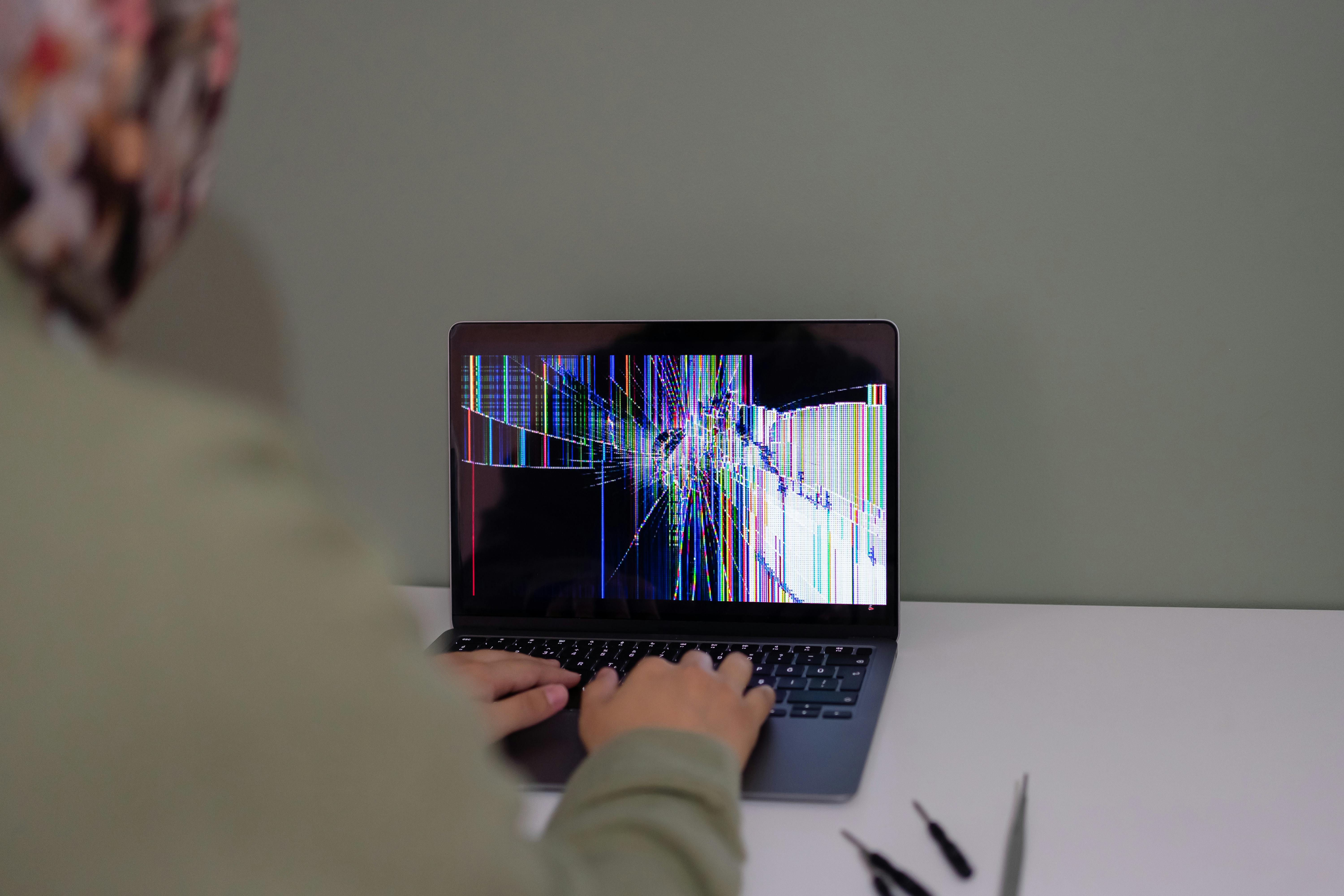
A damaged laptop screen can show cracks, black spots, coloured lines, flickering or no display. Depending on the model and fault, the display panel, display cable or related components may need inspection or replacement.
2. Laptop Battery Replacement
If your laptop battery drains quickly, does not hold charge or is not detected, the battery and charging system may need checking. A compatible replacement battery may be required if the existing one has deteriorated.
3. Charging Port and Adapter Repair
A loose charging connection, damaged DC jack, faulty power adapter or internal charging issue can stop your laptop from charging correctly. Inspection helps determine the required repair.
4. Laptop Keyboard and Touchpad Repair
Unresponsive keys, typing errors, damaged keyboards and touchpad problems can affect daily work. Depending on the model, cleaning, component repair or replacement may be suitable.
5. Laptop Overheating and Fan Cleaning
Blocked air vents, dust accumulation and cooling-fan problems may cause excessive heat and unexpected shutdowns. Cleaning and cooling-system inspection can help address these issues.
6. Laptop Motherboard Troubleshooting
Power failures, charging faults, damaged circuits and certain startup problems may require motherboard-level diagnosis. The appropriate repair depends on the affected components and extent of damage.
Laptop Screen Repair and Replacement
The display is one of the most important parts of a laptop. A damaged screen can make the device difficult or impossible to use, even when the remaining hardware is functioning properly.
Common laptop display problems include:
- Cracked or physically damaged display panels.
- Black screen after switching on the laptop.
- Horizontal or vertical lines on the display.
- Screen flickering or unusual brightness.
- Display turning on and off intermittently.
- Dim display or backlight-related problems.
- External monitor working while the laptop screen remains blank.
A blank screen does not automatically mean that the screen needs replacement. It may be caused by display settings, graphics drivers, startup problems or a hardware connection issue.
Microsoft provides useful troubleshooting steps in its official guide to troubleshooting blank screens in Windows. For certain power and display symptoms, Dell also recommends checking the system's power state and testing with an external display where appropriate.
Laptop Battery and Charging Problems
Laptop batteries gradually lose capacity as they age and go through repeated charging cycles. You may notice that the laptop no longer runs as long on battery power as it used to.
Some common battery and charging symptoms include:
- Laptop battery percentage not increasing while charging.
- Battery draining unusually quickly.
- Laptop switching off immediately after unplugging the charger.
- Battery not detected by Windows.
- Charging adapter not recognised.
- Loose or damaged charging connection.
Before replacing the battery, the charger, power socket, charging port and battery health should be checked. Software or firmware issues may also affect charging behaviour.
Refer to these manufacturer resources for more information:
- Dell – Laptop battery not charging and AC adapter troubleshooting.
- HP – Battery and adapter troubleshooting.
- Microsoft – Caring for your battery in Windows.
Laptop Overheating and Cooling Fan Repair
Overheating is a common concern, particularly when a laptop is used for long hours, gaming, video editing, designing or other demanding applications.
Possible causes include:
- Dust accumulation inside cooling vents.
- Cooling fan malfunction or unusual fan noise.
- Blocked air vents or restricted airflow.
- Thermal interface material deterioration.
- High processor or graphics workload.
- Software processes using excessive system resources.
A laptop should generally be used on a hard, flat surface that allows air to circulate. Avoid placing it on pillows, blankets or other soft surfaces that can block the ventilation openings.
Dell explains common overheating and power-related symptoms in its laptop power and overheating troubleshooting guide.
SSD and RAM Upgrades for Better Laptop Performance
Is your laptop slow during startup? Does it take a long time to open applications or respond when multiple programs are running? Before purchasing a new laptop, consider whether a compatible hardware upgrade could improve its performance.
1. SSD Upgrade
An SSD (Solid-State Drive) can improve storage responsiveness compared with a traditional mechanical hard disk drive. An SSD upgrade may help reduce boot times, improve application loading and make everyday computer use feel faster.
Common SSD options include 2.5-inch SATA SSDs and M.2 SSDs. However, an M.2 connector does not automatically mean that a laptop supports every M.2 drive. The storage interface and supported drive type must be checked in the laptop's specifications.
Kingston explains important compatibility differences in its SATA and M.2 SSD frequently asked questions.
2. RAM Upgrade
RAM is the temporary memory used by the computer while running applications. Insufficient RAM can make multitasking difficult, especially when multiple browser tabs, office applications or professional tools are open.
Adding compatible RAM may improve multitasking performance, but not every laptop supports memory upgrades. Some models have RAM soldered directly to the motherboard.
Before purchasing a memory module, check:
- Supported DDR generation, such as DDR4 or DDR5.
- Memory capacity supported by the laptop.
- Available memory slots.
- Module form factor and compatibility.
- Whether the existing memory is soldered.
For more details, read Dell's official guide to installing or upgrading laptop RAM.

Windows Installation and Laptop Software Troubleshooting
Not every laptop problem requires hardware replacement. Sometimes, Windows errors, damaged system files, outdated drivers, unwanted software or incorrect settings can affect the performance of a laptop.
Common laptop software support requirements include:
- Windows installation and reinstallation.
- Windows startup and boot error troubleshooting.
- Driver installation and configuration.
- Software installation and troubleshooting.
- Antivirus installation and security checks.
- Wi-Fi, Bluetooth and audio troubleshooting.
- Data transfer and backup assistance.
- Printer and external-device configuration.
Windows includes built-in recovery and troubleshooting options. Microsoft provides information about available methods in its Windows recovery options guide.
Before selecting a reset or clean installation option, remember that some recovery methods can remove applications, settings and personal files. Back up important data before proceeding.
Laptop Data Backup and Recovery Support
Important documents, photos, business records, project files and educational material should be protected before any major laptop repair. A storage-related fault or operating-system reinstallation can put important information at risk.
Consider maintaining backups using:
- External hard drives or SSDs.
- Cloud backup services.
- Network-attached storage (NAS).
- Another secure computer or storage location.
Read Microsoft's guide to backing up, restoring and recovering files in Windows.
How to Choose a Reliable Laptop Repair Shop in Chikhali?
Choosing a laptop repair shop should involve more than comparing prices. The quality of the diagnosis, communication, parts compatibility and repair testing are also important.
Before approving a repair, consider these points:
| What to Check | What to Ask |
|---|---|
| Diagnosis | Has the technician identified the likely cause of the issue? |
| Repair estimate | Can the expected charges be explained before the work begins? |
| Replacement parts | Are the screen, battery, RAM or SSD compatible with the exact laptop model? |
| Data protection | Will data be protected before formatting or storage replacement? |
| Testing | Will the original problem be checked after the repair? |
| Warranty | What service or replacement-part warranty terms apply? |
| Documentation | Will you receive an invoice or service record? |
Our Laptop Repair Process
A clear repair process helps customers understand what is happening to their device. While the exact procedure depends on the laptop model and reported fault, a typical service process can involve the following stages:
- Understand the issue: The customer explains the symptoms, device model and history of the problem.
- Initial inspection: The laptop is checked for visible damage, power issues and other reported symptoms.
- Technical diagnosis: Relevant hardware and software components are checked to identify the likely cause.
- Repair recommendation: The proposed repair, replacement component and expected charges are discussed.
- Customer approval: Repair work proceeds after the customer approves the proposed solution.
- Repair and testing: The relevant repair is completed and the reported issue is checked again.
- Handover: The customer is informed about the completed work and applicable service terms.
Laptop Repair Services for Homes, Offices and Businesses
Laptop repair requirements can differ depending on how the device is used. A student may need help with a broken display or battery, while an office employee may require Windows troubleshooting, connectivity support or a storage upgrade.
Businesses may also need support for multiple laptops used by employees, accounts teams, sales departments and management staff.
Depending on the requirement, Virnobyte's IT service portfolio includes:
- Laptop and desktop repair support.
- RAM and SSD upgrades.
- New and refurbished laptop solutions.
- Computer accessories and peripherals.
- Gaming PC and professional workstation builds.
- LAN and Wi-Fi networking solutions.
- CCTV installation and surveillance solutions.
- Printer repair and configuration support.
- Data backup and NAS storage solutions.
- Hardware and networking AMC services.
- IT consulting and technical support for businesses.
Virnobyte Laptop Repair Services in Chikhali, Pune and Across India
Virnobyte Private Limited is an IT services and computer solutions company headquartered in Chikhali, Pune, Maharashtra. We support home users, students, professionals, shops, offices and businesses with computer repair, hardware upgrades and IT solutions.
Our head office is located in Jadhavwadi, Chikhali, Pune. We provide services across Maharashtra, have a strong presence in Karnataka and Goa, and serve customers across Pan India.
Our wider service portfolio covers laptop and desktop repair, computer hardware upgrades, refurbished and new computer solutions, networking, CCTV installation, printer support, data backup and IT maintenance.
On-site service availability depends on location and project requirements. Remote support and other service arrangements can be discussed with our team.
Head Office: Sadichha Complex, Sawtamali Temple Road, Jadhavwadi, Chikhali, Pune – 411062, Maharashtra, India.
Phone: 8669883332
Email: info@virnobyte.com
Website: www.virnobyte.com
Frequently Asked Questions About Laptop Repair in Chikhali, Pune
1. Where can I find laptop repair services in Chikhali, Pune?
Virnobyte Private Limited has its head office at Sadichha Complex, Sawtamali Temple Road, Jadhavwadi, Chikhali, Pune – 411062. Contact 8669883332 to discuss your laptop repair requirements.
2. Does Virnobyte provide laptop screen replacement?
Virnobyte provides laptop-related hardware repair support, including assistance with display problems. The repair or replacement requirement depends on the screen type, laptop model and diagnosis.
3. Can a slow laptop be upgraded instead of replaced?
In many cases, a compatible SSD or RAM upgrade can improve performance. However, the best option depends on the existing specifications, upgrade support and actual cause of the slowdown.
4. Why is my laptop battery not charging?
Possible causes include a faulty charger, damaged charging port, worn-out battery, power-circuit issue or software-related problem. The charger and battery system should be checked before replacing components.
5. Why does my laptop overheat?
Dust accumulation, blocked vents, cooling-fan problems and demanding applications can contribute to overheating. A cooling-system inspection can help identify the cause.
6. Should I back up my data before laptop repair?
Yes. Back up important files whenever possible before repair. Formatting, operating-system reinstallation and storage replacement can affect personal data. Discuss data safety before authorising such work.
7. Does Virnobyte provide laptop and IT services outside Pune?
Yes. Virnobyte has its head office in Pune, provides services across Maharashtra, has a strong presence in Karnataka and Goa, and serves customers across Pan India. On-site availability depends on location and project requirements.
8. Does Virnobyte provide laptop support for businesses?
Virnobyte provides IT-related services for businesses, including laptop and desktop repair, hardware upgrades, networking, CCTV, printer support, data backup and hardware and networking AMC services.
Contact Virnobyte for Laptop Repair Services in Chikhali
A laptop problem does not always mean you need to purchase a new device. The right diagnosis, repair or hardware upgrade may help restore its performance and extend its useful life.
Whether you are facing a broken laptop screen, battery issue, charging fault, overheating problem, slow performance or software error, contact Virnobyte Private Limited to discuss the available repair and support options.
Looking for Laptop Repair in Chikhali, Pune?
Virnobyte Private Limited
Technology • Innovation • Trust
Phone: 8669883332
Email: info@virnobyte.com
Website: www.virnobyte.com
Head Office: Sadichha Complex, Sawtamali Temple Road, Jadhavwadi, Chikhali, Pune – 411062, Maharashtra, India.
Services across Maharashtra, strong presence in Karnataka and Goa, and service reach across Pan India. On-site availability depends on location and project requirements.