
Best Wi-Fi Router for Office Use
Discover the best Wi-Fi routers for office use. Compare speed, coverage, security, connected devices and features to choose the right router for reliable business connectivity.
By virnobyte team · · 13 min read

Best Wi-Fi Router for Office Use: Complete Buying Guide for Businesses in India (2026)
A reliable Wi-Fi router is essential for modern offices. Employees depend on stable internet connectivity for email, video meetings, cloud applications, online billing, file sharing and daily business operations. Choosing the wrong router can result in slow internet, weak Wi-Fi coverage, frequent disconnections and poor performance when multiple devices are connected.
The best Wi-Fi router for your office depends on the number of employees, office size, internet speed, connected devices, security requirements and budget. A small office with 5–10 employees may need a different solution from a manufacturing company, multi-floor office or business with several departments.
This guide explains router types, important features, Wi-Fi standards, buying considerations and business networking recommendations for Indian offices.
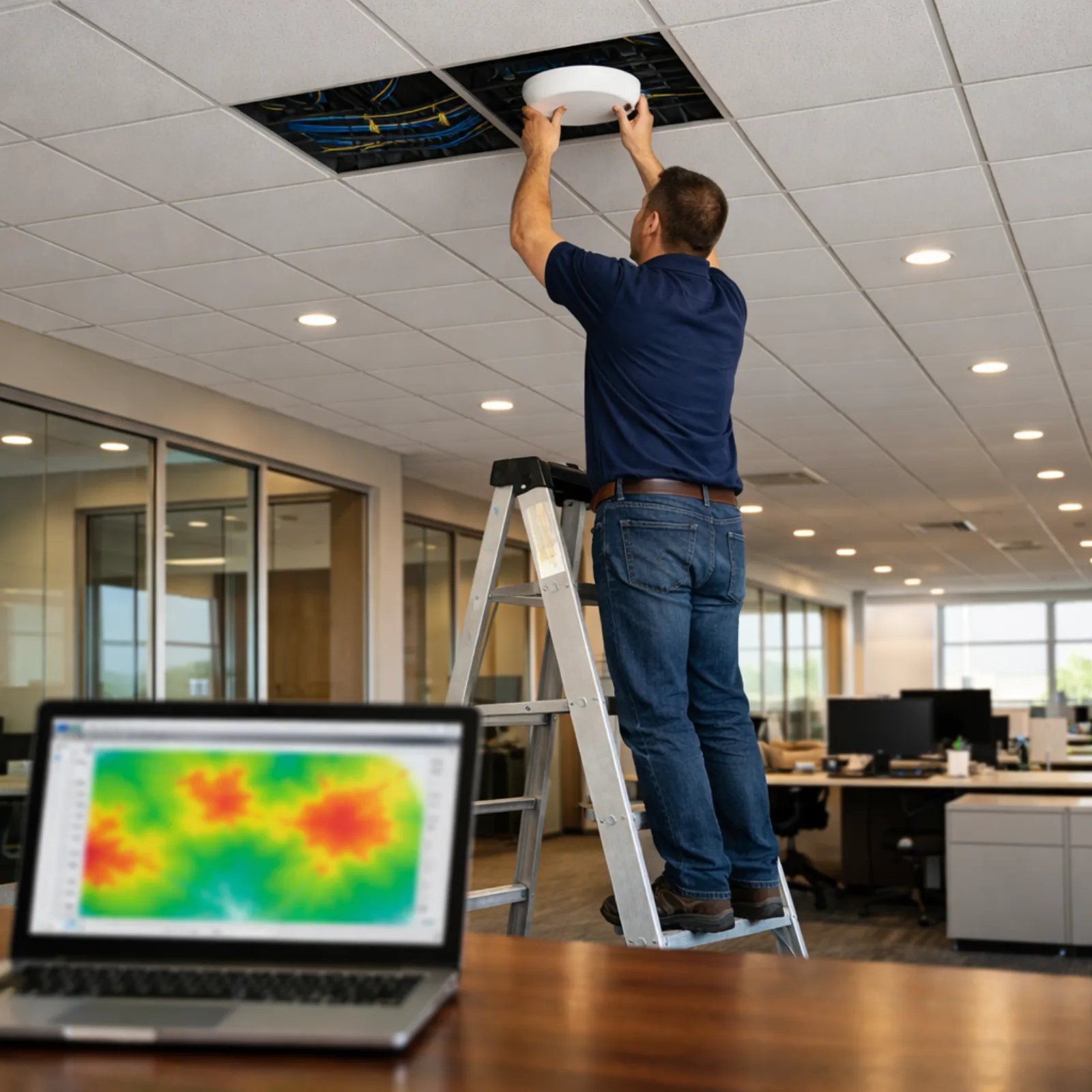
1. Why Does Your Office Need a Good Wi-Fi Router?
A Wi-Fi router connects wireless devices to your office network and, in a typical setup, to the internet. It allows employees to use laptops, smartphones, tablets, printers and other compatible devices without requiring a separate Ethernet cable for each connection.
A suitable office Wi-Fi solution can help with:
- Stable internet access for employees.
- Video conferencing and online meetings.
- Cloud-based accounting and business applications.
- Wireless connectivity for laptops and mobile devices.
- Guest internet access for visitors.
- Connectivity for compatible printers and other devices.
- Centralised network access and security management.
Remember that the router is only one part of the network. Internet bandwidth, Ethernet cabling, switches, access point placement and the number of active users also affect performance.
2. Types of Wi-Fi Routers for Office Use
A. Single-Band Router
A single-band router generally operates on the 2.4 GHz frequency band. It may be suitable for basic connectivity requirements, but it offers fewer options for managing wireless traffic in busy office environments.
For most new office installations, a dual-band router is a more practical choice.
B. Dual-Band Wi-Fi Router
A dual-band router supports both 2.4 GHz and 5 GHz wireless bands.
- 2.4 GHz: Usually offers better coverage through some obstacles, but can experience more interference and congestion.
- 5 GHz: Often provides higher throughput over shorter distances, depending on the environment and connected device.
Dual-band routers are suitable for many small offices, shops and businesses with moderate connectivity requirements.
C. Tri-Band Wi-Fi Router
A tri-band router provides three wireless bands, commonly two 5 GHz or one 5 GHz and one 6 GHz band depending on the Wi-Fi generation and model.
It may be useful in environments with many active devices and heavy wireless traffic. However, the benefits depend on client-device compatibility, network design and the router's processing capability.
D. Business-Grade Wi-Fi Router or Gateway
Business-grade gateways are designed for more advanced networking requirements. Depending on the model, they may support:
- Multiple WAN connections and internet failover.
- VPN connectivity for remote employees.
- Firewall and access-control policies.
- VLANs and network segmentation.
- Centralised network management.
- Guest network controls.
- Integration with managed switches and wireless access points.
For offices with multiple departments, several floors or a large number of users, a separate business gateway and centrally managed access points can be a better design than one all-in-one router.
3. Understanding Wi-Fi Standards: Wi-Fi 5, Wi-Fi 6 and Wi-Fi 7
Wi-Fi standards influence wireless speed, efficiency, supported features and compatibility. When purchasing a router, check the Wi-Fi generation and whether your employee devices support it.
| Wi-Fi Standard | Technical Name | General Characteristics | Office Suitability |
|---|---|---|---|
| Wi-Fi 5 | 802.11ac | Operates on 5 GHz and remains usable for basic wireless needs. | Basic or existing office networks. |
| Wi-Fi 6 | 802.11ax | Improves efficiency in busy environments through technologies such as OFDMA and MU-MIMO. | Good choice for many modern offices. |
| Wi-Fi 6E | 802.11ax with 6 GHz | Adds access to the 6 GHz band where supported and permitted. | Useful for compatible devices and suitable environments. |
| Wi-Fi 7 | 802.11be | Introduces features such as Multi-Link Operation and wider channels. | Advanced, high-performance deployments. |
Wi-Fi 6 is sufficient for many small and medium-sized offices. Wi-Fi 7 may be worth considering when compatible devices, high-density usage and network infrastructure justify the additional investment.
4. Important Features to Check Before Buying an Office Router
1. Wireless Speed
Check the router's advertised wireless class, such as AX1500, AX1800, AX3000 or AX5400. These numbers represent theoretical combined wireless link rates across bands, not the actual internet speed a single employee will receive.
Actual performance depends on the connected device, distance, interference, channel width, network load and internet plan.
2. Wi-Fi Coverage
Coverage depends on the office layout, building materials, wall thickness, interference and router placement. A router that works well in a small open room may not cover a multi-room office or another floor.
For larger offices, multiple access points may be necessary. A site survey helps determine suitable locations and quantities.
3. Number of Connected Devices
Count all devices that may use the network, not just employee laptops. Include smartphones, printers, IP phones, CCTV cameras, smart devices and guest devices.
Check the manufacturer's stated client capacity, but remember that a published maximum is not a guarantee of good performance under heavy simultaneous use.
4. Gigabit Ethernet Ports
For office use, Gigabit Ethernet ports are a useful baseline. They allow compatible wired devices to connect at up to 1 Gbps link speed.
If your internet connection or internal network requires higher speeds, consider multi-gigabit WAN and LAN ports.
5. MU-MIMO and OFDMA
These technologies help compatible Wi-Fi 6 and newer devices share wireless resources more efficiently.
- MU-MIMO: Helps a router communicate with multiple compatible devices using multiple spatial streams.
- OFDMA: Allows wireless resources to be divided into smaller units to serve multiple devices more efficiently.
6. Security Features
Office routers should provide suitable security features. Look for:
- WPA2-AES and/or WPA3 support.
- Firewall and access-control options.
- Guest Wi-Fi network support.
- Firmware updates from the manufacturer.
- VPN support where required.
- Administrative access controls.
- Network separation or VLAN support where applicable.
7. Mesh and Access Point Expansion
Mesh support can help extend wireless coverage, but check whether the system supports Ethernet backhaul. For business networks, wired access points connected to a switch often provide more predictable performance than relying entirely on wireless repeaters.
5. Recommended Wi-Fi Router Options for Office Use
The following router categories and models illustrate different office requirements. Check the exact hardware revision, current firmware, local availability and manufacturer support before purchasing.
Budget and Small Office Routers
For a small office with a handful of employees, a dual-band Wi-Fi 6 router with Gigabit Ethernet ports can provide a practical starting point.
Examples include the TP-Link Archer AX12 and Archer AX23. These are consumer-style routers, so confirm that their management and security features are sufficient for your business.
Higher-Performance All-in-One Router
For a small office with more wireless activity, a higher-capacity Wi-Fi 6 router such as the TP-Link Archer AX72 can be considered. Check the exact regional model specifications and available ports.
Business-Grade Modular Networking
For offices with multiple rooms, many users or separate staff and guest networks, consider a business gateway with managed switches and centrally managed access points.
TP-Link Omada is one example of a business networking ecosystem. Its gateway and access point range supports centralised management and network expansion. The specific gateway, switch and access point combination should be selected according to the site requirements.

6. Router vs Access Point vs Wi-Fi Extender
These devices have different functions. Understanding the difference helps avoid buying the wrong equipment.
| Device | Main Function | Best Use |
|---|---|---|
| Router | Routes traffic between networks and commonly provides internet access and basic network services. | Connecting the office LAN to the internet. |
| Wireless Access Point | Connects wireless clients to an existing wired network. | Expanding office Wi-Fi coverage. |
| Wi-Fi Extender | Repeats an existing wireless signal. | Addressing a limited coverage area in simple setups. |
| Mesh System | Uses multiple coordinated nodes to extend wireless coverage. | Small premises needing broader coverage with simple management. |
For a larger office, dedicated access points connected through Ethernet to a managed switch are often a better long-term solution than adding multiple basic extenders.
7. What Type of Router Does Your Office Need?
| Office Type | Suggested Network Design |
|---|---|
| Small office with 3–5 employees | Good dual-band Wi-Fi 6 router, Gigabit ports and suitable security. |
| Office with 5–15 employees | Wi-Fi 6 router or business gateway, Gigabit switch and an access point if coverage requires it. |
| Office with 15–30 employees | Business gateway, managed switch and one or more planned access points. |
| Multi-floor office | Business gateway, managed PoE switches and multiple wired access points. |
| Manufacturing or warehouse | Business gateway, managed switching and access points selected for the environment and coverage requirements. |
These are planning examples, not fixed device limits. Actual requirements depend on the number of active devices, applications, building materials and wireless usage.
8. How to Set Up a Wi-Fi Router in an Office
Follow these general steps when installing a router or business gateway.
- Check the internet connection: Confirm the ISP plan, modem or ONT requirements and available WAN connection.
- Choose a suitable location: Place the router in a secure, ventilated and reasonably central location where practical.
- Connect the router: Connect the ISP equipment to the router's WAN port.
- Configure internet settings: Enter the required ISP settings according to the provider's instructions.
- Set Wi-Fi names: Create suitable network names for staff and guests if supported.
- Set strong passwords: Use unique administrator and wireless passwords.
- Enable modern security: Use WPA3 where supported, or WPA2-AES where required for compatibility.
- Update firmware: Install supported security and stability updates.
- Configure additional devices: Add switches, access points and other network equipment.
- Test the network: Check internet speed, coverage, roaming and connectivity in actual work areas.
9. Office Wi-Fi Security Best Practices
Business Wi-Fi should not be treated like an ordinary home wireless connection. Employees may use it to access financial records, customer information and confidential business applications.
- Change default router administrator credentials.
- Use strong, unique Wi-Fi passwords.
- Enable WPA3 or WPA2-AES according to device compatibility.
- Keep firmware updated.
- Use a separate guest network for visitors.
- Restrict access to router administration.
- Use VLANs or suitable network segmentation for staff, guests and IoT devices.
- Disable unused remote administration and services.
- Use VPN for authorised remote access where appropriate.
- Back up important network configurations.
For more guidance, visit the CISA Cybersecurity Resources website.
10. Common Office Wi-Fi Problems and Solutions
| Problem | Possible Cause | Suggested Solution |
|---|---|---|
| Slow Wi-Fi | Too many active devices, interference or limited internet bandwidth. | Review wireless load, internet usage and access point capacity. |
| Weak signal | Router placement or physical obstructions. | Reposition the router or install additional access points. |
| Frequent disconnections | Firmware, power or interference problems. | Check updates, power supply and wireless settings. |
| Wi-Fi works in one room only | Building layout or insufficient coverage. | Conduct a site survey and plan access point locations. |
| Guest devices access office resources | Guest network not properly isolated. | Configure guest isolation and suitable firewall rules. |
| Video calls keep freezing | Congestion, poor signal or inadequate internet capacity. | Test wired connectivity, Wi-Fi quality and WAN usage. |
11. How Much Does an Office Wi-Fi Router Cost in India?
Router prices vary according to Wi-Fi generation, wireless capacity, Ethernet port speeds, security features, management options and brand.
When preparing your budget, consider more than the router purchase price:
- Router or business gateway cost.
- Additional wireless access points.
- Managed or PoE network switch.
- Ethernet cables and installation accessories.
- Network rack and UPS, if required.
- Installation and configuration charges.
- Controller or management costs, where applicable.
- Ongoing maintenance and support.
12. Why Choose Professional Office Wi-Fi Installation?
Buying a powerful router does not automatically guarantee good office Wi-Fi. Poor placement, interference, unsuitable equipment and incorrect security configuration can reduce performance.
Professional installation can include:
- Office Wi-Fi site survey.
- Router and firewall selection.
- Wireless access point planning.
- LAN cabling and network switch setup.
- Staff and guest network configuration.
- Network security configuration.
- Wi-Fi coverage and performance testing.
- Network troubleshooting and AMC support.
13. Office Networking Services by Virnobyte Private Limited
Virnobyte Private Limited provides computer networking and IT infrastructure solutions for offices, shops, commercial premises and businesses.
Our services can include:
- Wi-Fi router installation and configuration.
- Office Wi-Fi setup and access point installation.
- LAN network installation.
- Router, firewall and switch configuration.
- Cat5e, Cat6 and structured cabling solutions.
- Network rack and patch panel installation.
- Network troubleshooting and repair.
- Office network expansion and upgrades.
- Networking AMC and IT support.
- Connectivity support for compatible CCTV and network devices.
Our Service Coverage
Virnobyte has its head office in Pune, Maharashtra, and provides services across Maharashtra. We also have a strong presence in Karnataka and Goa, and serve customers across Pan India.
On-site installation and support depend on the project location, scope and feasibility. Remote assistance and other service arrangements can be discussed according to customer requirements.
Looking for Wi-Fi Router Installation for Your Office?
Need help choosing a router, improving office Wi-Fi coverage or installing a complete business network? Contact Virnobyte Private Limited to discuss your requirements.
Virnobyte Private Limited
Technology • Innovation • Trust
Head Office:
Sadichha Complex, Sawtamali Temple Road, Jadhavwadi, Chikhali, Pune – 411062, Maharashtra, India
Phone: 8669883332
Email: info@virnobyte.com
Website: www.virnobyte.com
Frequently Asked Questions (FAQs)
1. Which Wi-Fi router is best for office use?
The best router depends on office size, connected devices, internet speed and security needs. A Wi-Fi 6 router can suit a small office, while a larger office may benefit from a business gateway and separate managed access points.
2. Is Wi-Fi 6 good for office use?
Yes. Wi-Fi 6 improves wireless efficiency and can be a good choice for many modern offices with multiple connected devices.
3. How many devices can an office router support?
It depends on the router model, wireless capacity, usage and network conditions. The manufacturer's maximum device figure should not be treated as a guarantee of performance under heavy usage.
4. Is a dual-band router better for an office?
A dual-band router provides both 2.4 GHz and 5 GHz connectivity. It is generally more flexible than a basic single-band router for modern office requirements.
5. Do offices need a separate Wi-Fi access point?
Small offices may work with one suitable router. Larger offices, multi-room premises and environments with many connected devices may need multiple access points for reliable coverage.
6. What is the difference between a router and an access point?
A router routes traffic between networks and commonly provides internet connectivity. An access point connects wireless devices to an existing wired LAN.
7. Should office guest Wi-Fi be separate?
Yes. A properly isolated guest network helps visitors access the internet without allowing unnecessary access to internal office devices and resources.
8. Does Virnobyte provide office Wi-Fi installation?
Virnobyte provides networking services including router setup, Wi-Fi installation, access point configuration, LAN installation and networking support. Contact us to discuss your office requirements.
Useful External Resources
- TP-Link India: Wi-Fi Routers – Compare router models, wireless standards and hardware features.
- TP-Link Omada India: Business Gateways – Explore business gateway options, VPN and multi-WAN features.
- TP-Link Omada: Business Networking Solutions – Explore managed access points, switches and centralised management.
- TP-Link: Best Wi-Fi Router for Businesses – Understand business router selection by office requirements.
- CISA Cybersecurity Resources – Guidance for protecting business networks and devices.
Disclaimer: Product specifications, features, prices and availability can change. Always check the exact model and hardware revision on the manufacturer's website before purchasing. Wireless performance varies with the office environment and connected devices.