
Best Wireless Keyboard and Mouse Combos
Discover the best wireless keyboard and mouse combos in India. Compare Logitech, Dell, HP and other popular brands based on comfort, connectivity, battery life, features and price.
By Virnobyte Team · · 12 min read

Best Wireless Keyboard and Mouse Combos in India (2026)
Compare Logitech, Dell, HP and Portronics wireless combos. Find the right keyboard and mouse for office work, home use, students and everyday computing.
A comfortable keyboard and mouse are essential for anyone who spends several hours working on a computer. Whether you are preparing documents, managing spreadsheets, attending online meetings, browsing the internet or handling business applications, the right accessories can make everyday work easier.
Wireless keyboard and mouse combos are popular because they reduce cable clutter and provide a cleaner desk setup. Most models connect through a small USB receiver, while some premium options also support Bluetooth and multiple devices.
However, choosing the best wireless keyboard and mouse combo in India can be confusing because there are many options from Logitech, Dell, HP, Portronics and other brands.
In this guide, we will compare popular models, explain their features and help you choose the right wireless combo according to your budget and requirements.
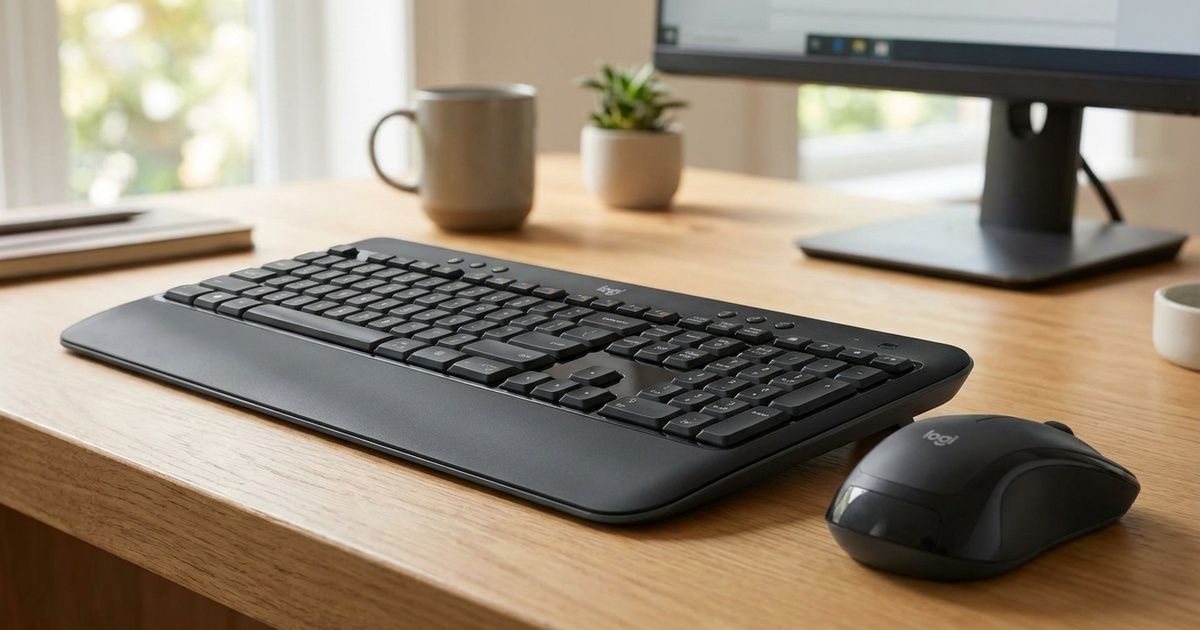
1. Why Choose a Wireless Keyboard and Mouse Combo?
A wireless combo includes a keyboard and mouse designed to work together. Many models use one USB receiver for both devices, which helps save USB ports and makes setup easier.
Benefits of wireless keyboard and mouse combos
- Less cable clutter: No separate keyboard and mouse cables running across your desk.
- Flexible positioning: Place your keyboard and mouse comfortably within the supported wireless range.
- Easy installation: Many models support plug-and-play USB receiver connectivity.
- Clean workspace: A wireless setup can make office desks look more organised.
- Portable setup: Useful for laptops, home offices and shared workstations.
- One package: You can purchase a matching keyboard and mouse together.
2. Best Wireless Keyboard and Mouse Combos in India
Here are some popular models worth comparing for office, home and personal use. Features differ by exact model and regional variant, so verify the manufacturer's specifications before purchasing.
1. Logitech MK270r Wireless Keyboard and Mouse Combo

The Logitech MK270r is a popular wireless combo for everyday desktop and office work. It features a full-size keyboard with a numeric keypad and a compact optical mouse.
Key features:
- Full-size keyboard with number pad.
- 2.4GHz wireless connectivity through a USB receiver.
- Multimedia shortcut keys.
- Spill-resistant keyboard design.
- Compact optical mouse.
- Battery life depends on usage and operating conditions.
Best for: Office employees, home users, students and everyday desktop work.
Why consider it? Its familiar full-size layout makes it convenient for typing documents, entering numbers and working with spreadsheets.
2. Dell KM3322W Wireless Keyboard and Mouse Combo

The Dell KM3322W is designed for everyday productivity. It offers a full-size keyboard and optical mouse for desktop and laptop users.
Key features to check:
- Full-size keyboard with numeric keypad.
- 2.4GHz wireless USB receiver.
- Optical mouse with 1000 DPI tracking.
- Spill-resistant keyboard design.
- Anti-fade key printing on the keyboard.
- Dell warranty and service coverage according to the regional product listing.
Best for: Office desktops, business users and employees who prefer a full-size keyboard.
Why consider it? The combination of a familiar layout, office-oriented features and warranty support makes it a useful model to compare for workplace installations.
3. Logitech MK215 Wireless Keyboard and Mouse Combo
The Logitech MK215 is a compact wireless combo for users who want to save desk space. Its smaller keyboard layout can be convenient for home users and students.
Key features:
- Compact keyboard design.
- 2.4GHz wireless USB receiver.
- Optical wireless mouse.
- Designed for everyday typing and navigation.
- Battery life varies between the keyboard and mouse.
Best for: Small desks, students and basic computer use.
Why consider it? A compact layout takes up less space than a traditional full-size keyboard. Check whether the layout includes the number pad you need before buying.
4. Logitech MK345 Wireless Keyboard and Mouse Combo
The Logitech MK345 is designed for users who prefer a full-size keyboard with additional wrist support and a contoured mouse.
Key features:
- Full-size keyboard with numeric keypad.
- Generous palm rest.
- Adjustable keyboard height.
- Contoured right-handed mouse.
- 2.4GHz wireless connectivity.
- Spill-resistant keyboard design.
Best for: Employees who type regularly and prefer a keyboard with a palm rest.
Why consider it? The palm rest and contoured mouse may provide a more comfortable experience for some users during long working sessions.
5. HP 330 Wireless Keyboard and Mouse Combo
The HP 330 is another model worth comparing for home and office use. It offers a full-size keyboard layout and a matching wireless mouse.
Features to check:
- Full-size keyboard layout.
- Wireless USB receiver connectivity.
- Low-profile keyboard keys.
- Optical mouse with model-specific DPI rating.
- Compatibility with your computer's operating system.
Best for: Office desktops and general-purpose home computers.
Why consider it? It is a practical option for users who prefer a traditional full-size keyboard and mouse combination from HP.
6. Portronics Key2 Combo Wireless Keyboard and Mouse
Portronics offers budget-friendly computer accessories, including wireless keyboard and mouse combinations. The Key2 series is worth checking if you need a simple setup without spending too much.
Features to check:
- Wireless keyboard and mouse pairing.
- Compact or space-saving keyboard design depending on variant.
- USB receiver connectivity.
- Optical mouse tracking.
- Battery requirements and warranty.
Best for: Budget-conscious users, students and basic home-office setups.
Why consider it? It provides an alternative to more expensive branded combos for everyday computing.
7. Logitech Pebble 2 Combo
The Logitech Pebble 2 Combo is a compact and stylish option for users who prefer a minimal desk setup. It is designed for people who work across compatible laptops, tablets and other devices.
Key features:
- Compact and slim keyboard design.
- Bluetooth and compatible USB receiver connectivity.
- Multi-device switching support.
- Compact wireless mouse.
- Customisable shortcuts through supported Logitech software.
Best for: Students, professionals and people who switch between multiple devices.
Why consider it? Its compact design is useful for smaller desks and portable workstations.
3. Wireless Keyboard and Mouse Combo Comparison
| Model | Design | Connectivity | Best For |
|---|---|---|---|
| Logitech MK270r | Full-size | 2.4GHz USB receiver | Everyday office use |
| Dell KM3322W | Full-size | 2.4GHz USB receiver | Business and office work |
| Logitech MK215 | Compact | 2.4GHz USB receiver | Small desks |
| Logitech MK345 | Full-size with palm rest | 2.4GHz USB receiver | Long typing sessions |
| HP 330 | Full-size | 2.4GHz USB receiver | Home and office |
| Portronics Key2 | Compact / model dependent | Wireless USB receiver | Budget users |
| Logitech Pebble 2 | Compact and slim | Bluetooth / compatible receiver | Multi-device use |
Connectivity, keyboard layout, mouse features and warranty can vary by regional variant. Always check the exact model number and packaging details.
4. Wireless Keyboard and Mouse Combo: What Features Should You Check?
1. Wireless Connectivity
Most budget wireless combos use a 2.4GHz USB receiver. Some premium models support Bluetooth, allowing you to connect without using a USB port.
Choose according to your device. If your laptop has only USB-C ports, you may need a compatible adapter for a USB-A receiver.
2. Keyboard Layout
Choose a full-size keyboard if you regularly work with spreadsheets, accounting software or numerical data. A compact keyboard may be better for small desks and portable setups.
3. Mouse DPI
DPI refers to mouse sensitivity. A higher DPI means the pointer moves farther for a given physical movement. For everyday office work, a standard optical mouse is often sufficient.
4. Battery Life
Check whether the keyboard and mouse use AA or AAA batteries, or have built-in rechargeable batteries. Battery life depends on usage, battery quality and operating conditions.
5. Ergonomic Design
Look for comfortable key spacing, suitable keyboard height and a mouse shape that fits your hand. Comfort is especially important if you use your computer for several hours daily.
6. Compatibility
Check whether the combo supports your operating system, including Windows, macOS, Linux or ChromeOS. Some special function keys may behave differently across operating systems.
7. Warranty and Service
Check the manufacturer's warranty, service availability and replacement policy. Keep your invoice and packaging details for future support.
5. Which Wireless Combo Is Best for Different Users?
For Office Employees
Consider Dell KM3322W or Logitech MK270r if you need a traditional full-size keyboard and numeric keypad.
For Students
Consider Logitech MK215 or a suitable Portronics combo for everyday assignments, browsing and study work.
For Small Desks
A compact combo such as Logitech Pebble 2 may help save desk space.
For Long Typing Sessions
Consider Logitech MK345 or another model with a comfortable palm rest and suitable keyboard height.
For Multiple Devices
Choose a combo with Bluetooth multi-device switching, such as Logitech Pebble 2, if it supports your devices.
For Business Deployments
Compare warranty, wireless security, compatibility and ease of replacement across the entire office fleet.
6. 2.4GHz Wireless vs Bluetooth: Which Is Better?
Wireless keyboard and mouse combos commonly use either a 2.4GHz USB receiver or Bluetooth connectivity. Some models support both.
| Feature | 2.4GHz USB Receiver | Bluetooth |
|---|---|---|
| Connection | Uses a USB receiver | Pairs directly with compatible devices |
| USB port | Usually requires one | Does not require a receiver port |
| Setup | Often plug and play | Requires Bluetooth pairing |
| Multi-device support | Depends on model | Available on selected models |
| Best suited for | Desktop and standard office setups | Laptops, tablets and multi-device users |
Buying tip: For a desktop computer with available USB ports, a 2.4GHz combo is a simple option. For a laptop or tablet user who switches between multiple devices, Bluetooth can be more convenient.
7. How to Connect a Wireless Keyboard and Mouse to a Computer
Most wireless keyboard and mouse combos are easy to install. Follow these steps:
- Open the battery compartment of the keyboard and mouse.
- Insert the required batteries or charge the devices if rechargeable.
- Switch on the keyboard and mouse.
- Insert the supplied USB receiver into an available USB port.
- Wait for the computer to detect the devices.
- Move the mouse and test the keyboard.
8. Common Wireless Keyboard and Mouse Problems
Keyboard is not working
- Check the battery and power switch.
- Reconnect the USB receiver.
- Try another USB port.
- Check keyboard compatibility and driver settings.
Mouse cursor is not moving smoothly
- Clean the mouse sensor.
- Try a suitable mouse pad or surface.
- Replace weak batteries.
- Move the receiver closer if the signal is obstructed.
Wireless connection keeps disconnecting
- Check battery levels.
- Avoid placing the receiver behind metal objects.
- Try a different USB port.
- Reduce interference from nearby wireless devices where possible.
9. Frequently Asked Questions (FAQs)
Q1. Which is the best wireless keyboard and mouse combo in India?
Popular options include Logitech MK270r, Dell KM3322W, Logitech MK345, HP wireless combos and Logitech Pebble 2. The best choice depends on your budget, keyboard layout and connectivity needs.
Q2. Is Logitech better than Dell for wireless keyboard and mouse combos?
Both brands offer useful options. Compare the exact models based on typing comfort, mouse design, connectivity, battery life, warranty and price.
Q3. Do wireless keyboard and mouse combos need batteries?
Most standard wireless combos use AA or AAA batteries. Some models include rechargeable batteries. Check the product specifications before purchasing.
Q4. Can I connect a wireless keyboard and mouse to a laptop?
Yes. You can connect compatible models using a USB receiver or Bluetooth. A USB-C adapter may be required if your laptop does not have a USB-A port.
Q5. Is a wireless keyboard good for office use?
Yes. A wireless keyboard can reduce desk clutter and provide more flexibility. Check battery life, typing comfort and wireless reliability for daily office use.
Q6. What is the difference between a compact and full-size keyboard?
A full-size keyboard usually includes a dedicated numeric keypad. A compact keyboard takes up less space and may omit the number pad or some navigation keys.
Q7. What does mouse DPI mean?
DPI measures mouse sensitivity. Higher DPI makes the pointer move farther for the same physical mouse movement. For normal office tasks, a standard optical mouse is generally sufficient.
Q8. Can one USB receiver connect both keyboard and mouse?
Yes. Many combo products include one receiver that connects both devices. Always use the receiver supplied with the specific combo.
Q9. Which wireless combo is suitable for long office hours?
Consider a full-size keyboard with comfortable key spacing and a mouse that fits your hand. Models with a palm rest, such as Logitech MK345, may be worth comparing.
Q10. How long does a wireless keyboard and mouse battery last?
Battery life varies by model, usage, battery quality and power-saving features. Refer to the manufacturer's stated battery life for the exact product.
Looking for Computer Accessories?
Upgrade your workstation with wireless keyboards, mice, monitors, UPS systems, storage devices and other computer accessories.
VIRNOBYTE PRIVATE LIMITED
Technology • Innovation • Trust
Computer Accessories | Laptop & Desktop Sales | Repair | Networking | IT Support
Visit Website Call: 8669883332Chikhali, Pune, Maharashtra
Conclusion
A wireless keyboard and mouse combo is a useful investment for office employees, students, home users and professionals. It creates a cleaner workspace, reduces cable clutter and makes everyday computer tasks more convenient.
For traditional office use, compare the Logitech MK270r and Dell KM3322W. If comfort is important, consider the Logitech MK345. For compact and multi-device use, the Logitech Pebble 2 is another option worth exploring.
Before purchasing, check the keyboard layout, mouse comfort, connectivity, battery life, operating-system support and warranty. The right combination will depend on how you use your computer every day.
For computer accessories and IT solutions in Pune, contact Virnobyte Private Limited.