
Computer Networking Services in Pune
Computer Networking Services in Pune for LAN installation, Wi-Fi setup, router configuration, structured cabling, network troubleshooting and AMC support for offices and businesses.
By virnobyte team · · 13 min read

Computer Networking Services in Pune: Complete Guide for Offices and Businesses
A reliable computer network is essential for smooth business operations. Whether you run a small office, retail shop, warehouse, manufacturing unit, school or growing company, a properly designed network helps computers, printers, servers, CCTV cameras and other devices communicate efficiently.
If your office experiences slow internet, frequent disconnections, Wi-Fi dead zones, file-sharing problems or unreliable network connections, it may be time to review your network infrastructure. Professional computer networking services can help you plan, install, secure and maintain a network that supports your day-to-day business requirements.
Virnobyte Private Limited provides computer networking solutions including LAN installation, Wi-Fi setup, router and switch configuration, structured cabling, network troubleshooting and Annual Maintenance Contract (AMC) support.

What Are Computer Networking Services?
Computer networking services involve designing, installing, configuring, monitoring and maintaining the systems that connect computers and digital devices. A business network may connect desktop computers, laptops, printers, servers, biometric attendance machines, IP phones, CCTV cameras and wireless access points.
A properly planned network allows authorised users to share resources, access business applications, transfer files, use shared printers and connect to the internet. It can also separate different types of devices and users to improve security and network management.
Types of Computer Networking Services in Pune
1. LAN Installation and Setup
A Local Area Network (LAN) connects devices within a limited area, such as an office, shop, school, factory or warehouse. LAN installation generally includes network cabling, switches, router configuration, network points and connectivity testing.
LAN connectivity is useful for:
- Connecting desktop computers and workstations.
- Sharing printers and authorised network resources.
- Accessing servers and shared folders.
- Connecting IP phones and compatible business devices.
- Integrating network-enabled CCTV cameras and other systems.
- Supporting internal business applications.
2. Wi-Fi Network Installation
Business Wi-Fi provides wireless connectivity for laptops, smartphones, tablets, visitors and other approved devices. A professional Wi-Fi installation considers building layout, wall materials, user density, bandwidth requirements and the locations where people need reliable connectivity.
Depending on the site, the solution may use one or more wireless access points, a wireless controller or cloud-managed Wi-Fi equipment. Access point placement should be planned and tested rather than selected only by estimating the floor area.

3. Router and Firewall Configuration
A router connects your local network to the internet and manages traffic between different networks. Depending on the equipment, configuration can include:
- WAN and LAN configuration.
- Internet connection and ISP settings.
- DHCP and IP address management.
- Firewall rules and access restrictions.
- VPN configuration for approved remote access.
- Bandwidth management and traffic prioritisation.
- Guest network configuration.
For business environments, a suitable firewall can help control incoming and outgoing traffic and reduce exposure to unauthorised access. The right configuration depends on the business size, network design and security requirements.
4. Network Switch Installation and Configuration
A network switch connects multiple wired devices within a LAN. It is commonly used to connect computers, printers, servers, access points and other Ethernet-enabled devices.
Businesses may use unmanaged or managed switches depending on their needs. Managed switches offer additional functions such as VLAN configuration, port monitoring, traffic management and troubleshooting. Power over Ethernet (PoE) switches can also provide power to compatible devices such as access points and IP cameras through Ethernet cabling.
5. Structured Cabling and Cable Management
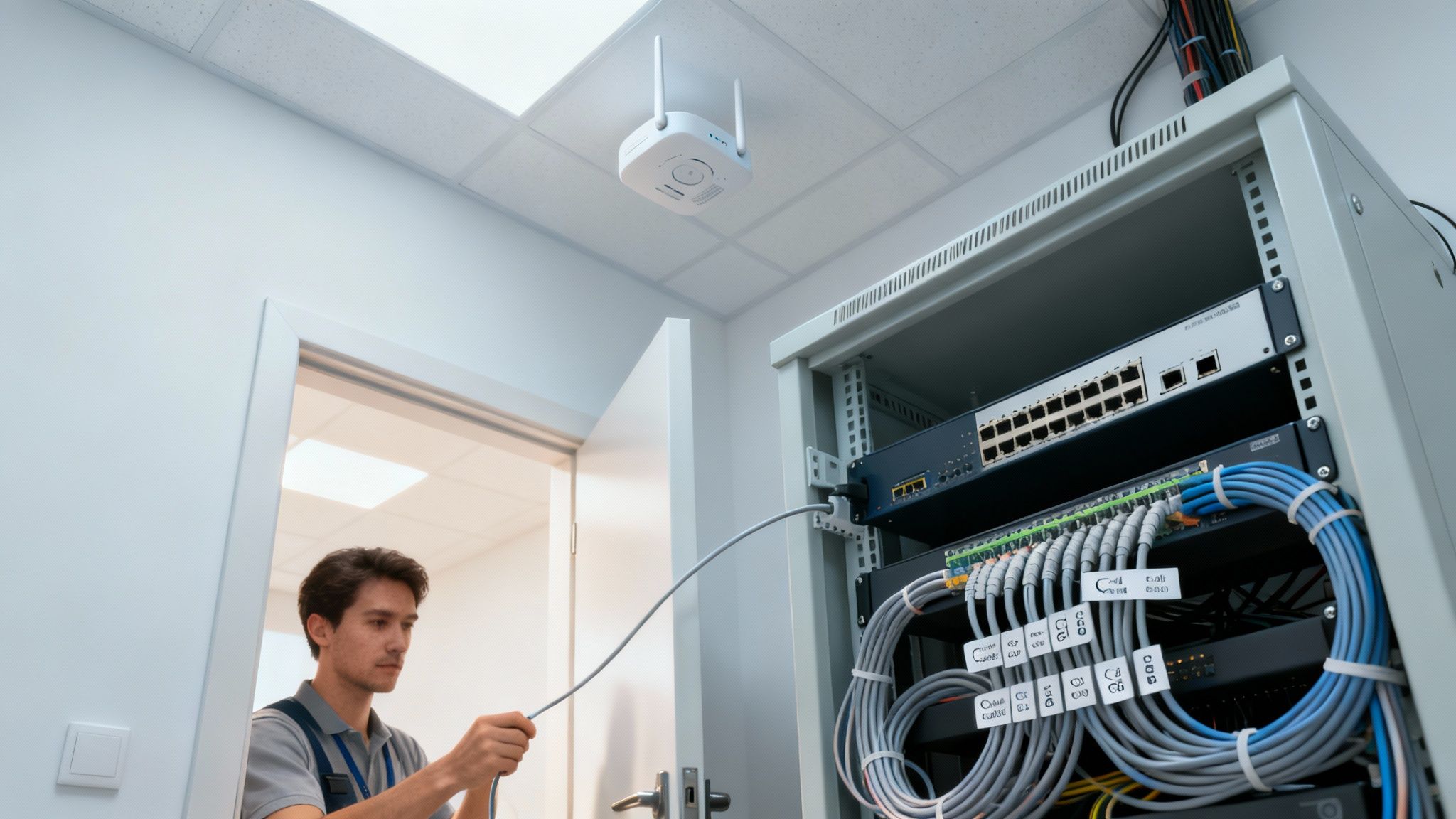
Structured cabling creates an organised physical foundation for a business network. Instead of running random cables between devices, a structured system uses planned cable routes, network outlets, patch panels, racks and switches.
Common components include:
- Cat5e, Cat6 or Cat6A Ethernet cables, selected according to requirements.
- RJ45 connectors, keystone jacks and wall outlets.
- Patch panels and patch cords.
- Network racks and cabinets.
- Cable trays, conduits and cable managers.
- Fibre-optic links where longer distances or higher-capacity uplinks are required.
Every cable should be properly terminated, labelled and tested. Neat cable management makes it easier to identify faults, add new devices and maintain the network.
6. Network Troubleshooting and Repair
Network problems can interrupt business operations and reduce employee productivity. Troubleshooting identifies the cause of connectivity or performance issues and applies the appropriate corrective action.
Common problems include:
- Internet connection frequently disconnecting.
- Computers unable to communicate with each other.
- Slow file transfers and network performance.
- Wi-Fi not reaching certain rooms or work areas.
- IP address conflicts or incorrect network settings.
- Faulty Ethernet cables, connectors or switch ports.
- Printer or shared-folder connectivity problems.
- Network devices restarting or losing power.
7. Office Network Expansion and Upgrades
As a business grows, it may need additional computers, network points, access points, switches or server capacity. Network expansion should account for the existing equipment, available switch ports, cable routes, IP address planning, security and future requirements.
Upgrades may include replacing older switches, installing additional access points, improving Wi-Fi coverage, introducing managed switching or moving suitable connections to fibre.
8. Network AMC and IT Support
An Annual Maintenance Contract (AMC) can help businesses maintain their networking infrastructure through scheduled inspections, preventive maintenance and technical support according to the agreed service scope.
Network AMC services may include:
- Periodic network health checks.
- Router, switch and access point checks.
- Basic connectivity troubleshooting.
- Inspection of network racks and cable management.
- Review of device configuration and firmware status.
- Support for adding or replacing network devices.
- Documentation of network changes and identified issues.
Coverage, response times, visit frequency, replacement parts and exclusions should be clearly defined in the AMC agreement.
Wired Network vs Wireless Network: Which Is Better?
Wired and wireless networks serve different purposes. Many offices benefit from a hybrid network that uses Ethernet for fixed devices and Wi-Fi for mobile devices.
| Feature | Wired Network (LAN) | Wireless Network (Wi-Fi) |
|---|---|---|
| Connection | Uses Ethernet or fibre cabling | Uses wireless radio signals |
| Mobility | Limited by cable connection | Allows movement within coverage |
| Typical uses | Desktops, servers, printers and fixed devices | Laptops, phones, tablets and guest devices |
| Performance | Usually more predictable for fixed connections | Depends on signal, interference, capacity and device capability |
| Installation | Requires cable routes and network points | Requires access point planning and suitable backhaul |
| Security | Requires port, device and network access controls | Requires strong wireless encryption and access controls |
Our recommendation: Use wired connections for fixed computers, servers, printers and other devices where practical. Use properly planned Wi-Fi for mobile users and areas where cabling is inconvenient. A hybrid design often provides a practical balance.
Essential Networking Equipment for an Office
| Equipment | Purpose |
|---|---|
| Router | Connects the local network to the internet and routes traffic. |
| Firewall | Applies network security policies and controls traffic. |
| Network switch | Connects wired devices within the LAN. |
| Wireless access point | Provides Wi-Fi connectivity to compatible devices. |
| Ethernet cable | Connects network devices through wired links. |
| Patch panel | Organises permanent cable terminations in a rack. |
| Network rack | Houses switches, patch panels and related equipment. |
| UPS | Provides temporary backup power to supported equipment. |
| Fibre-optic equipment | Supports suitable high-capacity or longer-distance network links. |
How to Plan a Reliable Office Network
A reliable network begins with understanding how your business operates. The following steps provide a practical planning approach.
- Understand the requirements: Count computers, printers, servers, phones, cameras, access points and other devices that need connectivity.
- Review the premises: Check floor plans, office layout, walls, cable routes, equipment rooms and areas that need Wi-Fi.
- Choose the network design: Decide where wired connections, wireless access points, switches, routers and fibre links are required.
- Plan IP addresses and network separation: Organise devices and users into suitable network segments where required.
- Select compatible equipment: Match router, firewall, switch, access point and cabling specifications to actual requirements.
- Install and label cabling: Use suitable pathways, proper termination, cable management and clear labels.
- Configure network devices: Set up internet access, Wi-Fi, security rules, VLANs and other required services.
- Test and document: Check connectivity, coverage, cable links and device access. Provide network documentation for future support.
Computer Networking Solutions for Different Industries
Small and Medium-Sized Offices
Offices need dependable internet, shared printers, file access, employee Wi-Fi and secure connectivity for business applications. A combination of Ethernet, managed switching and appropriately placed access points can support these requirements.
Manufacturing Companies and Factories
Manufacturing environments may need connectivity between office computers, production areas, servers, CCTV systems, access-control devices and approved industrial equipment. Network planning should account for cable pathways, electrical noise, dust, heat, machinery and operational requirements.
Shops and Showrooms
Retail businesses may need networks for billing systems, inventory software, payment terminals, printers, CCTV cameras and staff connectivity. Guest Wi-Fi should be separated from business systems where appropriate.
Warehouses and Logistics Businesses
Warehouses may require Wi-Fi coverage across storage areas, dispatch sections, loading bays and offices. The network design should consider building size, rack heights, moving equipment and the locations where handheld devices are used.
Schools and Training Institutes
Educational institutions may require computer lab connectivity, administrative networks, staff Wi-Fi, student internet access and shared printing. User separation and access policies help protect administrative systems.
Network Security Best Practices for Businesses
A network should be designed with security in mind. Basic measures can reduce the risk of unauthorised access and help protect business information.
- Change default router, switch and access point administrator passwords.
- Use strong, unique passwords and modern Wi-Fi security supported by your devices.
- Keep router, firewall and access point firmware updated.
- Separate guest Wi-Fi from internal business systems.
- Use VLANs or other suitable segmentation for staff, guest, CCTV and IoT devices.
- Disable unused services, ports and remote administration features.
- Restrict administrative access to authorised personnel.
- Use VPN-based remote access where appropriate instead of exposing internal services directly to the internet.
- Maintain configuration backups and document important network changes.
- Monitor connected devices and investigate unfamiliar activity.
For additional guidance, refer to the Cybersecurity and Infrastructure Security Agency (CISA) and its security resources. CISA discusses network segmentation as one way to separate devices and limit unnecessary communication between them.
Common Computer Networking Problems and Their Solutions
| Problem | Possible cause | Recommended action |
|---|---|---|
| Slow internet | ISP issue, congestion, weak Wi-Fi or overloaded equipment | Test wired speed, check router load and review bandwidth usage. |
| Wi-Fi dead zones | Poor access point placement or physical obstructions | Conduct a coverage survey and reposition or add access points. |
| Computer cannot connect to LAN | Damaged cable, incorrect IP settings or switch port fault | Check link status, cable, IP configuration and switch port. |
| Printer not detected | Incorrect IP address, driver or network configuration | Check printer connectivity, IP settings and device configuration. |
| Frequent disconnections | Faulty cable, unstable power, overheating or device issue | Inspect cabling, power, ventilation and device logs. |
| Network conflict | Duplicate IP addresses or incorrect DHCP configuration | Review DHCP scope, reservations and static IP assignments. |
Why Choose Professional Computer Networking Services?
Improvised networking can lead to cable confusion, weak wireless coverage, security gaps and difficult troubleshooting. Professional planning helps create a network that is easier to manage and expand.
Key benefits include:
- Better connectivity: A network designed around the actual devices and work areas.
- Organised infrastructure: Properly labelled cables, patch panels and network racks.
- Improved security: Suitable firewall settings, access controls and network separation.
- Scalability: A design that can accommodate additional users and devices.
- Reduced disruption: Systematic troubleshooting and preventive maintenance.
- Centralised support: Easier monitoring and management of network equipment.
Computer Networking Services in Pune by Virnobyte Private Limited
Virnobyte Private Limited offers computer networking and IT infrastructure solutions for offices, small businesses, shops, commercial premises and other organisations.
Our networking service scope can include:
- LAN network installation and configuration.
- Office Wi-Fi setup and access point installation.
- Router, firewall and network switch configuration.
- Structured cabling and cable management.
- Network rack and patch panel installation.
- Network troubleshooting and connectivity support.
- Office network expansion and upgrades.
- Networking AMC and IT support.
- Integration support for compatible CCTV and other network devices.
Our Service Reach
Virnobyte has its head office in Pune, Maharashtra, and provides services across Maharashtra. We also have a strong presence in Karnataka and Goa, and serve customers across Pan India. On-site service availability depends on the location, scope and feasibility of the project; remote support and other service arrangements may be discussed according to requirements.
Need Computer Networking Services in Pune?
Planning a new office network, upgrading existing LAN infrastructure or troubleshooting Wi-Fi and connectivity issues? Contact Virnobyte Private Limited to discuss your networking requirements.
Virnobyte Private Limited
Technology • Innovation • Trust
Head Office: Sadichha Complex, Sawtamali Temple Road, Jadhavwadi, Chikhali, Pune – 411062, Maharashtra, India
Phone: 8669883332
Email: info@virnobyte.com
Website: www.virnobyte.com
Frequently Asked Questions (FAQs)
1. What are computer networking services?
Computer networking services include LAN installation, Wi-Fi setup, router and switch configuration, structured cabling, network troubleshooting, security configuration and ongoing network maintenance.
2. Do small offices need a professional LAN network?
A small office can benefit from a properly planned LAN when employees need shared printers, file access, servers, stable desktop connectivity or network-enabled devices. The design should match the number of users and business requirements.
3. Which Ethernet cable is suitable for office networking?
Cat6 is commonly considered for new office installations, while Cat6A may be suitable for higher bandwidth requirements or specific future expansion plans. Cable category, length, installation environment and equipment compatibility should be considered before selection.
4. How many Wi-Fi access points does an office need?
There is no universal number. It depends on floor area, building materials, layout, connected devices, user density and required performance. A wireless site survey can help determine suitable access point locations and quantities.
5. Can CCTV cameras be connected to the office network?
Yes. Compatible IP cameras can connect through network switches, including PoE switches where supported. CCTV devices should be configured with suitable access controls and separated from general office traffic where appropriate.
6. What is the difference between a router and a network switch?
A router connects different networks and commonly provides internet access to the local network. A switch connects multiple wired devices within a local network so they can communicate and share network resources.
7. Does Virnobyte provide networking AMC services?
Virnobyte offers networking and IT maintenance support. The scope, visit schedule, response time and included services can be discussed and defined according to the business requirement.
8. Does Virnobyte provide networking services outside Pune?
Virnobyte has its head office in Pune, provides services across Maharashtra, has a strong presence in Karnataka and Goa, and serves customers across Pan India. On-site availability depends on project location and feasibility.
Useful External Resources
- Cisco: How to Set Up a Small Business Network – Understand routers, switches and small business network planning.
- Microsoft Learn: Set Up Your Small Business Network – Learn about wired, wireless and hybrid networks.
- HPE Aruba Networking: Wi-Fi Planning and Deployment – Guidance on access point placement, capacity and validation.
- TIA-568 Commercial Building Cabling Overview – Background on structured telecommunications cabling standards.
- CISA Cybersecurity Resources – Guidance on network and information security.
Article reviewed for general educational purposes. Network equipment, cabling categories, security features and installation requirements should be selected according to the site survey, applicable standards and manufacturer specifications.