
Managed vs Unmanaged Network Switch
Understand the difference between managed and unmanaged network switches. Compare features, control, security, performance and pricing to choose the right switch for your office or business.
By virnobyte team · · 15 min read

Managed vs Unmanaged Network Switch: Differences, Features, Benefits and Which One to Choose
A network switch is an essential part of a computer network. It connects computers, printers, servers, CCTV cameras, Wi-Fi access points and other network devices so they can communicate with one another.
When setting up a network for an office, factory, school, shop or business, one important decision is choosing between a managed network switch and an unmanaged network switch.
Both devices connect multiple Ethernet devices, but they offer different levels of control, configuration, monitoring and security. An unmanaged switch is designed for simple plug-and-play connectivity, while a managed switch gives network administrators greater control over network traffic and connected devices.
In this guide, we explain the difference between managed and unmanaged switches, their features, advantages, disadvantages, applications and costs to help you select the right networking solution.
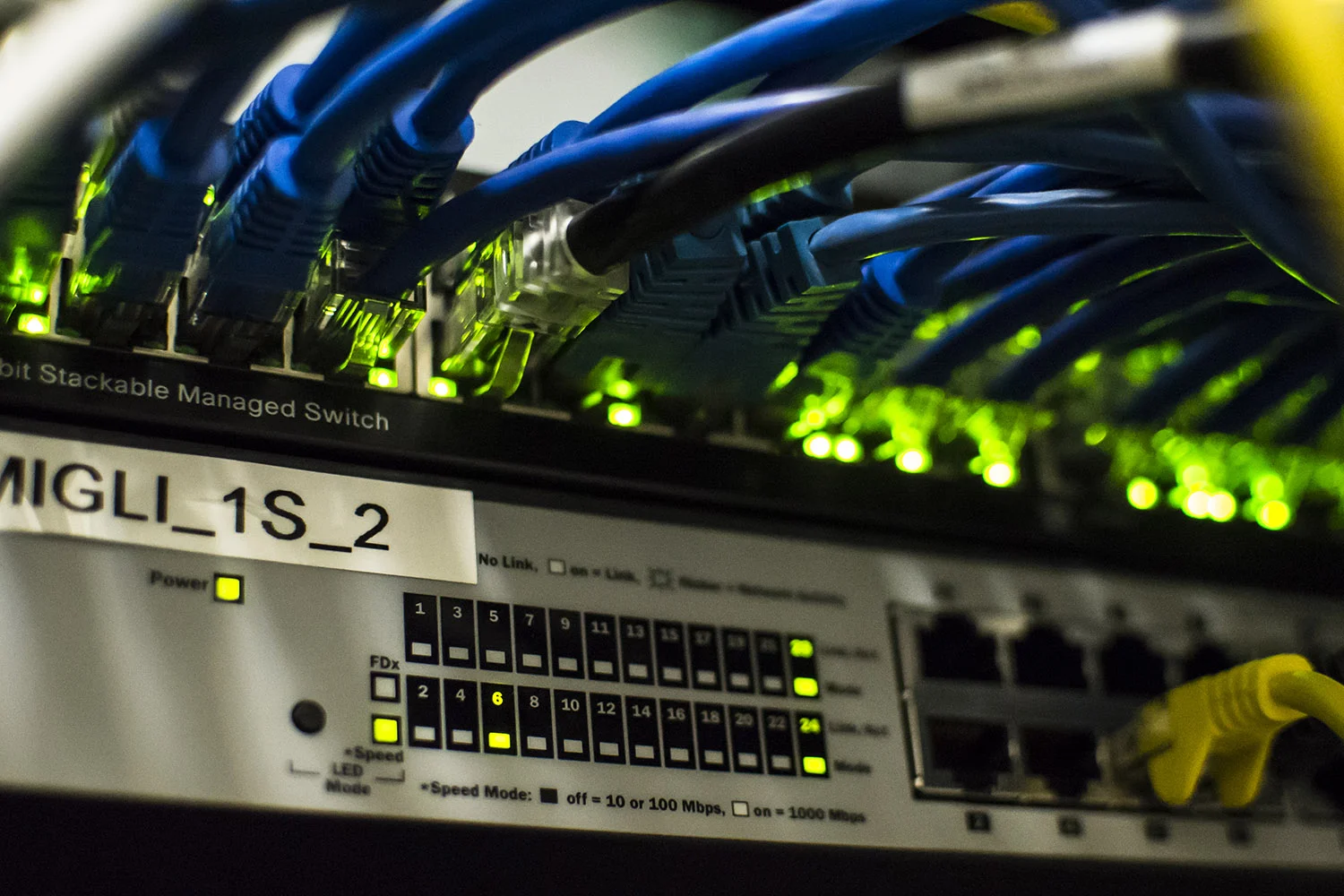
1. What Is a Network Switch?
A network switch is a hardware device that connects multiple devices within a Local Area Network (LAN). It receives Ethernet data and forwards it to the appropriate destination using MAC addresses.
For example, in an office, a switch can connect:
- Desktop computers and laptops with Ethernet ports
- Network printers and scanners
- Servers and Network Attached Storage (NAS)
- IP CCTV cameras and Network Video Recorders (NVRs)
- Wi-Fi access points
- IP phones and other compatible network devices
Switches are available in different configurations, including 5-port, 8-port, 16-port, 24-port and 48-port models. Some models also provide fibre uplink ports and Power over Ethernet (PoE).
2. What Is an Unmanaged Network Switch?
An unmanaged network switch is a basic Ethernet switch that works without requiring the user to configure network settings. You connect the switch to power, connect your router or another network device, and plug in your computers or other equipment.
The switch automatically learns device MAC addresses and forwards Ethernet frames to the appropriate ports. Users generally do not need a web interface, command-line configuration or a network administrator to operate it.
Key features of an unmanaged switch
- Plug-and-play operation: Connect devices without configuring the switch.
- Automatic traffic forwarding: Learns MAC addresses and forwards frames.
- Simple installation: Suitable for basic network expansion.
- Lower purchase cost: Generally less expensive than comparable managed models.
- Limited monitoring: Usually does not provide detailed port statistics or remote management.
- No configurable VLANs: Typically cannot create separate VLANs or apply advanced traffic policies.
How does an unmanaged switch work?
When a computer sends data, the switch reads the destination MAC address and forwards the frame to the relevant port if the destination is known. The switch handles this automatically without user configuration.
This type of setup is suitable when all connected devices can operate on the same basic local network and advanced traffic control is not required.
Advantages of an unmanaged switch
- Easy to install and operate.
- Usually more affordable.
- Requires little configuration or ongoing administration.
- Useful for simple home and small-office networks.
Disadvantages of an unmanaged switch
- No configurable VLAN segmentation on typical models.
- No advanced Quality of Service (QoS) controls.
- Limited visibility into port activity and network performance.
- No advanced configurable access-control policies.
- Less suitable for complex or growing business networks.
3. What Is a Managed Network Switch?
A managed network switch is an Ethernet switch that allows network administrators to configure, monitor and control network traffic. It provides management options through a web-based interface, command-line interface (CLI), network management software or a centralised controller, depending on the model.
Managed switches are commonly used in offices, factories, schools, hospitals, warehouses, hotels and other environments where network performance, security and reliability are important.
Key features of a managed switch
- VLAN configuration: Divide a physical network into separate logical networks.
- Quality of Service (QoS): Prioritise selected traffic such as voice or video.
- Network monitoring: View port statistics, link status and traffic information.
- Access control: Apply supported security policies to control network access.
- Remote management: Configure and monitor supported switches remotely.
- Link aggregation: Combine supported network links for additional capacity or redundancy.
- Spanning Tree Protocol: Help prevent switching loops in supported network designs.
- PoE management: On PoE models, monitor or control power delivery to connected devices.
Available features vary by manufacturer, product series, software version and switch layer. Always check the model's technical specifications before purchasing.
How does a managed switch work?
A managed switch performs normal Ethernet switching and also allows an administrator to configure how the network operates. For example, an administrator can create separate VLANs for office computers, CCTV cameras and guest devices.
VLANs can help separate different types of devices and limit unnecessary communication between network segments. However, VLAN configuration should be combined with appropriate routing, firewall rules and access policies. Creating VLANs alone does not guarantee complete security.
Advantages of a managed switch
- Greater control over network traffic.
- Network segmentation using VLANs.
- Better monitoring and troubleshooting options.
- Traffic prioritisation through QoS on supported models.
- More configurable security and access-control features.
- Better flexibility for expanding business networks.
Disadvantages of a managed switch
- Usually costs more than a comparable unmanaged switch.
- Requires configuration and technical knowledge.
- Incorrect settings can interrupt network connectivity.
- Needs ongoing firmware updates and configuration management.
4. Managed vs Unmanaged Switch: Key Differences
The following table summarises the major differences between managed and unmanaged network switches.
| Feature | Unmanaged Switch | Managed Switch |
|---|---|---|
| Configuration | Plug-and-play | Configurable through supported management tools |
| Installation | Simple | Requires network planning and configuration |
| VLAN Support | Generally not available | Available on supported models |
| QoS | No configurable QoS on typical models | Traffic prioritisation on supported models |
| Monitoring | Basic LED indicators | Port statistics and management tools |
| Security Controls | Limited or no configurable switch-level controls | May support ACLs, port security and authentication |
| Remote Management | Generally unavailable | Available on supported models |
| Traffic Control | Automatic forwarding | Configurable policies and prioritisation |
| Technical Expertise | Basic knowledge | Networking knowledge recommended |
| Cost | Usually lower | Usually higher |
| Best For | Home and simple networks | Business and complex networks |
5. What Is a Smart Managed Switch?
A smart managed switch, sometimes called an Easy Smart switch, sits between a basic unmanaged switch and a fully managed business switch.
It offers selected configuration features through a web interface or management utility. Depending on the model, these may include basic VLANs, QoS, link aggregation and port monitoring.
| Switch Type | Management Level | Typical Use |
|---|---|---|
| Unmanaged | No configuration | Home and simple networks |
| Smart Managed | Basic configuration | Small offices and growing networks |
| Fully Managed | Advanced configuration and monitoring | Businesses, campuses and complex networks |
A smart managed switch can be a practical choice for a small business that needs basic network segmentation or monitoring without the full complexity of an enterprise switch.
6. Which Switch Is Better for Office Use?
The right switch depends on how many devices you connect and how your office uses its network.
Choose an unmanaged switch if:
- You have a small office with basic connectivity requirements.
- You only need to connect a few computers and printers.
- All devices can operate on the same local network.
- You do not need VLANs or advanced traffic monitoring.
- You want a simple and economical solution.
Choose a managed switch if:
- Your office has multiple departments or device categories.
- You need separate networks for staff, guests and CCTV cameras.
- You operate IP phones, servers or business-critical applications.
- You want to monitor network traffic and troubleshoot individual ports.
- You need more control over network access and traffic priorities.
- Your business network is expected to grow.
7. Managed vs Unmanaged Switch for CCTV Cameras
Network switches are widely used in IP CCTV installations. They connect IP cameras, NVRs and other network equipment.
An unmanaged PoE switch may be sufficient for a small CCTV installation where all cameras can operate on a simple network. A managed PoE switch may be more suitable for larger installations or where network segmentation and monitoring are required.
Benefits of a managed PoE switch for CCTV
- Separate camera traffic from the office computer network using VLANs.
- Monitor supported port status and traffic statistics.
- Check PoE power consumption on compatible models.
- Apply supported port-level security controls.
- Help troubleshoot camera connectivity problems.

8. Important Features to Check Before Buying a Network Switch
Before purchasing a managed or unmanaged switch, consider the following specifications.
1. Number of ports
Choose a switch with enough ports for your current devices and some additional capacity for future expansion. Common options include 5, 8, 16, 24 and 48 ports.
2. Network speed
Check whether you need Fast Ethernet, Gigabit Ethernet, 2.5 Gigabit, 10 Gigabit or faster uplinks. Select a speed that matches your internet connection, servers, storage and internal network requirements.
3. PoE support
Power over Ethernet can supply electricity and data over a compatible Ethernet cable. It is useful for IP cameras, access points and IP phones. Check the PoE standard and total power budget rather than relying only on the word PoE in the product name.
4. VLAN support
If you want to separate office computers, guest devices, CCTV cameras and other equipment, check the VLAN features and supported VLAN configuration options.
5. QoS support
QoS can help prioritise selected network traffic, such as voice and video calls, when the network becomes congested. The feature must be configured appropriately to provide the intended benefit.
6. Management interface
Check whether the switch supports a web interface, CLI, SNMP, cloud management or a centralised controller. Choose a management method that your IT team can maintain.
7. Uplink and fibre connectivity
For larger networks or longer building-to-building connections, check whether the switch provides suitable SFP or SFP+ fibre uplink ports and compatible transceivers.
9. Can You Mix Managed and Unmanaged Switches?
Yes. Managed and unmanaged switches can be used together in some network designs. For example, a managed switch can act as the central switch while an unmanaged switch extends basic connectivity in a small area.
However, an unmanaged switch does not understand or configure VLANs. If it is connected to a VLAN-enabled network, devices attached to it will not receive independent VLAN configuration through that unmanaged switch. The connection and VLAN behaviour must be planned correctly.
For networks that require multiple VLANs at the edge, use a managed or appropriately configured smart managed switch instead.
10. Common Problems and Troubleshooting Tips
| Problem | Possible Cause | What to Check |
|---|---|---|
| No network connection | Faulty cable, power issue or port problem | Check power, link LEDs, cables and connected devices. |
| Slow network speed | Congestion, faulty cable or speed mismatch | Check link speed, cable condition and network traffic. |
| VLAN devices cannot communicate | Incorrect VLAN or routing configuration | Verify VLAN membership, trunk ports and routing policies. |
| CCTV cameras disconnect | Insufficient PoE power or network issue | Check PoE budget, port status, cabling and camera power needs. |
| Network instability | Switching loop or configuration problem | Inspect cabling and supported loop-prevention settings. |
For managed switches, review port statistics, event logs and configuration changes where available. For unmanaged switches, begin with physical checks such as power, cabling and link indicators.
11. How Much Does a Managed or Unmanaged Switch Cost?
The price of a network switch depends on its brand, port count, speed, PoE capability, management features, uplink options and warranty.
In general, an unmanaged switch is usually more affordable than a comparable managed switch. Managed switches cost more because they offer additional configuration, monitoring and control features.
Before comparing prices, check:
- Number and speed of Ethernet ports.
- PoE or PoE+ support and total power budget.
- VLAN, QoS and security features.
- Fibre uplink requirements.
- Warranty and technical support.
- Installation and configuration costs.
For business installations, consider the total cost of ownership, including configuration, maintenance, downtime and future expansion—not just the initial purchase price.
12. Why Professional Network Planning Matters
Selecting the correct switch is only one part of a reliable network installation. The network should also be designed around device requirements, cable routes, internet capacity, security, power backup and future expansion.
A professional network assessment can help determine:
- The required number of switch ports.
- Whether managed, smart managed or unmanaged switches are appropriate.
- Which devices should be separated into VLANs.
- Whether PoE switches are needed for CCTV and access points.
- Whether fibre uplinks or additional switches are required.
- How to organise network racks, patch panels and cable management.
- What backup power and network security measures are required.
13. Frequently Asked Questions (FAQs)
Q1. What is the main difference between managed and unmanaged switches?
An unmanaged switch provides basic plug-and-play connectivity, while a managed switch allows administrators to configure and monitor network traffic using features such as VLANs, QoS and access controls on supported models.
Q2. Is a managed switch faster than an unmanaged switch?
Not necessarily. Network speed depends on the switch's hardware specifications and port speeds. Both managed and unmanaged switches can support Gigabit Ethernet and higher speeds.
Q3. Which switch is best for a small office?
An unmanaged switch can work well for a small office with basic connectivity needs. A smart managed or fully managed switch is worth considering when you need VLANs, traffic monitoring or more control over connected devices.
Q4. Do unmanaged switches support VLANs?
Typical unmanaged switches do not provide configurable VLAN support. If your network requires VLAN segmentation, select a compatible managed or smart managed switch.
Q5. Can a managed switch improve network security?
It can provide additional security controls, including supported access-control lists, port security and network segmentation. These features need correct configuration and should be used alongside firewalls, secure endpoints and good network practices.
Q6. Can I use a managed switch for CCTV cameras?
Yes. Managed PoE switches are commonly used in IP CCTV networks where VLAN segmentation, power monitoring and network troubleshooting are useful. Confirm the PoE requirements of your cameras and switch.
Q7. What is the difference between a smart managed and fully managed switch?
A smart managed switch generally provides a smaller set of configuration features, while a fully managed switch offers more advanced control, monitoring and security options. Exact capabilities depend on the model.
Q8. Can managed and unmanaged switches work together?
Yes, but VLAN and traffic requirements must be considered. An unmanaged switch cannot configure VLANs for its connected devices, so it may not be suitable for extending a segmented network.
Q9. Do I need an IT professional to configure a managed switch?
For basic configuration, some smart managed switches offer user-friendly interfaces. For business networks involving VLANs, routing, security policies and CCTV systems, professional configuration is recommended.
Conclusion: Which Network Switch Should You Choose?
Both managed and unmanaged network switches have important uses. An unmanaged switch is a practical choice for simple networks that need basic connectivity without configuration. A managed switch is more suitable when a business needs network segmentation, traffic prioritisation, monitoring, access controls and room for expansion.
For a small office with a few computers, an unmanaged switch may be sufficient. For a growing business with multiple departments, CCTV cameras, servers, Wi-Fi access points and IP phones, a managed switch may provide better control and flexibility.
Always select a switch based on your actual network requirements, not simply on the number of ports or purchase price.
Need Network Switch Installation or Networking Support?
Virnobyte Private Limited provides computer networking and IT infrastructure solutions for offices, businesses, shops, factories and other organisations.
Our services include:
- Managed and unmanaged network switch installation
- LAN networking and structured cabling
- Router, firewall and Wi-Fi configuration
- Network rack setup and cable management
- CCTV networking and PoE switch installation
- Network troubleshooting and IT AMC support
Head Office: Sadichha Complex, Sawtamali Temple Road, Jadhavwadi, Chikhali, Pune – 411062, Maharashtra, India.
Service Coverage: Head office in Pune, services across Maharashtra, strong presence in Karnataka and Goa, and services for customers across Pan India. On-site availability depends on the location and project requirements; remote support and other service arrangements can be discussed.
Call: 8669883332
Email: info@virnobyte.com
Website: www.virnobyte.com
Virnobyte Private Limited – Technology • Innovation • Trust