
Best Refurbished Laptops for College Students
Discover the best refurbished laptops for college students in India. Compare Dell, HP and Lenovo models, specifications, battery life, RAM, SSD storage and buying tips for study, projects and online classes.
By Virnobyte Team · · 19 min read
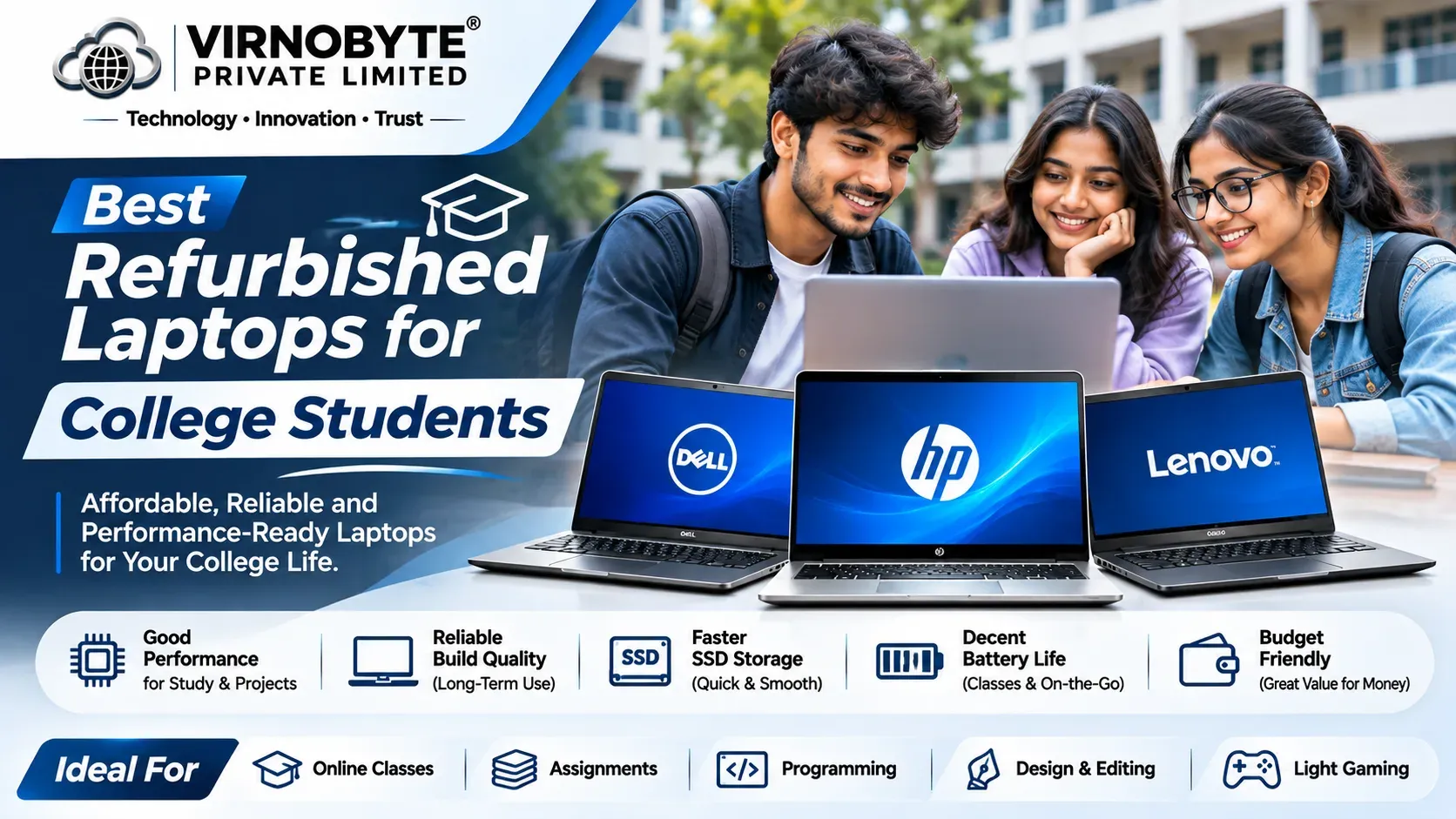
Best Refurbished Laptops for College Students in India
Find a reliable laptop for assignments, online classes, presentations, research, coding and everyday college work without spending your entire student budget.
Buying a laptop is an important decision for every college student. Whether you are studying engineering, commerce, management, computer science, arts or design, a laptop helps you attend online classes, prepare assignments, create presentations, research topics and complete academic projects.
However, a brand-new laptop with suitable specifications can be expensive. This is why many students consider refurbished laptops. A properly inspected refurbished laptop can offer useful performance at a lower purchase cost than a comparable new device.
In this guide, we will explore some popular refurbished laptop series from Dell, HP and Lenovo, explain the specifications students should look for, and share practical checks to complete before purchasing.

1. Why Should College Students Consider Refurbished Laptops?
Refurbished laptops are previously owned or returned devices that may have been inspected, tested, repaired or restored before resale. The exact refurbishment process depends on the seller, so it is important to understand what checks have actually been performed.
Here are some reasons students consider refurbished laptops:
- Lower purchase cost: Refurbished models may cost less than comparable new laptops.
- Business-class build quality: Many refurbished Dell Latitude, HP EliteBook and Lenovo ThinkPad models were originally designed for professional use.
- Useful performance: A suitable processor, sufficient RAM and an SSD can handle many common academic tasks.
- More features within a budget: Students may be able to consider a higher-tier business laptop instead of an entry-level new model.
- Suitable for everyday college work: Many configurations can handle documents, presentations, browsing, video meetings and online learning.
2. What Specifications Should Students Look For?
Before choosing a laptop, identify the software and tasks required for your course. A commerce student using Excel and accounting software may need different specifications from an engineering student running CAD or programming tools.
Processor (CPU)
The processor affects how smoothly your laptop handles applications and multitasking. When comparing refurbished laptops, check the complete processor model and generation rather than relying only on labels such as Core i5 or Core i7.
- Intel Core i3: Can be suitable for basic documents, browsing and online classes, depending on generation and configuration.
- Intel Core i5: A practical option for many students who need everyday multitasking and office applications.
- Intel Core i7: Can offer additional performance, but the exact generation and processor model matter.
- AMD Ryzen 5: A useful option for students who find a suitable Ryzen-based refurbished model.
Do not assume that every Core i7 is faster than every Core i5. Compare the processor generation, exact model, power class and performance requirements.
RAM (Memory)
RAM helps your laptop manage multiple open applications. For example, students often keep a browser, PDF notes, Word documents, PowerPoint and video meetings open together.
| RAM | Suitable Use | Recommendation |
|---|---|---|
| 4GB | Very basic tasks | Generally avoid for a new purchase if possible |
| 8GB | Documents, browsing and online classes | Practical entry-level target |
| 16GB | Multitasking, coding and larger projects | Recommended for longer-term use |
| 32GB | Heavy development and specialist workloads | Useful when required by your software |
Check whether the RAM is upgradeable. Some thin laptops have soldered memory, which cannot be upgraded later.
SSD Storage
An SSD helps Windows and applications start faster than a traditional hard disk drive. It also improves everyday responsiveness.
- 256GB SSD: Suitable for basic college work if you manage files carefully.
- 512GB SSD: A better target for notes, applications, projects and general student use.
- 1TB SSD: Useful for students who store large project files, videos or development environments.
Display and Keyboard
Students spend many hours reading notes, writing assignments and preparing presentations. A comfortable display and keyboard are important.
- Look for a Full HD (1920 × 1080) display where possible.
- Check for dead pixels, white spots, flickering and uneven brightness.
- Test every keyboard key and the touchpad.
- Check screen hinges and the laptop's overall physical condition.
Battery Life
Battery condition is especially important for students who carry their laptops to college. A refurbished laptop may have an older battery with reduced capacity.
Ask the seller about the battery's condition and test it away from the charger if possible. Do not rely only on the battery percentage displayed on the screen.
3. Best Refurbished Dell Laptops for College Students

Dell Latitude laptops are popular business-oriented models. Depending on the exact configuration, they can be suitable for students who need a reliable device for documents, browsing, research, presentations and programming.
Dell Latitude 5400
- Commonly available with 8th Generation Intel Core processor options.
- Suitable configurations can handle everyday college work.
- Look for an SSD and preferably 8GB or 16GB RAM.
- Check the battery, display and physical condition carefully.
Suitable for: Commerce, management, arts and general college work, depending on configuration.
Dell Latitude 5410
- Commonly available with 10th Generation Intel Core options.
- Useful for documents, presentations, browsing and multitasking.
- Can be considered by students who need a general-purpose laptop.
Suitable for: Students who need a laptop for regular academic work and everyday productivity.
Dell Latitude 5420
- Commonly available with 11th Generation Intel Core processors.
- Offers a newer platform than many older Latitude models.
- Suitable configurations can support programming and multitasking.
- Check the exact display, RAM configuration and battery condition.
Suitable for: Computer science students, programming beginners and students who use multiple applications.
4. Best Refurbished HP Laptops for College Students
HP EliteBook and ProBook laptops are worth considering when searching for refurbished business laptops. Their suitability depends on the model, generation and individual configuration.
HP EliteBook 840 G6
- Commonly available with 8th Generation Intel Core processor options.
- A business-oriented laptop suitable for everyday productivity.
- Look for a Full HD display and SSD configuration.
- Check keyboard, battery and display condition before purchase.
Suitable for: Students who mainly use Word, Excel, PowerPoint, PDFs and web applications.
HP EliteBook 840 G7
- Commonly available with 10th Generation Intel Core options.
- Suitable for academic work, browsing and multitasking.
- A practical option when the device has sufficient RAM and SSD storage.
Suitable for: Management, commerce, science and general-purpose college work.
HP EliteBook 840 G8
- Commonly available with 11th Generation Intel Core processors.
- Can be a good choice for students seeking a newer business laptop platform.
- Suitable configurations can handle coding, research and office applications.
Suitable for: Students who need a laptop for multitasking and more demanding everyday applications.
HP ProBook 440 and 450 Series
HP ProBook models are another option to explore. The 440 series generally belongs to the compact 14-inch category, while the 450 series commonly offers a larger 15.6-inch class display. Specifications differ by generation.
Suitable for: Students who prefer a larger screen or want to compare different refurbished HP configurations.
5. Best Refurbished Lenovo ThinkPad Laptops for College Students

Lenovo ThinkPad laptops are known for their business-focused design and keyboard experience. Several refurbished ThinkPad models can be suitable for students.
Lenovo ThinkPad T480
- Commonly available with 8th Generation Intel Core processor options.
- Suitable for documents, browsing and general productivity.
- Some configurations offer memory upgrade options.
- Check battery health and confirm the exact RAM layout.
Suitable for: Students looking for a business-class laptop for everyday college tasks.
Lenovo ThinkPad T490
- Commonly available with 8th Generation Intel Core options.
- Designed for professional productivity use.
- Check the memory configuration because upgrade options can be limited.
Suitable for: Students who need a portable laptop for assignments, presentations and research.
Lenovo ThinkPad T14 Gen 1
- Available in Intel and AMD configurations.
- Intel versions commonly use 10th Generation processors.
- AMD versions commonly use Ryzen PRO 4000-series processors.
- Compare the exact configuration before choosing.
Suitable for: Students interested in programming, multitasking and everyday productivity.
Lenovo ThinkPad T14 Gen 2
- Available with Intel and AMD processor options.
- Intel configurations commonly use 11th Generation processors.
- AMD configurations commonly use Ryzen PRO 5000-series processors.
- Check the RAM configuration, display and battery condition.
Suitable for: Students who want to compare a newer ThinkPad generation for programming and academic projects.
6. Dell vs HP vs Lenovo: Which Brand Should Students Choose?
There is no single best brand for every student. The condition and specifications of the individual laptop matter more than the brand name alone.
| Brand | Popular Series | What to Compare | Best For |
|---|---|---|---|
| Dell | Latitude 5400, 5410, 5420 | Processor, RAM, SSD and battery | General study and productivity |
| HP | EliteBook 840 G6, G7, G8 | Display, keyboard, battery and configuration | Office applications and multitasking |
| Lenovo | ThinkPad T480, T490, T14 | Keyboard, RAM layout, processor and battery | Typing, research and programming |
Compare two or three actual laptops with similar specifications. Choose the device with better condition, suitable performance, a healthy battery and clear warranty terms.
7. Best Laptop Specifications According to Your College Course
Your course should guide your laptop purchase. A student who mainly prepares assignments does not need the same hardware as someone working with 3D modelling or video editing.
| Course / Work | Suggested RAM | Storage | Important Considerations |
|---|---|---|---|
| Arts and Humanities | 8GB | 256GB SSD | Documents, browsing and online classes |
| Commerce and BBA | 8GB–16GB | 256GB–512GB SSD | Excel, presentations and accounting applications |
| Computer Science | 16GB | 512GB SSD | Programming tools and multitasking |
| Engineering | 16GB or more | 512GB SSD or more | Check the specific software requirements |
| Graphic Design | 16GB or more | 512GB SSD or more | Display quality and GPU requirements |
| Video Editing | 16GB–32GB | 512GB SSD or more | CPU, GPU, RAM and storage performance |
8. Can Refurbished Laptops Run Programming Software?
Yes. A suitably configured refurbished laptop can be useful for learning programming and software development.
Depending on the course requirements, students may use:
- Visual Studio Code
- Python and Java development tools
- HTML, CSS and JavaScript editors
- MySQL and database applications
- Git and GitHub tools
- Android development tools
- Virtual machines and local development environments
For basic programming, an SSD and 8GB RAM may be workable. For Android development, virtual machines, larger projects or heavier multitasking, 16GB RAM or more is a better target. Check the individual software requirements before buying.
9. Important Checks Before Buying a Refurbished Laptop

Never purchase a refurbished laptop only by looking at its model name or external appearance. Check the actual laptop and its configuration.
1. Verify the Processor
Check the complete processor name and generation in Windows System Information or Task Manager. Confirm that the configuration matches the seller's description.
2. Check RAM
Open Task Manager and check the installed memory. If you plan to upgrade it later, confirm that the laptop supports additional RAM.
3. Check SSD Health
Check the SSD's health and SMART information using a suitable diagnostic utility. Look for warnings, errors or unusual drive behaviour.
4. Test Battery Health
On Windows, you can generate a battery report using this command in Command Prompt:
powercfg /batteryreport
Open the generated report and compare the design capacity with the full charge capacity. This helps you understand how much capacity the battery has lost.
5. Inspect the Display
- Check for dead pixels and white spots.
- Look for flickering or unusual colour patches.
- Test brightness adjustment.
- Check for screen lines and display damage.
6. Test the Keyboard and Touchpad
Test every key, function keys, touchpad clicks and gestures. Check for missing keys, sticky buttons or inconsistent touchpad movement.
7. Check Ports and Connectivity
Test USB ports, HDMI, audio jack, charging port, Wi-Fi, Bluetooth, webcam and microphone. Check that the charger is compatible and in good condition.
8. Check Body and Hinges
Inspect the laptop body, hinges, screws, corners and base. Look for cracks, loose parts, excessive wear or signs of liquid damage.
9. Verify Windows and Device Security
Check Windows activation and confirm that the laptop is not locked by a previous owner's organisation management system. Ask the seller to confirm that BIOS or firmware passwords are not set and that the device is ready for a new owner.
10. Ask for Invoice and Written Warranty
Request a proper purchase invoice and written warranty terms. Confirm the warranty period, what it covers, exclusions and the process for making a claim.
10. Windows 11 Compatibility: What Students Should Know
Operating system compatibility is important when purchasing an older refurbished laptop. Windows 10 standard support ended on 14 October 2025. Students buying a laptop in 2026 should pay attention to Windows 11 compatibility and future software requirements.
Before purchasing, check:
- Whether the exact processor is officially supported by Windows 11.
- Whether TPM 2.0 is available and enabled.
- Whether Secure Boot is supported.
- Whether the laptop meets Microsoft's other hardware requirements.
- Whether the required drivers and applications are available.
11. Common Mistakes Students Should Avoid
- Choosing only by processor name: A newer generation and exact processor model matter.
- Ignoring battery condition: An old battery can make a laptop inconvenient to carry to college.
- Buying a 4GB RAM laptop without checking upgrades: This may limit multitasking.
- Ignoring SSD health: Storage problems can affect performance and reliability.
- Not checking the display: Screen defects can become frustrating during long study sessions.
- Assuming every refurbished laptop has the same quality: Refurbishment standards differ between sellers.
- Ignoring software requirements: Engineering, design and editing applications may need dedicated graphics or more memory.
- Not asking about warranty: Always understand the written warranty and service process.
12. Useful Accessories for College Students
A few accessories can make your laptop more convenient for college and home study.
- Laptop backpack: Helps protect the laptop while travelling.
- Wireless mouse: Useful for presentations, spreadsheets and everyday navigation.
- USB drive: Helpful for transferring files and keeping an extra copy of important documents.
- External SSD: Useful for backing up large projects and study materials.
- Laptop stand: Can improve screen positioning at a study desk.
- Headset: Useful for online lectures and video meetings.
- Surge protection: Consider suitable power protection for your study setup.
13. Is a Refurbished Laptop Better Than a New Budget Laptop?
Both options have advantages. A refurbished business laptop may offer a better keyboard, more professional features or a stronger original product tier. A new budget laptop may offer a fresh battery, newer components and a new-device warranty.
| Factor | Refurbished Business Laptop | New Budget Laptop |
|---|---|---|
| Purchase cost | May be lower | Depends on model and offer |
| Battery | Previous usage may reduce capacity | Generally a new battery |
| Build quality | May come from a professional product range | Varies by product category |
| Warranty | Depends on the seller | Manufacturer warranty usually applies |
| Specifications | Depends on the exact older configuration | May offer a newer platform |
| Condition | Must be inspected carefully | Generally new condition |
The right choice depends on the actual device, price, condition, specifications and warranty. Compare the total value rather than choosing only by brand.
14. Where Can You Buy Refurbished Laptops in India?
Students can explore refurbished laptops through established sellers, refurbished-device marketplaces and local computer shops. Buying locally can also make it easier to inspect the actual laptop before paying.
Before choosing a seller, ask these questions:
- Has the laptop been tested and inspected?
- Can I check the laptop physically before purchasing?
- What are the exact processor, RAM and SSD specifications?
- What is the current battery condition?
- Is the charger included?
- Will I receive a purchase invoice?
- What written warranty is provided?
- What is the procedure if a problem develops after purchase?
Do not make a payment based only on stock photos or a model name. Ask for actual product details and confirm the condition of the specific unit you are buying.
15. Refurbished Laptop Buying Tips for Students in Pune
If you are studying in Pune or Pimpri-Chinchwad, you can compare refurbished laptop options from local computer sellers as well as online platforms. A local inspection can be useful because you may be able to test the keyboard, display, ports, battery and overall condition before purchasing.
Students in Chikhali, Moshi, Jadhavwadi, Bhosari and nearby areas can consider comparing available configurations from local sellers. Check the invoice, written warranty and after-sales support before making a decision.
16. Frequently Asked Questions (FAQs)
1. Are refurbished laptops good for college students?
Yes. A properly inspected refurbished laptop with suitable specifications can be useful for assignments, online classes, presentations, browsing and many academic applications. Check its condition and warranty before buying.
2. Which refurbished laptop brand is best for students?
Dell Latitude, HP EliteBook and Lenovo ThinkPad are popular business laptop series worth comparing. The best option depends on the exact model, processor, RAM, battery condition and price.
3. Is 8GB RAM enough for college?
8GB RAM can be sufficient for documents, presentations, browsing and online classes. Students who use programming tools, virtual machines or several demanding applications should consider 16GB RAM or more.
4. Is a Core i5 laptop good for students?
Yes, many Core i5 laptops can be suitable for college work. However, check the exact processor generation and model, because performance differs significantly between generations.
5. Which laptop is suitable for engineering students?
It depends on the engineering branch and software requirements. A laptop with 16GB RAM and an SSD is a useful starting point for many tasks, but CAD, 3D modelling and simulation applications may require a dedicated GPU and more powerful hardware.
6. Can refurbished laptops run Python and Java?
Yes. Many refurbished laptops with suitable processors, SSD storage and sufficient RAM can run Python, Java and common development tools. Check the requirements of your chosen development environment.
7. How can I check the battery of a refurbished laptop?
You can generate a Windows battery report using the command powercfg /batteryreport. Compare the battery's design capacity with its full charge capacity and test how it performs during normal use.
8. Should I buy a refurbished laptop with 4GB RAM?
It is generally better to look for at least 8GB RAM for a college laptop. If considering a 4GB model, first confirm whether its memory can be upgraded and calculate the additional upgrade cost.
9. Is a refurbished ThinkPad good for programming?
Selected ThinkPad models can be suitable for programming. Compare the processor, RAM, SSD, display and software requirements. A model with 16GB RAM is a useful target for more demanding development tasks.
10. What should I check before buying a refurbished laptop?
Check the processor, RAM, SSD health, battery, display, keyboard, touchpad, ports, Wi-Fi, webcam, charger, BIOS security, Windows activation, invoice and written warranty.
17. Final Verdict: Which Refurbished Laptop Should You Choose?
A refurbished laptop can be a practical choice for college students who want to manage their budget while getting a capable computer for academic work.
Here is a simple way to narrow down your options:
- For basic college work: Compare Dell Latitude 5400, HP EliteBook 840 G6 and Lenovo ThinkPad T480 configurations.
- For regular multitasking: Consider Dell Latitude 5410, HP EliteBook 840 G7 and suitable ThinkPad configurations.
- For programming: Compare Dell Latitude 5420, HP EliteBook 840 G8 and Lenovo ThinkPad T14 configurations.
- For engineering and design: Check the exact software requirements before selecting a standard business laptop. A workstation or dedicated GPU model may be necessary.
Whenever possible, choose a laptop with 16GB RAM, a 512GB SSD and officially supported operating system compatibility. Most importantly, inspect the actual device and understand the warranty before purchasing.
Looking for a Refurbished Laptop in Pune?
Virnobyte Pvt. Ltd. helps customers explore computer and laptop solutions, including refurbished laptop options, laptop and desktop repair, hardware upgrades, accessories, networking and IT support.
If you are a college student looking for a laptop for assignments, online classes, programming or office applications, contact Virnobyte to enquire about currently available models and configurations.
VIRNOBYTE PVT. LTD.
Technology • Innovation • Trust
Phone: 8669883332
Email: info@virnobyte.com
Website: www.virnobyte.com
Address: Sadichha Complex, Sawtamali Temple Road, Jadhavwadi, Chikhali, Pune – 411062, Maharashtra.
Contact us to discuss your college laptop requirements and enquire about available options.
Related Articles You Can Read
- Best Refurbished Laptops in India
- Best Refurbished Laptops for Students in India
- Best Refurbished Laptops for Office Work in India
- Best Refurbished Laptops for Programming in India
- Best Refurbished Dell Latitude Laptops in India
- Best Refurbished HP EliteBook Laptops in India
- Best Refurbished Lenovo ThinkPad Laptops in India
- Things to Check Before Buying a Used Laptop