
Best Business-Class Refurbished Laptops
Discover the best business-class refurbished laptops in India from Dell, HP and Lenovo. Compare business models, processors, RAM, SSD storage, battery health, prices and buying tips for office and professional use.
By Virnobyte Team · · 19 min read
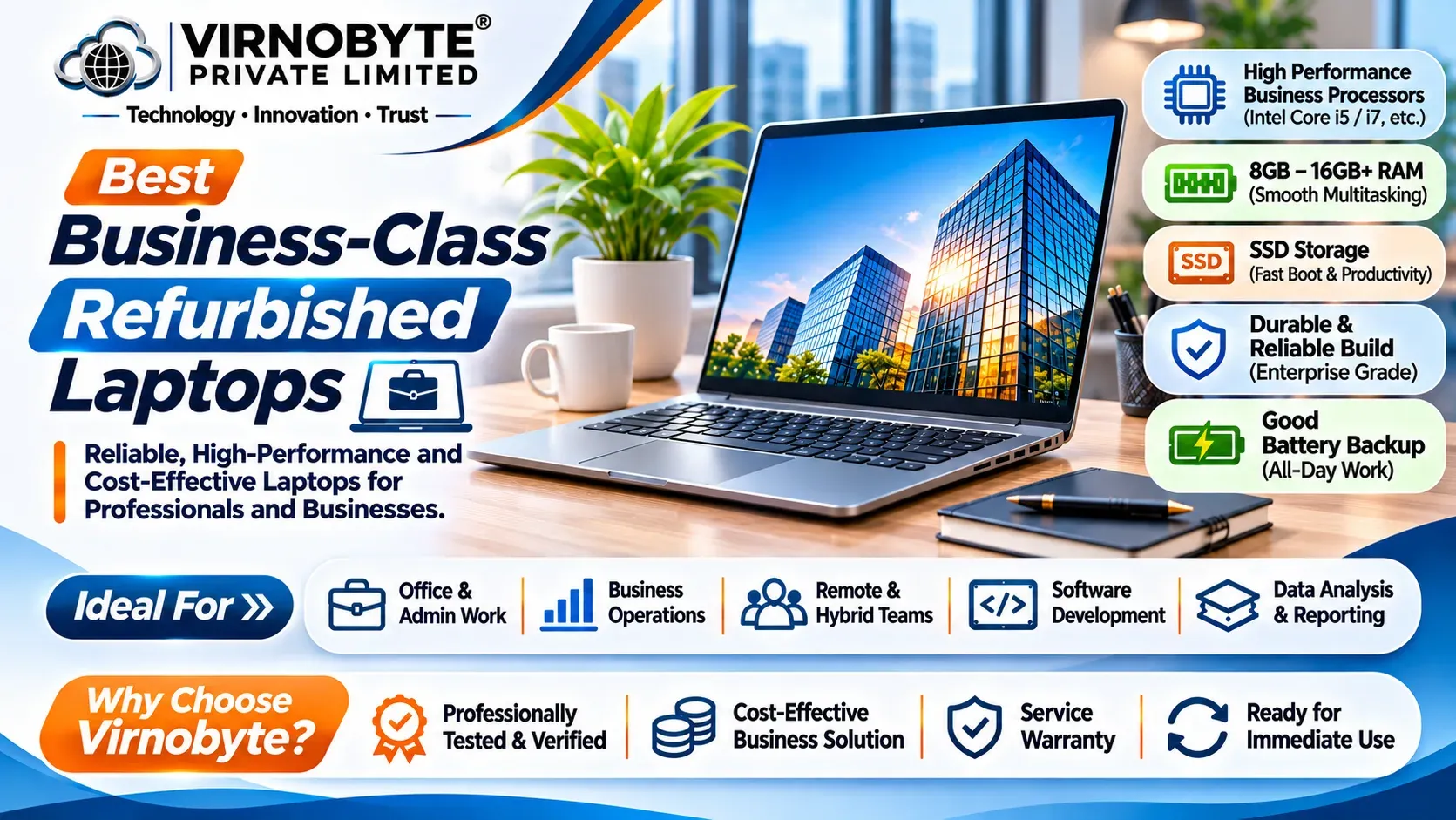
Best Business-Class Refurbished Laptops in India (2026)
Looking for a professional laptop for office work, business operations or remote working without spending too much? A refurbished business-class laptop from Dell, HP or Lenovo can be a practical option.
Business laptops are designed for productivity and professional environments. Many models offer comfortable keyboards, useful connectivity, security features and configurations suitable for everyday work.
In this guide, we compare popular business laptop series, recommended specifications, approximate budgets and important checks to complete before buying.

1. What Is a Business-Class Laptop?
A business-class laptop is designed primarily for office environments, professional tasks and organisational use. These laptops are commonly used by companies, employees, business owners, consultants and professionals.
Popular business laptop families include:
- Dell: Latitude and Precision series.
- HP: EliteBook and ProBook series.
- Lenovo: ThinkPad T, X, L and E series.
Depending on the model and configuration, business laptops may include:
- Professional-grade processor options.
- Comfortable keyboards for extended typing.
- Business-oriented security and management features.
- USB, HDMI, USB-C and other connectivity options.
- SSD storage and different RAM configurations.
- Fingerprint readers or other security features on selected models.
- Docking and external monitor support on selected models.
Not every business laptop has every feature. Specifications, materials, upgrade options and security capabilities differ by model and generation.
2. Why Choose a Refurbished Business Laptop?
New business laptops can be expensive, particularly premium models with advanced features. A refurbished business laptop can help buyers access an older premium product at a lower purchase price.
Main advantages
- Cost savings: Older business models may cost less than new laptops with comparable specifications.
- Professional design: Many business laptops have practical designs suitable for office environments.
- Productivity features: Selected models include comfortable keyboards, useful ports and business security features.
- Multiple configurations: Buyers may find different processor, RAM and SSD combinations.
- Suitable for office use: Many refurbished models can handle email, spreadsheets, accounting, presentations and online meetings.
- More affordable upgrades: Some models support RAM and SSD upgrades, depending on their design.
3. Best Dell Business-Class Refurbished Laptops
Dell Latitude laptops are widely used in business environments. Dell Precision workstations are another option for users with more demanding technical workloads.
1. Dell Latitude 5400 – Budget Business Laptop

The Dell Latitude 5400 is a 14-inch business laptop commonly available with 8th-generation Intel Core processor options. It can be considered by buyers looking for an affordable refurbished laptop for everyday office work.
Common configurations:
- Processor: Intel Core i5 or i7, commonly 8th-generation options.
- RAM: 8GB or 16GB configurations.
- Storage: 256GB or 512GB SSD options.
- Display: 14-inch class, with different panel options.
Suitable for: MS Office, browsing, accounting software, email, presentations and online meetings.
Buying advice: Check the battery, keyboard, display, hinges and USB ports. Compare the exact processor and RAM configuration rather than choosing only by the Latitude model number.
2. Dell Latitude 5410 – Balanced Office Laptop
The Latitude 5410 is commonly available with 10th-generation Intel Core processors. It is worth comparing if you want a newer platform than the Latitude 5400.
Common configurations:
- Processor: Intel Core i5 or i7, 10th Generation options.
- RAM: 8GB or 16GB, depending on configuration.
- Storage: 256GB or 512GB SSD options.
- Display: 14-inch class.
Suitable for: Business applications, spreadsheets, remote work, online meetings and everyday multitasking.
Buying advice: Confirm the complete processor number and check whether the RAM configuration supports your future upgrade plans.
3. Dell Latitude 5420 – Newer Business Platform
The Latitude 5420 is commonly found with 11th-generation Intel Core processors. It is a useful option to compare if you want a newer processor platform for professional productivity.
Common configurations:
- Processor: Intel Core i5 or i7, 11th Generation options.
- RAM: 8GB or 16GB and other supported configurations.
- Storage: 256GB or 512GB SSD options.
- Display: 14-inch class.
Suitable for: Office multitasking, business owners, professionals, remote employees and everyday productivity.
Buying advice: Check memory upgradeability, battery condition and USB-C functionality. Confirm that the exact device supports the display and charging features you require.
4. Dell Latitude 7420 – Premium Business Laptop
The Latitude 7420 is a premium business laptop commonly available with 11th-generation Intel Core processors. It is worth considering if you prefer a compact professional laptop.
Common configurations:
- Processor: Intel Core i5 or i7, 11th Generation options.
- RAM: Configuration-dependent, including soldered memory on many versions.
- Storage: 256GB or 512GB SSD options.
- Display: 14-inch class.
Suitable for: Business travel, executives, consultants, office productivity and presentations.
Buying advice: Check RAM capacity carefully because many configurations do not offer user-upgradeable memory. Inspect the lightweight body and display for physical damage.
4. Best HP Business-Class Refurbished Laptops
HP EliteBook and ProBook laptops are popular business-oriented product families. EliteBook models generally occupy a more premium business segment, while ProBook models provide more value-focused business options.
1. HP EliteBook 840 G6 – Affordable Business Option
The EliteBook 840 G6 is a 14-inch business laptop commonly available with 8th-generation Intel Core processors.
Common configurations:
- Processor: Intel Core i5 or i7, 8th Generation options.
- RAM: 8GB or 16GB.
- Storage: 256GB or 512GB SSD.
- Display: 14-inch class.
Suitable for: Office applications, billing, email, browsing and everyday business tasks.
Buying advice: Look for a healthy battery and 16GB RAM if you regularly use multiple applications.
2. HP EliteBook 840 G7 – Balanced Professional Laptop
The EliteBook 840 G7 is commonly available with 10th-generation Intel Core processor options. It can be a good option for buyers who want an affordable business laptop with a newer platform than the G6.
Common configurations:
- Processor: Intel Core i5 or i7, 10th Generation options.
- RAM: 8GB or 16GB.
- Storage: 256GB or 512GB SSD.
- Display: 14-inch class.
Suitable for: Office employees, business owners, online meetings and general productivity.
3. HP EliteBook 840 G8 – Newer Business Laptop
The EliteBook 840 G8 is commonly available with 11th-generation Intel Core processors. It is worth comparing if you want a newer platform for professional use.
Common configurations:
- Processor: Intel Core i5 or i7, 11th Generation options.
- RAM: 8GB or 16GB and other configurations.
- Storage: 256GB or 512GB SSD.
- Display: 14-inch class.
Suitable for: Professional multitasking, office applications, business operations and remote working.
4. HP EliteBook 850 G7 – Larger Display Business Laptop
The EliteBook 850 G7 is a larger business laptop commonly available with 10th-generation Intel Core processors. It may suit users who prefer more screen space for spreadsheets and documents.
Common configurations:
- Processor: Intel Core i5 or i7, 10th Generation options.
- RAM: 8GB or 16GB.
- Storage: 256GB or 512GB SSD.
- Display: 15.6-inch class.
Suitable for: Accounting, spreadsheets, presentations and office work.
5. HP ProBook 440 and 450 Series
HP ProBook laptops are worth comparing if you want business-oriented features in a value-focused product family.
- ProBook 440: A 14-inch class option for everyday business productivity.
- ProBook 450: A larger 15.6-inch class option for users who prefer more screen space.
Both families have multiple generations and Intel or AMD configurations. Verify the exact model generation, processor, RAM and display before purchasing.
Suitable for: Small businesses, office employees, students and everyday professional work.
5. Best Lenovo Business-Class Refurbished Laptops
Lenovo ThinkPad laptops are known for their business-focused designs and keyboard layouts. The T, X and L Series are particularly worth comparing in the refurbished market.
1. Lenovo ThinkPad T480 – Budget Professional Laptop
The ThinkPad T480 is commonly available with 8th-generation Intel Core processor options. It can be a practical choice for everyday office work if the device is in good condition.
Common configurations:
- Processor: Intel Core i5 or i7, 8th Generation options.
- RAM: 8GB or 16GB configurations.
- Storage: 256GB or 512GB SSD.
- Display: 14-inch class.
Suitable for: Office applications, billing, spreadsheets, email and browsing.
Buying advice: Check battery condition, USB-C charging, keyboard and hinges. Some configurations were offered with two batteries, so verify what is actually included.
2. Lenovo ThinkPad T490 – Business Productivity
The ThinkPad T490 is commonly available with 8th-generation Intel Core processor options. It offers a compact 14-inch business laptop design.
Common configurations:
- Processor: Intel Core i5 or i7 options.
- RAM: 8GB or 16GB configurations.
- Storage: 256GB or 512GB SSD.
- Display: 14-inch class.
Suitable for: Office work, presentations, spreadsheets and everyday business tasks.
3. Lenovo ThinkPad T14 Gen 1 and Gen 2
The ThinkPad T14 series offers different processor options depending on generation.
- T14 Gen 1: Common Intel 10th-generation and AMD Ryzen PRO 4000-series options.
- T14 Gen 2: Common Intel 11th-generation and AMD Ryzen PRO 5000-series options.
Suitable for: Business professionals, office multitasking, programming and remote work.
Buying advice: Verify whether the laptop uses Intel or AMD and check the memory layout. Some configurations have soldered RAM.
4. Lenovo ThinkPad X1 Carbon – Premium Portable Laptop
The X1 Carbon is a premium lightweight ThinkPad family designed for professional mobility. Different generations have different processor and memory options.
Common configurations:
- Processor: Intel Core i5 or i7, depending on generation.
- RAM: Often 8GB or 16GB on older generations.
- Storage: 256GB or 512GB SSD options.
- Display: 14-inch class.
Suitable for: Business travellers, executives, consultants and professionals who prioritise portability.
Buying advice: Check the body for dents and cracks. Many X1 Carbon generations have soldered memory, so choose the correct RAM capacity before purchase.
5. Lenovo ThinkPad L14 – Practical Business Laptop
The L14 series offers a practical 14-inch business laptop option. Depending on generation, it is available with Intel or AMD processor configurations.
Common options:
- L14 Gen 1: Intel 10th Gen or AMD Ryzen PRO 4000-series options.
- L14 Gen 2: Intel 11th Gen or AMD Ryzen PRO 5000-series options.
- RAM: Configuration-dependent.
- Storage: SSD configurations vary.
Suitable for: Office work, business applications, small companies and everyday productivity.
6. Business Laptop Model Comparison
| Brand | Model | Common Processor Generation | Best For |
|---|---|---|---|
| Dell | Latitude 5400 | Intel 8th Gen | Budget office work |
| Dell | Latitude 5410 | Intel 10th Gen | Everyday productivity |
| Dell | Latitude 5420 | Intel 11th Gen | Business multitasking |
| Dell | Latitude 7420 | Intel 11th Gen | Premium portability |
| HP | EliteBook 840 G6 | Intel 8th Gen | Budget business use |
| HP | EliteBook 840 G7 | Intel 10th Gen | Office productivity |
| HP | EliteBook 840 G8 | Intel 11th Gen | Professional multitasking |
| HP | EliteBook 850 G7 | Intel 10th Gen | Larger-screen office work |
| Lenovo | ThinkPad T480 | Intel 8th Gen | Budget professional use |
| Lenovo | ThinkPad T490 | Intel 8th Gen | Everyday business use |
| Lenovo | ThinkPad T14 Gen 1 | Intel 10th Gen / AMD Ryzen PRO 4000 | Professional productivity |
| Lenovo | ThinkPad T14 Gen 2 | Intel 11th Gen / AMD Ryzen PRO 5000 | Newer business platform |
These are common processor-generation associations, not guaranteed specifications for every laptop. Always verify the exact processor SKU, configuration and model generation.
7. Approximate Budget for Refurbished Business Laptops in India
Refurbished business laptop prices depend on processor generation, RAM, SSD capacity, battery condition, cosmetic condition, seller warranty and availability.
The following table is a broad budgeting guide, not a live price list or seller quotation.
| Budget | Models Worth Comparing | Typical Configuration to Look For |
|---|---|---|
| Under ₹20,000 | Older Latitude, ThinkPad T480, older ProBook models | 8GB RAM, SSD, suitable older processor |
| ₹20,000–₹25,000 | Latitude 5400, EliteBook 840 G6, ThinkPad T480/T490 | 8GB–16GB RAM, 256GB SSD |
| ₹25,000–₹30,000 | Latitude 5410, EliteBook 840 G7, ThinkPad T490 | 16GB RAM, 256GB–512GB SSD |
| ₹30,000–₹40,000 | Latitude 5420, EliteBook 840 G8, ThinkPad T14 Gen 1 | 16GB RAM, 512GB SSD |
| ₹40,000–₹50,000 | Latitude 7420, newer T14 and premium EliteBook configurations | 16GB RAM or higher, 512GB SSD |
| Above ₹50,000 | Newer business generations and selected workstations | Higher specifications and newer platforms |
8. Which Business Laptop Should You Buy According to Your Work?
For accounting and billing
Consider a Latitude 5400/5410, EliteBook 840 G6/G7 or ThinkPad T480/T490. An SSD and 16GB RAM can be useful if you work with accounting software, spreadsheets, browsers and email together.
For office employees
Compare the Latitude 5410, EliteBook 840 G7 and ThinkPad T490. Choose a model with a comfortable keyboard, suitable display and healthy battery.
For business owners
A Latitude 5420, EliteBook 840 G8 or ThinkPad T14 can be worth comparing. These models offer newer processor options than many older refurbished business laptops.
For travelling professionals
Consider compact models such as the Latitude 7420 or ThinkPad X1 Carbon. Check weight, battery condition, memory configuration and display size.
For programming and technical work
Look for a suitable processor, at least 16GB RAM where possible and a 512GB SSD. If you use virtual machines, development environments or heavier applications, consider 32GB RAM or more where supported.
For CAD and engineering software
Consider workstation-class laptops such as selected Dell Precision models or other mobile workstations with suitable dedicated graphics. A standard Latitude, EliteBook or ThinkPad T Series may not be ideal for demanding 3D workloads.
9. Recommended RAM and SSD for Business Use
Choose your RAM and SSD configuration based on the applications you use every day.
| Configuration | Suitable Work | Recommendation |
|---|---|---|
| 8GB RAM + 256GB SSD | Basic office work, browsing and email | Entry-level choice |
| 16GB RAM + 256GB SSD | Accounting, spreadsheets and office multitasking | Good everyday configuration |
| 16GB RAM + 512GB SSD | Business applications, programming and productivity | Good all-round option |
| 32GB RAM + 512GB SSD | Heavier multitasking and virtual machines | For more demanding work |
| 32GB RAM + 1TB SSD | Large projects and specialised applications | Check exact laptop support |
Why choose an SSD? An SSD generally improves system startup and application loading compared with a traditional mechanical hard drive.
Why choose 16GB RAM? Modern browsers, spreadsheets, video meetings and office applications can use significant memory. More RAM helps when several applications are running simultaneously.
Should you buy 32GB RAM? It can be useful for development, virtual machines, large spreadsheets and demanding professional software. For basic office use, 16GB is often sufficient.
10. How to Check a Refurbished Business Laptop Before Buying

Before purchasing a refurbished business laptop, inspect the actual device and verify its important components. Do not rely only on photographs or the seller's description.
1. Verify the processor
- Open Windows Task Manager and select Performance.
- Check the processor name and generation.
- Verify the complete processor number.
- Compare the installed CPU with the seller's listing.
2. Check RAM capacity
- Confirm the installed memory capacity.
- Check whether Windows detects all installed RAM.
- Ask whether memory is soldered or upgradeable.
- Verify the maximum supported capacity for the exact model.
3. Inspect SSD health
- Confirm the SSD capacity.
- Use a reputable utility such as CrystalDiskInfo.
- Check the reported health status and warning indicators.
- Test startup and file access.
4. Check battery health
- Disconnect the charger and observe battery performance.
- Check whether the percentage drops unusually quickly.
- Inspect for swelling or physical damage.
- Ask for battery-condition information and any replacement policy.
On Windows, generate a battery report by opening Command Prompt and entering:
powercfg /batteryreport
The report compares the battery's original design capacity with its current full-charge capacity. This is useful information, but it does not replace a practical battery test.
5. Inspect the display
- Check for dead pixels, lines, flickering and bright spots.
- Test brightness controls.
- Check for uneven lighting and physical damage.
- Confirm the advertised screen resolution.
6. Test the keyboard and touchpad
- Test every keyboard key, including function keys.
- Check the touchpad and its buttons or gestures.
- Test the TrackPoint if available.
- Check the webcam, microphone and speakers.
7. Test connectivity and ports
- Test USB ports with a suitable device.
- Check HDMI or other display output if available.
- Test Wi-Fi and Bluetooth.
- Inspect charging ports and USB-C functionality where applicable.
8. Inspect the body and hinges
- Look for cracks, dents and loose panels.
- Open and close the display carefully.
- Inspect hinges for unusual movement or noise.
- Check the bottom cover, screws and rubber feet.
9. Check BIOS and organisation locks
Confirm that the laptop does not have an unknown BIOS administrator password or organisation-management lock that prevents normal use. Ask the seller to demonstrate that the device can be reset and set up by its new owner.
10. Verify Windows activation and compatibility
Check Windows activation and confirm that the operating system is properly licensed. If you require Windows 11, verify that the exact processor and device meet Microsoft's official requirements. A laptop running an unsupported Windows 11 installation is not necessarily officially compatible.
11. Refurbished Business Laptop vs New Consumer Laptop
| Factor | Refurbished Business Laptop | New Consumer Laptop |
|---|---|---|
| Purchase price | Can be lower than a new premium laptop | Depends on model and specifications |
| Physical condition | May show signs of previous use | New condition |
| Keyboard | Many business models have productivity-focused keyboards | Varies by product range |
| Connectivity | Often offers useful business ports, depending on model | Varies by model |
| Battery | Previous usage may reduce capacity | Unused battery, subject to storage and warranty conditions |
| Warranty | Depends on refurbisher's written terms | Depends on manufacturer's warranty |
| Processor generation | Often older generations | May offer newer platforms |
A refurbished business laptop can offer good value if you need professional features at a lower price. A new consumer laptop may be preferable if you prioritise a fresh battery, newer processor, manufacturer warranty or a specific graphics capability.
12. Common Mistakes to Avoid
- Choosing only by i5 or i7: Processor generation and complete model number matter.
- Ignoring battery condition: A weak battery can create additional expenses.
- Not checking the display: Screen replacement can be costly.
- Ignoring SSD health: Check capacity and reported health before purchase.
- Not checking RAM upgradeability: Some business models have soldered memory.
- Ignoring Windows compatibility: Verify official Windows 11 support if required.
- Accepting verbal warranty promises: Ask for written warranty terms.
- Not requesting an invoice: Get a proper purchase invoice with model and seller details.
- Ignoring BIOS or management locks: Verify that the device can be used by its new owner.
- Buying without testing: Inspect the actual laptop whenever possible.
13. Where to Buy Business-Class Refurbished Laptops in India?
You can compare refurbished business laptops through online refurbished computer sellers and local computer shops. Before selecting a seller, compare more than the advertised price.
Ask the seller to confirm:
- Exact brand, model and generation.
- Complete processor name and configuration.
- Installed RAM and upgrade options.
- SSD capacity and health information.
- Battery condition and testing process.
- Cosmetic condition and replaced components.
- Warranty duration, exclusions and claim procedure.
- Invoice and return policy.
If you are purchasing locally, ask to inspect and test the actual laptop before making payment. For online purchases, review the return policy and warranty conditions carefully.
14. Frequently Asked Questions
1. Which brand is best for refurbished business laptops?
Dell Latitude, HP EliteBook and Lenovo ThinkPad are all worth considering. The best choice depends on the exact model, configuration, battery condition, price and seller warranty.
2. Which refurbished business laptop is best for office work?
Dell Latitude 5410, HP EliteBook 840 G7 and Lenovo ThinkPad T490 are useful models to compare. Choose according to the exact processor, RAM, SSD and condition.
3. Is 8GB RAM enough for business use?
8GB can be sufficient for basic office work. For frequent multitasking, accounting applications, spreadsheets and online meetings, 16GB is generally more comfortable.
4. Is a refurbished business laptop reliable?
It can be reliable if it has been properly inspected and tested. Check the battery, SSD, display, keyboard, ports, BIOS status and written warranty before buying.
5. What is the difference between Latitude, EliteBook and ThinkPad?
Latitude is Dell's business laptop family, EliteBook is HP's premium business family, and ThinkPad is Lenovo's business-oriented laptop family. Each has different models, generations and configurations.
6. Can refurbished business laptops be used for programming?
Yes. A suitable processor, 16GB RAM and SSD storage can handle many programming tasks. More demanding workloads may require additional memory and processing power.
7. Are business laptops suitable for gaming?
Most standard business laptops use integrated graphics and are designed for productivity rather than demanding gaming. Consider a laptop with a suitable dedicated GPU for modern games.
8. How do I check the battery of a refurbished laptop?
Generate a Windows battery report using powercfg /batteryreport, compare design capacity with full-charge capacity and test the laptop unplugged.
9. Should I buy an i5 or i7 business laptop?
Compare the complete processor model and generation. A newer-generation i5 can be a better choice than an older-generation i7 for some workloads.
10. What warranty should I expect?
Warranty terms vary by seller. Ask for the duration, covered components, exclusions, service process and return policy in writing before purchasing.

15. Final Verdict: Which Business-Class Refurbished Laptop Should You Choose?
Business-class refurbished laptops can be a practical choice for professionals, companies, students and small-business owners who want a productivity-focused machine at a lower purchase price.
For Dell, compare the Latitude 5400, 5410, 5420 and 7420. For HP, consider the EliteBook 840 G6, G7 and G8 or selected ProBook models. For Lenovo, compare the ThinkPad T480, T490 and T14 generations.
For many everyday business users, a properly tested laptop with a suitable 10th- or 11th-generation processor, 16GB RAM and a 512GB SSD can be a useful target. However, the condition of the individual laptop is just as important as its specifications.
Always verify the processor, RAM, SSD health, battery condition, display, keyboard, ports, BIOS status, Windows activation and written warranty before making your purchase.
Looking for a Business-Class Refurbished Laptop in Pune?
Virnobyte Pvt. Ltd. provides computer-related services, laptop support, hardware upgrades and IT solutions. Contact us to enquire about currently available refurbished Dell Latitude, HP EliteBook and Lenovo ThinkPad models, configurations and applicable warranty details.
Virnobyte Pvt. Ltd.
Technology • Innovation • Trust
Phone: 8669883332
Email: info@virnobyte.com
Website: www.virnobyte.com
Address: Sadichha Complex, Sawtamali Temple Road, Jadhavwadi, Chikhali, Pune – 411062, Maharashtra.
Disclaimer: Specifications vary by exact model and configuration. Prices and availability change frequently. Verify all details with the seller before purchase. This article does not guarantee stock, prices or warranty from Virnobyte Pvt. Ltd.