
Best Refurbished Laptop Under ₹10,000
Looking for the best refurbished laptop under ₹10,000 in India? Explore budget Dell, HP and Lenovo laptops, recommended specifications, buying tips, battery checks and warranty advice for students and everyday users.
By Virnobyte Team · · 12 min read
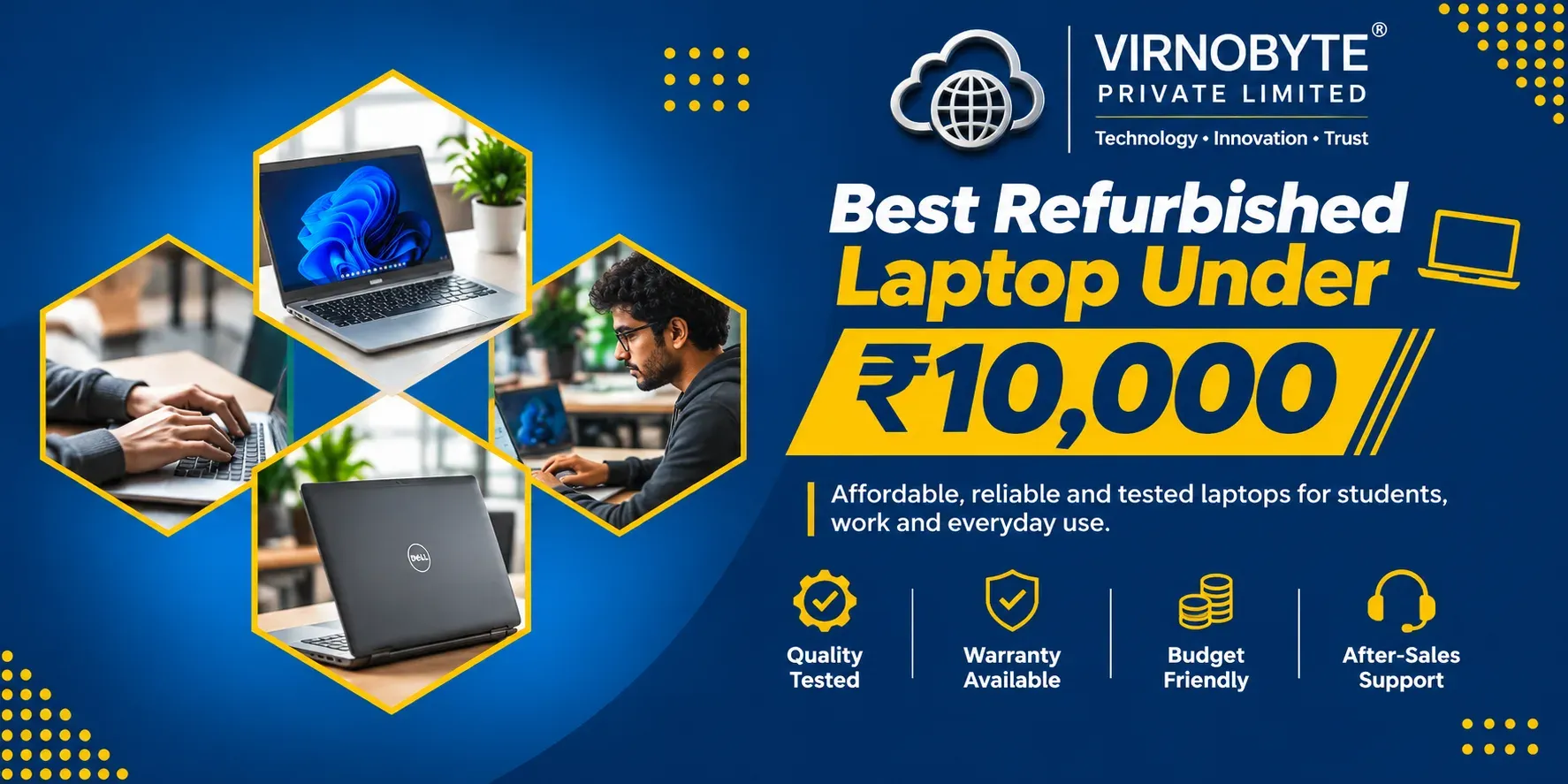
Best Refurbished Laptop Under ₹10,000 in India: Top Models and Buying Tips
Want to buy a laptop without spending more than ₹10,000? Refurbished Dell, HP and Lenovo business laptops can be affordable options for basic computing, online classes and everyday office work. Discover which models to consider and what to check before buying.
Buying a laptop on a limited budget can be challenging. Even an entry-level new laptop may cost more than ₹10,000, which makes refurbished laptops worth considering for students, home users and people who need a computer for basic work.
In the Indian refurbished laptop market, older business laptops from Dell, HP and Lenovo are commonly available at budget-friendly prices. Models from the Dell Latitude, HP EliteBook, HP ProBook and Lenovo ThinkPad families are worth exploring.
However, buying a laptop under ₹10,000 requires careful inspection. Some devices may have older processors, worn-out batteries, cosmetic damage or limited operating-system support.

1. What Can You Expect from a Laptop Under ₹10,000?
At this price, most options are older refurbished or pre-owned business laptops. You should not expect the performance, battery life or features of a new modern laptop.
However, a properly tested device can still be useful for everyday activities such as:
- Internet browsing and email.
- Microsoft Office and document editing.
- Online classes and video meetings.
- Basic accounting and billing software.
- PDF reading and presentations.
- Typing assignments and preparing reports.
- Watching videos and listening to music.
- Basic programming and learning computer skills.
These laptops are generally not suitable for demanding gaming, professional video editing, advanced 3D modelling or heavy engineering applications.
2. Best Refurbished Laptop Models Under ₹10,000
The following older business laptop models are worth checking in the refurbished market. Actual prices and availability vary by seller, processor, RAM, SSD, physical condition and warranty.
1. Dell Latitude 5490
The Dell Latitude 5490 is a business laptop that may be available with different Intel processor configurations, including 7th and 8th generation options.
- Screen: 14-inch, depending on configuration.
- Processor: Intel Core i5 or other available configurations.
- RAM: Commonly found with 8GB configurations.
- Storage: Check for a 256GB SSD.
- Best for: Office work, browsing and student assignments.
Buying tip: Prefer an 8th generation configuration if the price and condition are suitable. Confirm the exact processor model.
2. Dell Latitude 5400
The Dell Latitude 5400 is a newer option than many older budget business laptops. It is commonly associated with 8th generation Intel Core configurations.
- Screen: 14-inch options.
- Processor: Intel Core i5 configurations are worth looking for.
- RAM: Check whether it has 8GB or more.
- Storage: Prefer an SSD over an HDD.
- Best for: Office tasks, online classes and multitasking.
Finding a well-maintained Latitude 5400 below ₹10,000 may require careful searching, as some sellers price it higher.
3. HP EliteBook 840 G5
The HP EliteBook 840 G5 is a professional laptop designed for business users. It is worth considering if you want a compact device with a business-class design.
- Screen: 14-inch options.
- Processor: Commonly available with 8th generation Intel Core processors.
- RAM: Look for 8GB or higher.
- Storage: Prefer a 256GB SSD.
- Best for: Students, office users and basic productivity.
4. HP ProBook 440 G6
The HP ProBook 440 G6 is another business laptop worth checking in the refurbished market. Depending on the configuration, it may offer an Intel Core i3 or Core i5 processor.
- Screen: 14-inch options.
- Processor: Check the exact Intel Core configuration.
- RAM: 8GB is a useful starting point.
- Storage: Look for an SSD.
- Best for: Basic office work, browsing and online learning.
5. Lenovo ThinkPad T470
The Lenovo ThinkPad T470 is an older business laptop known for its professional design and keyboard. It can be a budget option for basic productivity if you find a unit in good condition.
- Screen: 14-inch options.
- Processor: Commonly available with 6th or 7th generation Intel Core configurations.
- RAM: Check the installed memory and upgrade options.
- Storage: Prefer an SSD.
- Best for: Typing, documentation and basic office tasks.
6. Lenovo ThinkPad L470
The ThinkPad L470 is another older business laptop that may appear in the lower-priced refurbished segment.
- Screen: 14-inch options.
- Processor: Different 6th and 7th generation configurations may exist.
- RAM: Check the exact installed capacity.
- Storage: Prefer a healthy SSD.
- Best for: Basic browsing, documents and learning.

3. Recommended Specifications Under ₹10,000
When buying a refurbished laptop at this budget, prioritise a balanced configuration rather than focusing only on the processor brand or model number.
| Component | Recommended Choice | Why It Matters |
|---|---|---|
| Processor | Intel Core i5 7th/8th Gen, if affordable | Suitable for many basic productivity tasks |
| RAM | 8GB | Helps with everyday multitasking |
| Storage | 256GB SSD | Faster booting and application loading |
| Display | 14-inch or 15.6-inch | Choose according to portability and comfort |
| Battery | Tested battery with disclosed health | Helps avoid unexpected replacement costs |
| Connectivity | Working Wi-Fi, USB and HDMI where fitted | Useful for daily work and peripherals |
Why should you choose an SSD?
An SSD can make a noticeable difference to an older laptop. Compared with a traditional mechanical hard drive, an SSD generally provides faster boot times, quicker application loading and better responsiveness.
If you find a laptop with an HDD, ask whether it can be upgraded to an SSD and calculate the total cost before buying.
4. What Can You Do with a Refurbished Laptop Under ₹10,000?
For students
A suitable laptop can help students prepare assignments, attend online classes, browse educational websites, create presentations and learn basic computer applications.
For home users
It can be useful for email, internet browsing, online services, document editing and watching videos, provided the device is in good condition.
For small businesses
Older business laptops may work for basic billing, data entry, spreadsheets, email and simple office administration. Check that the software you need supports the laptop's hardware and operating system.
For learning programming
A laptop with an SSD and 8GB RAM may be sufficient for learning basic programming, HTML, CSS and lightweight coding tools. More demanding development environments may require a better configuration.
5. Important Checks Before Buying a Refurbished Laptop
Never buy a refurbished laptop just because the seller offers a low price. Inspect the actual laptop and test its important features before payment.
1. Check the processor generation
Open Windows System Information or Task Manager and check the complete processor model. Do not rely only on the seller's description of Core i5 or Core i7.
2. Check battery health
Open Command Prompt and run:
powercfg /batteryreportOpen the generated report and compare Design Capacity with Full Charge Capacity. A large difference indicates battery wear.
3. Check the display
- Look for dead pixels and vertical or horizontal lines.
- Check for flickering and unusual colour patches.
- Test brightness at different levels.
- Inspect the screen frame for cracks or damage.
4. Test the keyboard and touchpad
Test every key, touchpad movement, clicking and scrolling. A faulty keyboard can add to your repair cost.
5. Check USB ports and connectivity
- Test available USB ports.
- Check HDMI or other display outputs.
- Test Wi-Fi and Bluetooth.
- Check the headphone jack.
- Test the webcam and microphone.
- Confirm that the charger connects securely.
6. Inspect the body and hinges
Check the laptop's hinges, bottom cover, screws, keyboard frame and screen bezel. Avoid devices with serious cracks or loose hinges unless the repair cost is clearly explained.
7. Check SSD health
Ask the seller to show a storage health report. Check that the advertised SSD capacity matches the installed drive and that there are no reported health warnings.
8. Check BIOS and ownership locks
Make sure there is no unknown BIOS password, previous organisation management lock or previous owner's account preventing normal use. Ask for proof of purchase or a proper invoice.
9. Check the charger
Confirm that the charger is compatible with the laptop and provides the correct voltage, current and connector type. Avoid damaged or unsuitable adapters.
10. Ask for a written warranty
Even at a low budget, ask for clear written warranty and return terms. Check whether the battery, display, charger and other parts are covered or excluded.

6. Windows Compatibility: An Important Point in 2026
Before purchasing an older laptop, check whether it can run a currently supported operating system.
Windows 10 reached end of support on 14 October 2025. Microsoft no longer provides its normal security updates, feature updates or technical assistance for standard Windows 10 editions. Eligible consumer devices may have an Extended Security Updates option for a limited period. Read Microsoft's Windows 10 support information.
Many older budget laptops, particularly those with 6th or 7th generation Intel processors, do not meet the official Windows 11 processor requirements. Do not assume that a seller's Windows 11 installation means the laptop is officially supported.
Before purchasing, check:
- Processor compatibility with Windows 11.
- TPM 2.0 support.
- Secure Boot capability.
- RAM and storage requirements.
- Availability of manufacturer drivers.
7. Is a Refurbished Laptop Under ₹10,000 Worth Buying?
It can be worth buying if your requirements are basic and you find a properly tested unit. However, compare the total cost of ownership rather than just the purchase price.
Advantages
- Lower initial purchase cost.
- Can provide useful business-class hardware at a budget price.
- Suitable for basic office and educational tasks.
- Some models support RAM and SSD upgrades.
- Can be useful as a secondary computer.
Disadvantages
- Older processor generations.
- Battery may have limited backup.
- Cosmetic wear and tear.
- Possible difficulty finding replacement parts.
- Limited official operating-system compatibility on older models.
- Shorter remaining hardware life compared with a new laptop.
8. Should You Buy a Laptop Under ₹10,000 or Increase Your Budget?
If your budget is strictly ₹10,000, a refurbished business laptop may be a reasonable option for basic tasks. But if you can spend more, you may have access to newer processors, better battery condition and more operating-system compatibility.
| Budget | What to Look For | Suitable Use |
|---|---|---|
| Under ₹7,000 | Older business laptop, 8GB RAM if available, SSD | Very basic tasks |
| ₹7,000–₹10,000 | Core i5 business laptop, 8GB RAM, 256GB SSD | Basic office and study |
| ₹10,000–₹15,000 | Newer business laptop, ideally 8th–10th Gen depending on model | Better everyday productivity options |
| ₹15,000–₹20,000 | More recent business laptop with 16GB RAM where available | More demanding multitasking |
These are broad shopping targets, not fixed market prices. Actual stock and pricing can vary significantly.
9. Tips to Maintain Your Refurbished Laptop
After purchasing your laptop, follow these simple maintenance practices:
- Keep the operating system and supported applications updated.
- Use reliable security software.
- Clean the keyboard and vents carefully.
- Avoid using the laptop on soft surfaces that block airflow.
- Use a compatible charger.
- Keep important documents backed up.
- Monitor battery health periodically.
- Avoid dropping the laptop or putting pressure on the screen.
- Get unusual heating, fan noise or shutdowns checked promptly.
10. Frequently Asked Questions
1. Which is the best refurbished laptop under ₹10,000?
Models worth checking include Dell Latitude 5490, HP EliteBook 840 G5, HP ProBook 440 G6 and Lenovo ThinkPad T470. The best choice depends on actual price, processor, condition and warranty.
2. Can I get a Core i5 laptop under ₹10,000?
Yes, older refurbished Core i5 business laptops may be available within this budget. Check the complete processor model and generation before buying.
3. Is 8GB RAM enough for a refurbished laptop?
8GB RAM can be sufficient for browsing, documents, online classes and basic office work. More demanding applications may need additional memory.
4. Should I buy an HDD or SSD laptop?
An SSD is generally preferable because it improves boot time and application responsiveness. If the laptop has an HDD, check whether an SSD upgrade is possible and affordable.
5. Can I use a refurbished laptop for online classes?
Yes, if its webcam, microphone, Wi-Fi, display and operating system work properly and it meets the requirements of your online learning platform.
6. Can I play games on a laptop under ₹10,000?
Older refurbished business laptops are generally intended for basic computing. They may run some older or lightweight games, but they are not recommended for modern demanding games.
7. Do refurbished laptops come with a warranty?
Warranty depends on the seller. Ask for written coverage, duration, exclusions and the process for making a claim.
8. Is a 7th generation Core i5 laptop still worth buying?
It may be suitable for limited basic tasks at the right price, but check official operating-system compatibility and security support before choosing it as your main internet-connected computer.
9. Can I upgrade RAM and SSD later?
Many older business laptops support RAM and SSD upgrades. However, confirm the exact model's memory type, maximum capacity and storage interface first.
10. What should I check before paying for a refurbished laptop?
Check processor, RAM, SSD health, battery, display, keyboard, touchpad, ports, Wi-Fi, charger, BIOS locks, invoice and written warranty terms.
Conclusion
Finding the best refurbished laptop under ₹10,000 in India is possible, but it requires careful selection. Dell Latitude, HP EliteBook, HP ProBook and Lenovo ThinkPad business laptops are useful model families to explore.
For basic work, try to find a laptop with an Intel Core i5 processor, 8GB RAM and a 256GB SSD. Give special attention to battery health, physical condition, storage health and operating-system compatibility.
Do not purchase a laptop simply because it is cheap. A properly tested laptop with a clear warranty and a suitable configuration is a much better investment than a low-priced device that needs immediate repairs.
Looking for Refurbished Laptops Under ₹10,000 in Pune?
Virnobyte Pvt. Ltd. offers new and refurbished laptop options, computer hardware support and laptop repair services. Contact us to enquire about currently available budget laptop models, configurations, condition and warranty details.
Virnobyte Pvt. Ltd.
Technology • Innovation • Trust
Phone: 8669883332
Email: info@virnobyte.com
Website: www.virnobyte.com
Address: Sadichha Complex, Sawtamali Temple Road, Jadhavwadi, Chikhali, Pune – 411062, Maharashtra.