
Best Refurbished Laptops for Programming
Discover the best refurbished laptops for programming in India. Compare Dell, HP and Lenovo models, processors, RAM, SSD storage and features for coding, software development and multitasking.
By Virnobyte Team · · 18 min read
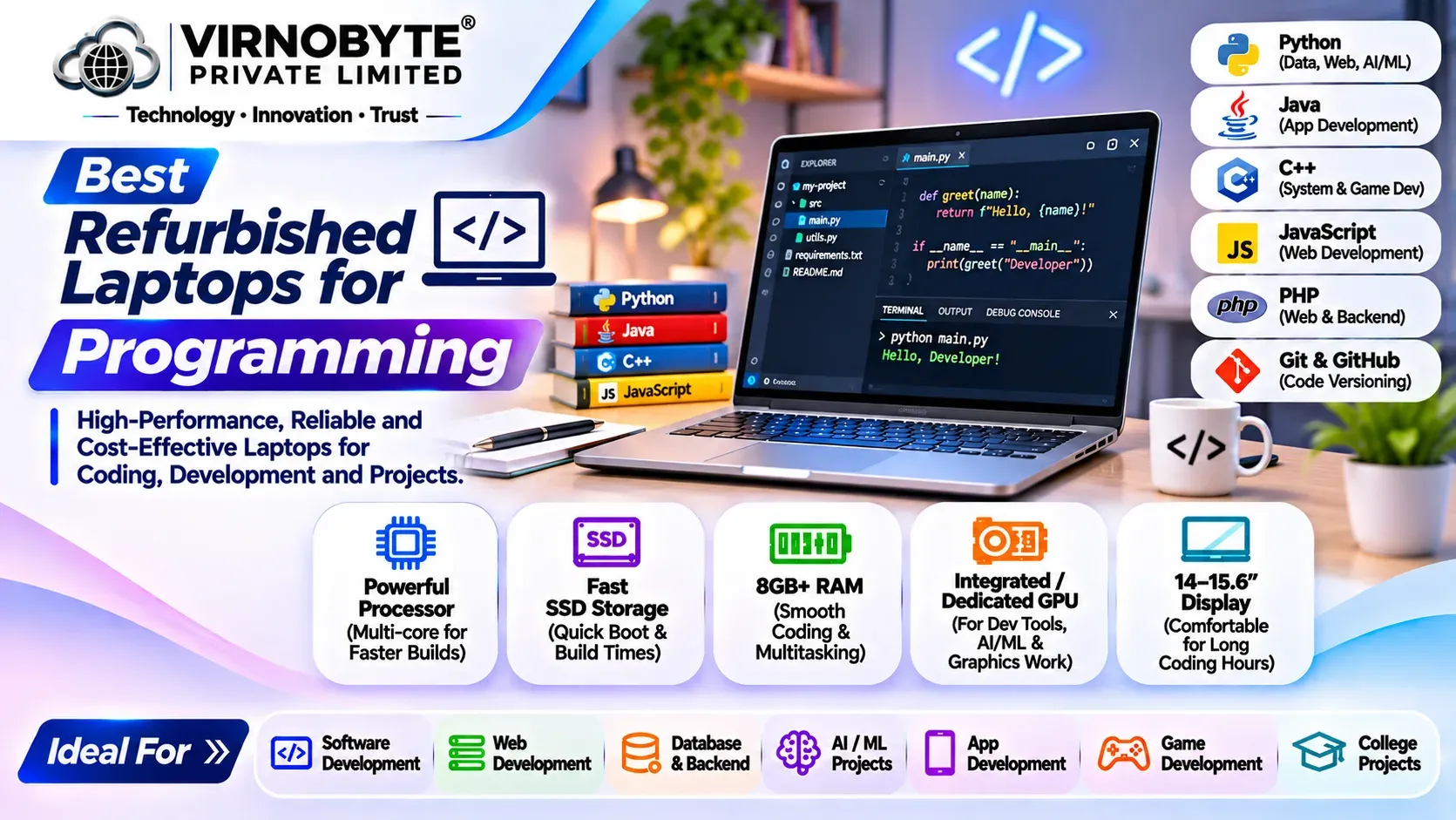
Best Refurbished Laptops for Programming in India
Looking for a reliable programming laptop without spending a large amount? Discover refurbished Dell Latitude, HP EliteBook and Lenovo ThinkPad models, recommended specifications and practical buying tips for developers and coding students.
Programming requires a laptop that can handle code editors, browsers, development tools, databases and multiple applications at the same time. Whether you are learning Python, developing websites, building Android applications or working with software development tools, choosing the right laptop can make a significant difference to your productivity.
However, a brand-new laptop with suitable specifications can be expensive. This is why many students, freelancers and developers consider refurbished laptops. A properly inspected refurbished business laptop can offer a capable processor, upgradeable memory, SSD storage and a comfortable keyboard at a lower purchase cost than a comparable new machine.
In this guide, we will explore some popular refurbished laptop series from Dell, HP and Lenovo, explain the specifications programmers should look for, and share important checks to complete before buying.

1. What Should You Look for in a Programming Laptop?
Before selecting a refurbished laptop, understand the hardware requirements of your development work. Different programming activities need different levels of performance.
Processor (CPU)
The processor handles code compilation, application execution, multitasking and other computing operations. For most programming tasks, a modern Intel Core i5 or AMD Ryzen 5 processor is a practical starting point.
- Intel Core i5: Suitable for web development, Python, Java, database work and general software development, depending on generation.
- Intel Core i7: Can offer additional performance for demanding development workloads, depending on the exact processor.
- AMD Ryzen 5: A good option for everyday development and multitasking.
- AMD Ryzen 7: Worth considering for more demanding workloads and parallel tasks.
RAM (Memory)
RAM is important when you run a code editor, browser tabs, local servers, databases, virtual machines and other tools simultaneously.
| RAM | Recommended usage |
|---|---|
| 8GB | Basic programming, learning Python, HTML, CSS and simple coding projects. |
| 16GB | Recommended for most students, web developers and general software developers. |
| 32GB | Useful for Android development, virtual machines, Docker containers and heavier multitasking. |
| 64GB or more | For specialised workloads such as multiple virtual machines, large datasets and demanding development environments. |
For most buyers, 16GB RAM is a sensible target. Before purchasing, confirm whether the laptop supports RAM upgrades. Some thin and premium models have soldered memory that cannot be upgraded.
SSD Storage
An SSD improves boot time, application loading and file access compared with a traditional mechanical hard drive. It is especially useful when working with development tools, project files and databases.
- 256GB SSD: Suitable for basic coding and smaller projects.
- 512GB SSD: A practical choice for most programming students and developers.
- 1TB SSD: Better for larger projects, development environments, virtual machines and additional software.
Display and Keyboard
Programmers often spend several hours reading and writing code. A comfortable keyboard and good-quality display can make long working sessions easier.
- Prefer Full HD (1920 × 1080) resolution where possible.
- Check display brightness, viewing angles and dead pixels.
- Test every keyboard key and the touchpad.
- Consider a 14-inch laptop for portability or a 15.6-inch laptop for a larger working area.
2. Best Refurbished Dell Laptops for Programming
Dell Latitude laptops are popular business machines that can be worth considering in the refurbished market. Many models offer practical ports, comfortable keyboards and business-oriented features. Exact specifications vary by configuration.

Dell Latitude 5400
The Dell Latitude 5400 is an older business laptop commonly available with 8th Generation Intel Core processors. Configurations may include Core i5 and Core i7 options.
- Suitable for basic web development and programming education.
- Can handle Python, HTML, CSS and lightweight Java development.
- Look for an SSD and preferably 16GB RAM.
- Check battery health and the condition of the keyboard and hinges.
Best for: Students and beginners working with basic development tools.
Dell Latitude 5410
The Latitude 5410 is commonly available with 10th Generation Intel Core processor configurations. It can be a practical option for users who need a business laptop for everyday development.
- Suitable for VS Code, Python, web development and office applications.
- Look for a 16GB RAM configuration for comfortable multitasking.
- Check the exact processor model and storage configuration.
Best for: Students, freelancers and entry-level developers.
Dell Latitude 5420
The Latitude 5420 commonly comes with 11th Generation Intel Core processor options. It is worth considering when you want a newer processor platform in a refurbished business laptop.
- Suitable for web development and general software development.
- Can handle multiple development applications with sufficient RAM.
- Some configurations have integrated graphics, so check graphics requirements for your work.
Best for: Developers looking for a capable everyday work laptop.
Dell Latitude 7420
The Latitude 7420 is a premium business laptop commonly equipped with 11th Generation Intel Core processors. It is designed with portability in mind.
- Useful for developers who travel or work from different locations.
- Suitable for general coding and multitasking.
- Check the RAM configuration carefully because memory is soldered on many versions.
Best for: Freelancers and professionals who value portability.
3. Best Refurbished HP Laptops for Programming
HP EliteBook and ProBook laptops are another option in the refurbished business laptop market. They offer different screen sizes and hardware configurations, making it important to compare the exact model before buying.
HP EliteBook 840 G6
The EliteBook 840 G6 is commonly available with 8th Generation Intel Core processors. It can be suitable for learning programming and handling everyday development work.
- Suitable for basic Python, Java and web development.
- Look for 16GB RAM and SSD storage if possible.
- Inspect the display, keyboard, battery and ports.
Best for: Students and beginners on a limited budget.
HP EliteBook 840 G7
The EliteBook 840 G7 commonly features 10th Generation Intel Core processors. It can be a practical choice for everyday coding and professional work.
- Suitable for web development and software tools.
- Consider 16GB RAM for multitasking.
- Check the exact processor and upgrade options.
Best for: Freelancers and general software developers.
HP EliteBook 840 G8
The EliteBook 840 G8 commonly comes with 11th Generation Intel Core processor options. It is worth comparing with other refurbished business laptops in the same performance category.
- Suitable for modern web development workflows.
- Useful for running code editors, browsers and local development tools.
- Check memory configuration and battery condition.
Best for: Developers who need a portable everyday laptop.
HP ProBook 440 and 450 Series
HP ProBook models are designed for business and everyday productivity. Depending on the generation, they may offer Intel or AMD processor configurations.
- Consider them for programming, office work and online learning.
- Compare processor generation and RAM upgrade options.
- The 450 series generally offers a larger display than the 440 series.
Best for: Users who want a practical laptop for both coding and everyday work.
4. Best Refurbished Lenovo ThinkPad Laptops for Programming
Lenovo ThinkPad laptops are well known among business users and developers. Their keyboard design, practical features and range of business models make them worth considering when buying a refurbished programming laptop.

Lenovo ThinkPad T480
The ThinkPad T480 is commonly available with 8th Generation Intel Core processor options. It remains a model to consider for basic programming, provided the particular unit is in good condition.
- Suitable for learning programming and basic web development.
- Some configurations offer memory upgrade flexibility.
- Inspect battery condition, keyboard, hinges and display carefully.
Best for: Beginners and students looking for a business-class laptop.
Lenovo ThinkPad T490
The ThinkPad T490 commonly features 8th Generation Intel Core processors. It offers a compact business laptop design and can be suitable for everyday development work.
- Useful for Python, HTML, CSS and general coding.
- Check the exact RAM configuration because memory upgrade options vary.
- Look for a Full HD display configuration.
Best for: Students and developers who need a portable laptop.
Lenovo ThinkPad T14 Gen 1
The ThinkPad T14 Gen 1 is available in Intel and AMD configurations. Depending on the exact version, it may offer 10th Generation Intel processors or AMD Ryzen PRO 4000 series processors.
- Suitable for web development and general software development.
- AMD and Intel versions have different specifications and performance characteristics.
- Check RAM layout, screen type and battery condition.
Best for: Developers looking for a more modern refurbished business laptop.
Lenovo ThinkPad T14 Gen 2
The T14 Gen 2 is available with 11th Generation Intel or AMD Ryzen PRO 5000 series options, depending on the configuration.
- Suitable for more demanding everyday programming workflows.
- Compare Intel and AMD versions before choosing.
- Check memory upgradeability and exact processor specifications.
Best for: Developers who want a newer processor platform.
5. Comparison of Popular Refurbished Programming Laptops
The following table provides a quick comparison of popular models. Processor generations are typical configurations, not a guarantee for every individual unit.
| Laptop model | Common processor options | Recommended RAM | Suitable for |
|---|---|---|---|
| Dell Latitude 5400 | 8th Gen Intel Core | 16GB | Basic coding and learning |
| Dell Latitude 5410 | 10th Gen Intel Core | 16GB | Web and software development |
| Dell Latitude 5420 | 11th Gen Intel Core | 16GB–32GB | Multitasking and development |
| Dell Latitude 7420 | 11th Gen Intel Core | 16GB or more, where configured | Portable development work |
| HP EliteBook 840 G6 | 8th Gen Intel Core | 16GB | Beginner programming |
| HP EliteBook 840 G7 | 10th Gen Intel Core | 16GB | Everyday development |
| HP EliteBook 840 G8 | 11th Gen Intel Core | 16GB | Web development and multitasking |
| ThinkPad T480 | 8th Gen Intel Core options | 16GB | Learning and basic coding |
| ThinkPad T14 Gen 1 | 10th Gen Intel / Ryzen PRO 4000 | 16GB | General software development |
| ThinkPad T14 Gen 2 | 11th Gen Intel / Ryzen PRO 5000 | 16GB–32GB | Development and multitasking |
6. Which Programming Laptop Should You Choose?
The best laptop depends on the programming language, software and development environment you plan to use.
For Python Programming
Python is widely used for automation, web development, data analysis and machine learning. For learning Python and building general applications, a Core i5 or Ryzen 5 processor with 16GB RAM and an SSD is a practical configuration.
For Web Development
Web developers commonly use VS Code, browsers, local servers, Git and database tools. A laptop with a capable processor, 16GB RAM and a 512GB SSD is a good target for comfortable everyday work.
For Java Programming
Java development environments and build tools can use considerable memory, especially when several applications are open. Look for a laptop with a reasonably recent processor, 16GB RAM and sufficient SSD storage.
For Android App Development
Android Studio and its emulator can be demanding. A laptop with 16GB RAM is a practical starting point, while 32GB RAM can provide more room for multitasking. Check the current Android Studio system requirements before purchasing.
For Data Science and Machine Learning
Basic Python learning and small data analysis projects can run on a normal business laptop. Larger datasets, deep learning and GPU-based workloads may require more memory, stronger processing power and a dedicated GPU or cloud computing resources.
For Game Development
Game development tools such as Unity and Unreal Engine can require stronger hardware than basic coding. Check the recommended specifications of the exact software version. A business laptop with integrated graphics may not be suitable for demanding 3D development.
7. Minimum and Recommended Specifications for Programming
| Component | Basic configuration | Recommended configuration |
|---|---|---|
| Processor | Intel Core i5 / Ryzen 5 class | Recent Core i5, Core i7 or Ryzen 5/7 class |
| RAM | 8GB | 16GB or more |
| Storage | 256GB SSD | 512GB SSD or more |
| Display | HD or Full HD | Full HD IPS preferred |
| Graphics | Integrated graphics | Integrated or dedicated GPU depending on workload |
| Operating system | Compatible supported OS | Supported OS with required development tools |
These are general buying recommendations, not universal software requirements. Always check the official system requirements for the programming tools you intend to use.
8. What Is the Difference Between a Refurbished and a Used Programming Laptop?
A used laptop is generally sold in its existing condition. A refurbished laptop may have undergone inspection, testing, cleaning or repairs before resale. However, the exact refurbishment process depends on the seller.
| Feature | Used laptop | Refurbished laptop |
|---|---|---|
| Inspection | May be limited | May include a structured inspection |
| Repairs | Not necessarily performed | May include repairs or part replacement |
| Cleaning | Depends on seller | Often cleaned before resale |
| Warranty | Depends on seller | Depends on seller and written terms |
| Condition | Varies | Varies according to refurbishment and grading process |
Do not assume that every refurbished laptop has the same testing standards or warranty. Ask the seller what was inspected, which components were replaced and what after-sales support is included.
9. Checklist Before Buying a Refurbished Laptop for Programming
Before making a purchase, test the laptop carefully. A low price is not useful if the machine has battery, display, storage or performance problems.

- Processor: Verify the full processor model and generation.
- RAM: Check installed memory and whether it can be upgraded.
- SSD: Check capacity and drive health using a suitable diagnostic tool.
- Battery: Check battery condition and charging behaviour.
- Display: Look for dead pixels, lines, flickering and uneven brightness.
- Keyboard: Test all keys, including function keys.
- Touchpad: Check clicking, scrolling and gestures.
- Ports: Test USB, HDMI, audio and charging ports where available.
- Connectivity: Test Wi-Fi and Bluetooth.
- Webcam and microphone: Check them if you attend online meetings.
- Body and hinges: Inspect cracks, loose hinges and damaged corners.
- BIOS and security: Confirm there is no unknown BIOS password or organisation management lock.
- Operating system: Verify activation and compatibility with the software you plan to use.
- Invoice and warranty: Request a proper invoice and written warranty terms.
powercfg /batteryreport in Command Prompt. Review the design capacity and full charge capacity to understand battery wear. This is an indicator, not a complete battery health test.
10. Check Windows Compatibility Before Buying
Operating system support is an important consideration when purchasing an older refurbished laptop. Windows 10 standard support ended on 14 October 2025. Users should consider a supported operating system and check whether the laptop meets the official Windows 11 hardware requirements.
Not every older Intel Core processor is officially supported by Windows 11. A laptop that can be made to install Windows 11 through an unsupported method is not necessarily officially compatible.
Before buying, verify the processor against Microsoft's supported processor information, along with TPM 2.0, Secure Boot and other system requirements.
Official reference: Microsoft Windows 11 specifications and requirements.
11. Is a Refurbished Laptop Good for Programming Students?
Yes. A properly inspected refurbished business laptop can be a practical choice for students who want to learn programming without investing in an expensive new laptop.
Students learning HTML, CSS, JavaScript, Python, C, C++ or Java can often work comfortably on a suitable business laptop. The important thing is to select a configuration that matches the development tools and projects they intend to use.
For most students, consider these features:
- Intel Core i5 or AMD Ryzen 5 class processor, preferably from a reasonably recent generation.
- 16GB RAM where the budget allows.
- 512GB SSD for projects, tools and files.
- Full HD display for comfortable reading and coding.
- Reliable battery, keyboard and charger.
12. Common Mistakes to Avoid When Buying a Refurbished Programming Laptop
- Choosing only by processor label: Compare the complete processor model and generation.
- Ignoring RAM upgrade options: Some models have soldered memory.
- Buying an HDD-only laptop: Prefer an SSD for a smoother development experience.
- Ignoring battery condition: Battery replacement may add to your total cost.
- Not checking the display: Screen defects can affect everyday coding work.
- Assuming all refurbished laptops have a warranty: Read the written warranty terms.
- Buying without an invoice: Request proper purchase documentation.
- Ignoring software requirements: Check compatibility with your IDE, operating system and development tools.
13. Frequently Asked Questions (FAQs)
1. Which refurbished laptop is best for programming?
Dell Latitude, HP EliteBook and Lenovo ThinkPad business laptops are worth considering. Models such as the Dell Latitude 5420, HP EliteBook 840 G8 and Lenovo ThinkPad T14 Gen 2 can be good options, depending on their exact configurations and condition.
2. Is 8GB RAM enough for programming?
8GB RAM can be enough for basic programming and learning. However, 16GB RAM is a better target for running code editors, browsers, databases and multiple applications together.
3. Is an Intel Core i5 laptop good for coding?
Yes. An Intel Core i5 laptop can be suitable for many programming tasks. Always check the processor generation and exact model because performance varies significantly between generations.
4. Is a refurbished ThinkPad good for programming?
Yes. Many ThinkPad models offer comfortable keyboards and business-oriented features. Check the processor, RAM, SSD, display and physical condition before purchasing.
5. Which laptop is best for Python programming?
A laptop with a capable Core i5 or Ryzen 5 processor, 16GB RAM and SSD storage is a practical choice for learning Python and building general applications.
6. Can I use a refurbished laptop for Android Studio?
Yes, if the laptop meets the current Android Studio requirements. A suitable processor, 16GB RAM or more and sufficient SSD storage are important. Check the official requirements before purchasing.
7. Should I buy a refurbished laptop with 256GB or 512GB SSD?
256GB can work for basic programming, but 512GB is generally more comfortable for development tools, project files, databases and other applications.
8. Can I upgrade RAM and SSD in a refurbished laptop?
Some laptops support RAM and SSD upgrades, while others have soldered memory or storage limitations. Check the exact model and configuration before buying.
9. Is a refurbished laptop suitable for professional software development?
It can be suitable if the processor, memory, storage and operating system meet the needs of your development workload. More demanding work may require a newer or more powerful machine.
10. Should I buy a refurbished laptop or a new budget laptop for coding?
Compare the actual processor performance, RAM, SSD, display, battery, warranty and upgrade options. A well-maintained refurbished business laptop may offer better specifications, but a new laptop may offer a fresh battery and manufacturer warranty.
14. Buy Refurbished Laptops for Programming from Virnobyte
Looking for a refurbished laptop for programming, software development, college projects or professional work? Choosing the right configuration is important for a smooth coding experience.
Virnobyte Pvt. Ltd. provides computer and IT-related services in Chikhali, Pune. Contact the team to enquire about currently available refurbished laptop models, configurations, inspection details and applicable warranty terms.
Find the Right Laptop for Your Coding Needs
Whether you are a programming student, freelancer or software developer, choose a laptop that matches your workload and budget.
Virnobyte Pvt. Ltd.
Technology • Innovation • Trust
Phone: 8669883332
Email: info@virnobyte.com
Website: www.virnobyte.com
Address: Sadichha Complex, Sawtamali Temple Road, Jadhavwadi, Chikhali, Pune – 411062, Maharashtra.
Final takeaway: The best refurbished programming laptop is not necessarily the most expensive or the one with the highest processor label. Focus on the exact processor, sufficient RAM, SSD storage, display quality, battery health and reliable after-sales support. Compare the complete configuration before making your decision.