
Best Refurbished Laptops for Students
Discover the best refurbished laptops for students in India. Compare Dell, HP and Lenovo models, processor generations, RAM, SSD storage, battery health, prices and buying tips for college and online classes.
By Virnobyte Team · · 18 min read
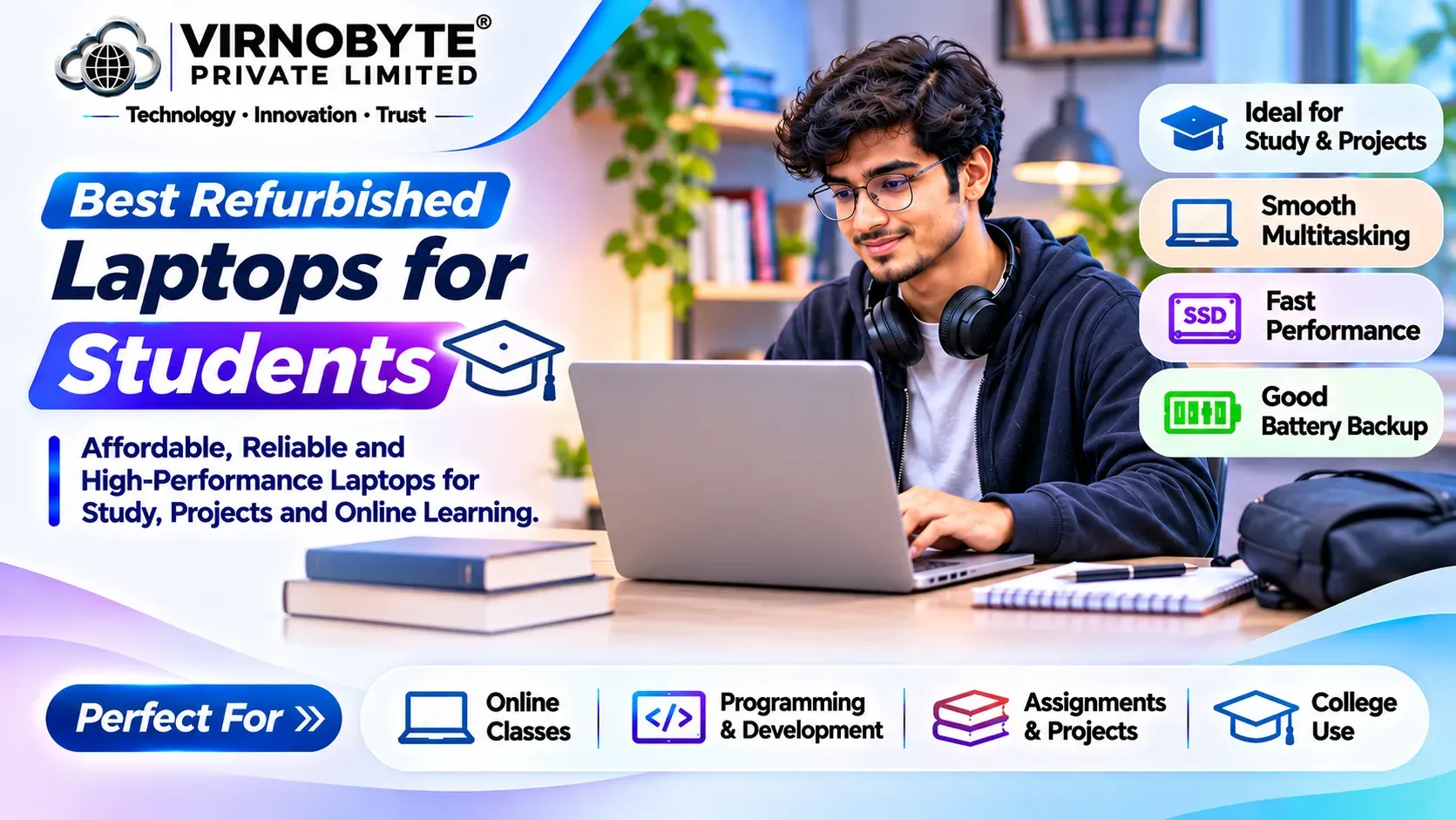
Best Refurbished Laptops for Students in India (2026)
Looking for an affordable laptop for college, school, online classes or programming? You do not always need to spend a large amount on a brand-new laptop. A properly tested refurbished laptop from Dell, HP or Lenovo can be a useful option for students.
From attending online lectures and preparing assignments to learning coding and working on presentations, the right refurbished laptop can support many student activities.
In this guide, we compare popular refurbished laptop models, recommended specifications, approximate budgets and essential checks before purchasing.

1. Why Should Students Consider a Refurbished Laptop?
Students need laptops for different purposes, including online education, research, assignments, presentations, programming and project work. A new laptop with suitable specifications can sometimes be expensive, especially for students with limited budgets.
A refurbished laptop can provide access to a business-class or professional laptop at a lower purchase price.
Main benefits of refurbished laptops
- Budget-friendly: Refurbished laptops can cost less than comparable new models.
- Suitable for learning: Many models can handle online classes, documents, presentations and browsing.
- Business-class options: Students can compare Dell Latitude, HP EliteBook and Lenovo ThinkPad laptops.
- SSD performance: Many refurbished models are available with SSD storage for faster startup and application loading.
- More configuration choices: You may find different processor, RAM and storage combinations.
- Useful for skill development: Suitable configurations can support programming, design fundamentals and other learning activities.
2. What Should Students Look for in a Laptop?
Before choosing a refurbished laptop, identify what you will use it for. A student who mainly attends online classes does not need the same specifications as someone learning software development, graphic design or engineering applications.
Processor
The processor affects how smoothly applications run. For general student use, consider a suitable Intel Core i5 or AMD Ryzen 5 configuration. An appropriate Core i3 or Ryzen 3 may also be sufficient for basic tasks, depending on its generation and model.
Do not choose a laptop only because the seller advertises an i5 or i7 processor. Compare the complete processor model and generation.
RAM
RAM helps the laptop manage multiple applications simultaneously.
- 8GB: Suitable for basic browsing, documents and online classes.
- 16GB: A more comfortable option for multitasking, programming and regular college work.
- 32GB: Useful for specialised workloads, virtual machines and demanding applications.
SSD Storage
An SSD generally provides faster startup and application loading than a traditional mechanical hard drive.
- 256GB SSD: Suitable for basic student work.
- 512GB SSD: A useful choice for documents, applications and project files.
- 1TB SSD: Useful if you store large files, videos and software locally.
Battery Life
Students often carry laptops to classrooms, libraries and colleges. A healthy battery is important if you need to work away from a power outlet. Check the actual battery condition rather than relying on the original manufacturer's battery-life claims.
Display and Keyboard
A comfortable keyboard and a clear display are important for reading, writing assignments and working on presentations. Check screen resolution, brightness, viewing angles, keyboard keys and touchpad condition before buying.
3. Best Refurbished Dell Laptops for Students
Dell Latitude laptops are worth considering for students who want a business-oriented laptop for everyday productivity. Selected Inspiron models may also be suitable depending on their specifications and condition.
1. Dell Latitude 5400

The Dell Latitude 5400 is a 14-inch business laptop commonly available with 8th-generation Intel Core processor options. It can be a practical choice for students looking for an affordable refurbished laptop.
Common configurations:
- Processor: Intel Core i5 or i7, commonly 8th-generation options.
- RAM: 8GB or 16GB configurations.
- Storage: 256GB or 512GB SSD options.
- Display: 14-inch class, with different panel options.
Suitable for: Online classes, MS Office, assignments, web browsing, presentations and accounting applications.
Buying advice: Check the battery, keyboard, display, charging port and hinges. A 16GB RAM configuration may be more comfortable for multitasking.
2. Dell Latitude 5410
The Latitude 5410 is commonly available with 10th-generation Intel Core processors. It is worth comparing if you want a newer platform than the Latitude 5400.
Common configurations:
- Processor: Intel Core i5 or i7, 10th Generation options.
- RAM: 8GB or 16GB.
- Storage: 256GB or 512GB SSD.
- Display: 14-inch class.
Suitable for: College assignments, online learning, spreadsheets, presentations, research and everyday multitasking.
Buying advice: Check the complete processor number and confirm that the installed RAM and SSD match the seller's description.
3. Dell Latitude 5420
The Latitude 5420 is commonly found with 11th-generation Intel Core processors. It can be worth considering if your budget allows you to choose a newer processor platform.
Common configurations:
- Processor: Intel Core i5 or i7, 11th Generation options.
- RAM: 8GB or 16GB and other supported configurations.
- Storage: 256GB or 512GB SSD options.
- Display: 14-inch class.
Suitable for: Programming fundamentals, office applications, research, online meetings and multitasking.
Buying advice: Verify RAM upgradeability, SSD health and USB-C functionality on the actual device.
4. Best Refurbished HP Laptops for Students
HP offers several laptop families that students can compare, including EliteBook, ProBook and selected Pavilion models. EliteBook and ProBook laptops are business-oriented options worth considering in the refurbished market.
1. HP EliteBook 840 G6
The HP EliteBook 840 G6 is a 14-inch business laptop commonly available with 8th-generation Intel Core processors. It can be suitable for students who need a laptop for everyday academic tasks.
Common configurations:
- Processor: Intel Core i5 or i7, 8th Generation options.
- RAM: 8GB or 16GB.
- Storage: 256GB or 512GB SSD.
- Display: 14-inch class.
Suitable for: Online classes, assignments, MS Office, research and web browsing.
2. HP EliteBook 840 G7
The EliteBook 840 G7 is commonly available with 10th-generation Intel Core processor options. It is a useful model to compare if you want a newer platform than the G6.
Common configurations:
- Processor: Intel Core i5 or i7, 10th Generation options.
- RAM: 8GB or 16GB.
- Storage: 256GB or 512GB SSD.
- Display: 14-inch class.
Suitable for: College projects, presentations, online learning, spreadsheets and everyday productivity.
3. HP EliteBook 840 G8
The EliteBook 840 G8 is commonly available with 11th-generation Intel Core processors. It is worth considering if you want a relatively newer business laptop platform.
Common configurations:
- Processor: Intel Core i5 or i7, 11th Generation options.
- RAM: 8GB or 16GB and other configurations.
- Storage: 256GB or 512GB SSD.
- Display: 14-inch class.
Suitable for: Programming, office multitasking, online meetings and professional learning applications.
4. HP ProBook 440 Series
The HP ProBook 440 series offers 14-inch business laptop options across different generations. It is worth comparing if you want a practical laptop for college and everyday use.
Depending on the generation, you may find Intel Core or AMD Ryzen processor configurations, different RAM capacities and SSD storage options.
Suitable for: Students, office work, assignments, presentations and everyday productivity.
5. Best Refurbished Lenovo Laptops for Students
Lenovo ThinkPad laptops are popular business-oriented options, while selected IdeaPad models may also suit students who want an affordable laptop for everyday work.
1. Lenovo ThinkPad T480
The ThinkPad T480 is commonly available with 8th-generation Intel Core processor options. It is a practical older business laptop to compare when working with a limited budget.
Common configurations:
- Processor: Intel Core i5 or i7, commonly 8th Generation options.
- RAM: 8GB or 16GB configurations.
- Storage: 256GB or 512GB SSD.
- Display: 14-inch class.
Suitable for: Online classes, documents, programming fundamentals, presentations and research.
Buying advice: Check battery condition carefully. Some T480 configurations were sold with internal and external batteries, but the included batteries and their condition must be verified.
2. Lenovo ThinkPad T490
The ThinkPad T490 is commonly available with 8th-generation Intel Core processor options. It offers a compact business laptop design for everyday productivity.
Common configurations:
- Processor: Intel Core i5 or i7 options.
- RAM: 8GB or 16GB, depending on configuration.
- Storage: 256GB or 512GB SSD.
- Display: 14-inch class.
Suitable for: Assignments, online learning, office applications and browsing.
3. Lenovo ThinkPad T14 Gen 1
The ThinkPad T14 Gen 1 is available in Intel and AMD configurations. Intel versions commonly use 10th-generation Core processors, while AMD versions include Ryzen PRO 4000-series options.
Common configurations:
- Processor: Intel Core 10th Gen or AMD Ryzen PRO 4000-series options.
- RAM: 8GB or 16GB and other configurations.
- Storage: 256GB or 512GB SSD.
- Display: 14-inch class.
Suitable for: Programming, business applications, college projects and multitasking.
4. Lenovo ThinkPad X280
The ThinkPad X280 is a compact 12.5-inch class business laptop commonly available with 8th-generation Intel Core processors.
Common configurations:
- Processor: Intel Core i5 or i7, 8th Generation options.
- RAM: Commonly 8GB or 16GB configurations.
- Storage: 256GB or 512GB SSD.
- Display: 12.5-inch class.
Suitable for: Students who travel frequently and prefer a compact laptop for documents, research and online classes.
Buying advice: RAM is soldered on many X280 configurations, so choose the required memory capacity before purchasing.
6. Best Refurbished Laptop Models for Students – Comparison
| Brand | Model | Common Processor Generation | Suitable For |
|---|---|---|---|
| Dell | Latitude 5400 | Intel 8th Gen | Basic student work |
| Dell | Latitude 5410 | Intel 10th Gen | Office and college work |
| Dell | Latitude 5420 | Intel 11th Gen | Multitasking and programming |
| HP | EliteBook 840 G6 | Intel 8th Gen | Online classes and assignments |
| HP | EliteBook 840 G7 | Intel 10th Gen | Everyday productivity |
| HP | EliteBook 840 G8 | Intel 11th Gen | Programming and multitasking |
| Lenovo | ThinkPad T480 | Intel 8th Gen | Budget student use |
| Lenovo | ThinkPad T490 | Intel 8th Gen | College productivity |
| Lenovo | ThinkPad T14 Gen 1 | Intel 10th Gen / AMD Ryzen PRO 4000 | Professional learning |
| Lenovo | ThinkPad X280 | Intel 8th Gen | Portable student use |
These are common processor-generation associations, not guaranteed specifications for every device. Always verify the complete processor model and exact configuration.
7. Approximate Budget for Refurbished Student Laptops in India
The right budget depends on your course, applications and required performance. The following table is a broad planning guide for comparing refurbished laptop categories, not a live market price list.
| Budget | Models Worth Comparing | Suggested Configuration |
|---|---|---|
| Under ₹10,000 | Older entry-level laptops | Basic documents and browsing; inspect condition carefully |
| ₹10,000–₹15,000 | Older Dell Latitude, HP ProBook and ThinkPad models | SSD storage and suitable 8GB RAM configuration |
| ₹15,000–₹20,000 | Latitude 5400, EliteBook 840 G6, ThinkPad T480 | 8GB–16GB RAM and 256GB SSD |
| ₹20,000–₹25,000 | Latitude 5410, EliteBook 840 G7, ThinkPad T490 | 16GB RAM and 256GB–512GB SSD |
| ₹25,000–₹35,000 | Latitude 5420, EliteBook 840 G8, ThinkPad T14 Gen 1 | 16GB RAM and 512GB SSD |
| Above ₹35,000 | Newer business laptops and selected premium models | Newer processor platform and higher specifications |
8. Best Refurbished Laptop for Different Courses
Different courses require different laptop specifications. Before buying, check the software recommended by your college or university.
For Arts, Commerce and Humanities Students
Students studying commerce, arts, management and humanities generally need a laptop for documents, presentations, research, spreadsheets, browsing and online classes.
Suggested configuration: A suitable Intel Core i5 or Ryzen 5 processor, 8GB or 16GB RAM and a 256GB SSD.
Models to compare: Dell Latitude 5400, HP EliteBook 840 G6 and Lenovo ThinkPad T480.
For Computer Science and IT Students
Computer science students may use programming editors, compilers, development environments, databases and virtual machines.
Suggested configuration: A suitable modern processor, 16GB RAM and a 512GB SSD. More RAM may be useful for virtual machines and heavier projects.
Models to compare: Dell Latitude 5410/5420, HP EliteBook 840 G7/G8 and Lenovo ThinkPad T14.
For Engineering Students
Engineering students may need software such as MATLAB, AutoCAD, CATIA, SolidWorks or other technical applications. Requirements vary significantly by course and software version.
Suggested configuration: At least 16GB RAM for many technical workflows, a suitable processor and SSD storage. For demanding 3D CAD and rendering, consider a workstation with a compatible dedicated GPU.
Models to compare: Selected Dell Precision mobile workstations and other suitable workstation-class laptops.
For Graphic Design and Multimedia Students
Students learning graphic design, photo editing and video editing should check the recommended specifications of their software. Display quality, RAM, processor and GPU can all matter.
Suggested configuration: 16GB RAM or more, a suitable processor, SSD storage and a good-quality display. A dedicated GPU may be important for heavier video and 3D workloads.
Models to compare: Selected Dell Precision workstations or other laptops with suitable graphics hardware.
For Online Classes and School Students
For online lectures, homework, browsing, PDFs and presentations, a basic refurbished laptop with an SSD and sufficient RAM can be enough.
Suggested configuration: 8GB RAM and a 256GB SSD as a starting point, with a suitable processor and healthy battery.
9. How to Check a Refurbished Laptop Before Buying

Do not purchase a refurbished laptop only by looking at photographs or reading the seller's description. If possible, inspect the actual device and test its important components.
1. Check the processor
- Open Windows Task Manager and select Performance.
- Check the processor name and generation.
- Verify the complete processor number.
- Compare the installed processor with the seller's description.
2. Check RAM
- Confirm the installed RAM capacity.
- Check whether Windows detects all installed memory.
- Ask whether the RAM can be upgraded.
- Verify the maximum supported capacity for the exact model.
3. Check SSD health
- Confirm SSD capacity.
- Use a reputable tool such as CrystalDiskInfo.
- Check the reported health status and warning indicators.
- Test startup and file access.
4. Check battery health
- Disconnect the charger and observe battery performance.
- Check whether the battery percentage drops unusually quickly.
- Inspect for swelling or physical damage.
- Ask the seller for battery-condition information.
On Windows, generate a battery report by opening Command Prompt and entering:
powercfg /batteryreport
The report compares the original design capacity with the current full-charge capacity. It is useful information, but it does not replace a practical battery test.
5. Check the display
- Look for dead pixels, lines, flickering and bright spots.
- Test brightness controls.
- Check for uneven lighting and physical damage.
- Confirm the advertised display resolution.
6. Test keyboard and touchpad
- Test every keyboard key.
- Check the touchpad and its buttons or gestures.
- Test the webcam and microphone.
- Check the speakers and headphone jack.
7. Test ports and wireless connectivity
- Test USB ports with a suitable device.
- Check HDMI or other display output if available.
- Test Wi-Fi and Bluetooth.
- Inspect the charging port and USB-C functionality where applicable.
8. Inspect the laptop body
- Check for cracks, dents and loose panels.
- Open and close the display carefully.
- Inspect hinges for unusual movement or noise.
- Check screws, rubber feet and the bottom cover.
9. Check BIOS and organisation locks
Confirm that the laptop does not have an unknown BIOS administrator password or organisation-management lock that prevents normal use. Ask the seller to demonstrate that the device can be reset and set up by its new owner.
10. Check Windows activation and compatibility
Verify Windows activation and confirm that the operating system is properly licensed. If you need Windows 11, check whether the exact processor and laptop meet Microsoft's official requirements. A laptop running an unsupported Windows 11 installation is not necessarily officially compatible.
10. Refurbished Laptop vs New Laptop for Students
| Factor | Refurbished Laptop | New Laptop |
|---|---|---|
| Purchase price | Usually lower for older models | Usually higher for comparable premium models |
| Physical condition | May show signs of previous use | New condition |
| Battery | Previous usage may reduce capacity | Unused battery, subject to storage and warranty conditions |
| Processor generation | Often older generations | Can offer newer platforms |
| Warranty | Depends on seller's written terms | Depends on manufacturer's warranty |
| Features | May offer business-class features at a lower cost | May include newer features and connectivity |
| Value | Can be good when properly tested and priced | Useful when new hardware and manufacturer support matter |
A refurbished laptop may be a good choice if your budget is limited and your work involves everyday academic tasks. A new laptop may be preferable if you need a newer processor, fresh battery, manufacturer warranty or specific graphics performance.
11. Common Mistakes Students Should Avoid
- Buying only because it says i7: Processor generation and complete model number matter.
- Ignoring battery condition: A weak battery can create additional expenses.
- Choosing too little RAM: Consider 16GB if you regularly multitask or use development software.
- Ignoring SSD health: Check capacity and reported health before buying.
- Not checking the display: Screen damage can be costly to repair.
- Ignoring course requirements: Some engineering and design applications require stronger hardware.
- Not checking Windows compatibility: Verify official Windows 11 support if required.
- Accepting verbal warranty promises: Ask for written warranty details.
- Not requesting an invoice: Get a proper purchase invoice with seller and model details.
- Buying without testing: Inspect the actual laptop whenever possible.
12. Where to Buy Refurbished Laptops for Students in India?
Students can compare refurbished laptops through online refurbished computer sellers and local computer shops. Do not select a seller based only on the advertised price.
Before purchasing, ask the seller to confirm:
- Exact laptop model and processor configuration.
- Installed RAM and upgrade options.
- SSD capacity and health information.
- Battery condition and testing process.
- Display, keyboard and physical condition.
- Warranty duration and exclusions.
- Return policy and invoice availability.
If you are buying locally, ask to inspect and test the actual laptop before payment. If you are ordering online, review the seller's return policy and warranty conditions carefully.
13. Frequently Asked Questions
1. Which refurbished laptop is best for students?
Dell Latitude 5400/5410, HP EliteBook 840 G6/G7 and Lenovo ThinkPad T480/T490 are useful models to compare. The best option depends on your budget, course and required specifications.
2. Is a refurbished laptop good for college students?
Yes. A properly inspected refurbished laptop with suitable specifications can handle assignments, online classes, research, presentations and everyday college work.
3. How much RAM does a student need?
8GB can be sufficient for basic work. For multitasking, programming and heavier applications, 16GB is generally a more comfortable choice.
4. Which processor is best for students?
A suitable Intel Core i5 or AMD Ryzen 5 configuration is a good starting point for many students. The exact generation and processor model matter more than the i5 or Ryzen 5 label alone.
5. Is a refurbished laptop suitable for programming?
Yes. A suitable processor, 16GB RAM and SSD storage can handle many programming tasks. More demanding development workloads may require additional memory and processing power.
6. Can engineering students use refurbished laptops?
Yes, but the required specifications depend on the engineering course and software. Students using advanced CAD or 3D applications may need a dedicated GPU and workstation-class hardware.
7. Is 256GB SSD enough for students?
256GB can be enough for documents, browsing and basic applications. A 512GB SSD provides more room for software, projects and files.
8. How can I check a refurbished laptop's battery?
Generate a Windows battery report using powercfg /batteryreport, compare design capacity with full-charge capacity and test the laptop unplugged.
9. Should I buy a refurbished business laptop or a new budget laptop?
Compare the complete specifications, battery condition, warranty and price. A refurbished business laptop may offer useful professional features, while a new budget laptop provides new hardware and a manufacturer's warranty.
10. What warranty should I get on a refurbished laptop?
Warranty terms vary by seller. Ask for the duration, covered components, exclusions and claim process in writing before purchase.

14. Final Verdict: Which Refurbished Laptop Should a Student Choose?
Choosing the best refurbished laptop depends on your course, budget and daily requirements.
- For basic student work: Compare Dell Latitude 5400, HP EliteBook 840 G6 and Lenovo ThinkPad T480.
- For everyday college productivity: Compare Dell Latitude 5410, HP EliteBook 840 G7 and Lenovo ThinkPad T490.
- For programming and multitasking: Consider Dell Latitude 5420, HP EliteBook 840 G8 and Lenovo ThinkPad T14.
- For engineering and design: Compare suitable workstation-class laptops with the graphics capability required by your software.
For many students, a properly tested laptop with a suitable processor, 16GB RAM and a 512GB SSD is a useful target. However, do not ignore battery health, display condition and warranty.
A refurbished laptop can provide good value when you choose the right model and buy from a seller who clearly explains its condition and testing process.
Looking for a Refurbished Laptop for Your Studies in Pune?
Virnobyte Pvt. Ltd. provides computer-related services, laptop support, hardware upgrades and IT solutions. Contact us to enquire about currently available refurbished Dell, HP and Lenovo laptops, configurations and applicable warranty details.
Virnobyte Pvt. Ltd.
Technology • Innovation • Trust
Phone: 8669883332
Email: info@virnobyte.com
Website: www.virnobyte.com
Address: Sadichha Complex, Sawtamali Temple Road, Jadhavwadi, Chikhali, Pune – 411062, Maharashtra.
Disclaimer: Specifications vary by exact model and configuration. Prices and availability change frequently. Verify all details with the seller before purchase. This article does not guarantee stock, prices or warranty from Virnobyte Pvt. Ltd.