
Refurbished Laptop vs Second-Hand Laptop: Difference
Understand the difference between refurbished and second-hand laptops. Compare quality, testing, repairs, pricing, warranty and benefits to choose the right laptop for your budget and needs.
By Virnobyte Team · · 12 min read
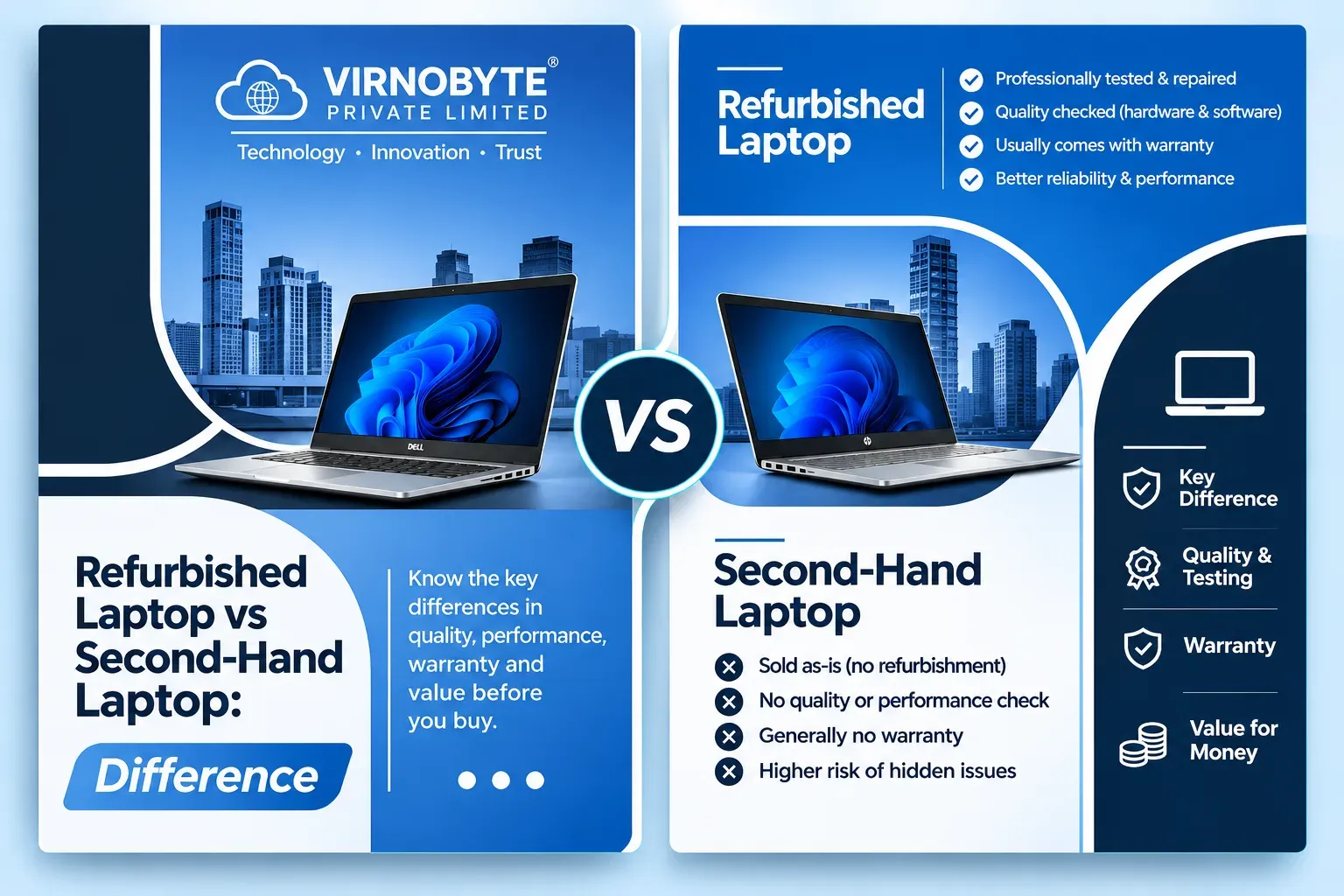
Refurbished Laptop vs Second-Hand Laptop: What's the Difference?
Confused between buying a refurbished laptop and a second-hand laptop? Understand the differences in quality, testing, repairs, price and warranty before choosing the right device.
When shopping for an affordable laptop, you will often come across two terms: refurbished laptop and second-hand laptop. Both refer to devices that have been previously owned or used, but the way they are prepared and sold can be different.
Some buyers prefer second-hand laptops because they are looking for the lowest possible price. Others choose refurbished laptops because they want a device that has been inspected, tested or repaired before resale.
But does refurbished always mean better quality? Is a second-hand laptop a risky purchase? Which option is better for students, office employees and business owners?
In this guide, we will explain the difference between refurbished and second-hand laptops, compare their advantages and disadvantages, and help you decide which one is right for your requirements.

Understanding laptop condition and testing is important before purchasing a used device.
What Is a Second-Hand Laptop?
A second-hand laptop is a computer that has been previously owned or used by another person or organisation and is being sold again.
For example, a company may replace its office laptops after a few years. Employees may also sell their personal laptops when upgrading to a newer model. These previously used devices can enter the second-hand market.
A second-hand laptop may be sold directly by its previous owner or through a computer shop. The amount of inspection and maintenance performed before resale varies.
Common Characteristics of Second-Hand Laptops
- The laptop has been previously used.
- It may have visible scratches or signs of wear.
- The battery may have reduced capacity.
- The seller may or may not test every hardware component.
- Repairs may not have been performed before resale.
- Warranty may not be available.
- The selling price may be lower than a comparable refurbished device.
A second-hand laptop can still be a good purchase if it is in good working condition and has been properly checked before payment.
What Is a Refurbished Laptop?
A refurbished laptop is generally a previously owned or returned device that has gone through some form of inspection, testing, cleaning or repair before being offered for resale.
The exact refurbishment process depends on the seller. Some sellers perform detailed hardware testing and replace faulty components, while others may carry out only basic checks and cleaning.
For example, a refurbished Dell Latitude laptop may be inspected for display problems, keyboard faults, battery condition, SSD health, charging issues and connectivity before being sold again.
Common Characteristics of Refurbished Laptops
- The laptop has previously been owned, used or returned.
- It may undergo inspection and functional testing.
- Faulty components may be repaired or replaced.
- The laptop may be cleaned and prepared for resale.
- Its cosmetic condition may be graded by the seller.
- Some sellers provide a limited warranty.
- The selling price may be higher than an untested second-hand laptop.
Refurbished Laptop vs Second-Hand Laptop: Main Differences
The biggest difference is usually the preparation process before resale. A second-hand laptop may be sold in its existing condition, while a refurbished laptop is generally marketed as having undergone inspection, cleaning or repair.
| Feature | Second-Hand Laptop | Refurbished Laptop |
|---|---|---|
| Previous ownership | Previously owned or used | Previously owned, used or returned |
| Inspection | May be limited or not documented | Generally marketed as inspected or tested |
| Repairs | Not necessarily repaired | May have faulty parts repaired or replaced |
| Cleaning | Depends on seller | Often cleaned before resale |
| Cosmetic condition | Can vary significantly | May have a condition grade |
| Battery health | Must be checked | Must also be checked and verified |
| Warranty | May not be available | Some sellers offer limited warranty |
| Price | Can be lower | May be slightly higher |
| Quality assurance | Depends on seller and inspection | Depends on the actual refurbishment process |
Which Laptop Is Cheaper?
In many cases, a second-hand laptop is cheaper because it may be sold without extensive testing, repairs or a seller-backed warranty.
A refurbished laptop may cost more because the seller may have spent time and money inspecting, repairing, cleaning and preparing the device for resale.
However, the price difference depends on the exact model, processor, RAM, SSD, battery health, cosmetic condition and warranty.
Example: Comparing Two Similar Laptops
| Feature | Second-Hand Example | Refurbished Example |
|---|---|---|
| Model | Dell Latitude 5400 | Dell Latitude 5400 |
| Processor | Intel Core i5 8th Gen | Intel Core i5 8th Gen |
| RAM | 8GB | 8GB |
| Storage | 256GB SSD | 256GB SSD |
| Condition | Previously used; inspection details unknown | Advertised as inspected and tested |
| Warranty | Not included in this example | Seller may offer limited warranty |
| Price | May be lower | May be higher |
This is an illustrative comparison, not a live price quotation. The refurbished example is only a better proposition if the seller can explain and support the inspection and warranty claims.
Advantages of Buying a Second-Hand Laptop
1. Lower Purchase Price
Second-hand laptops can be more affordable than refurbished devices with similar specifications. They may suit buyers with a limited budget.
2. More Negotiation Opportunities
When purchasing directly from an owner or local seller, you may be able to negotiate the price depending on the laptop's age, condition and included accessories.
3. Suitable for Basic Tasks
A properly working second-hand laptop can handle browsing, documents, online classes, email and other everyday activities.
4. More Model Choices
You may find different business laptop models and configurations in the used market. This can help you compare several options within your budget.
Disadvantages of Buying a Second-Hand Laptop
- Unknown history: The previous usage and repair history may not be available.
- Battery wear: An older battery may provide limited backup.
- Hidden faults: Problems may appear after purchase if the laptop has not been properly tested.
- Limited warranty: Some sellers may not provide any warranty.
- Repair expenses: You may need to spend additional money on a battery, keyboard, charger or storage replacement.
Advantages of Buying a Refurbished Laptop

1. Inspection Before Resale
A reputable refurbisher should be able to explain which components were tested and what inspection process was followed.
2. Repairs May Already Be Completed
If a faulty keyboard, storage drive or other component was identified during inspection, the seller may have repaired or replaced it before resale. Ask for details of any replacement parts.
3. Warranty May Be Available
Some refurbished laptop sellers provide a limited warranty. This can offer additional reassurance, provided the coverage and exclusions are clearly documented.
4. Convenient for Professional Use
Refurbished business laptops from Dell, HP and Lenovo can be useful for office employees, students and small businesses when their specifications and condition are suitable.
Disadvantages of Buying a Refurbished Laptop
- Higher price in some cases: Refurbishment and testing can increase the selling price.
- Quality varies: The actual inspection process differs between sellers.
- Battery may still be used: Refurbishment does not automatically mean a new battery.
- Cosmetic marks: Some refurbished laptops may have scratches or signs of previous use.
- Warranty exclusions: Battery, physical damage and accessories may have separate warranty conditions.
Which Brands Are Best for Refurbished and Second-Hand Laptops?
Dell, HP and Lenovo are popular choices in the used business laptop market. These brands offer several business-oriented laptop ranges that are worth comparing.
Dell Latitude
Dell Latitude laptops are designed for business and office environments. Models such as Latitude 5400, 5410 and 5420 are worth exploring depending on your budget and requirements.
- Suitable for office applications and everyday work.
- Different configurations are available with Core i5 and Core i7 processors.
- Check battery health, SSD condition and RAM upgrade options.
HP EliteBook and ProBook
HP EliteBook and ProBook models are designed for professional and business use. They are worth considering for office work, online meetings and daily productivity.
- Compare EliteBook 840 and ProBook 440 series models.
- Check display resolution and processor generation.
- Verify RAM upgrade options and battery condition.
Lenovo ThinkPad
Lenovo ThinkPad laptops are popular among professionals and programmers because of their business-oriented design and keyboard experience.
- Consider ThinkPad T480, T490 and T14 models.
- Suitable for documentation, programming and productivity, depending on configuration.
- Check memory limitations and physical condition.
How to Check a Refurbished or Second-Hand Laptop Before Buying
Regardless of whether you choose refurbished or second-hand, inspecting the laptop is essential. A good model can still be a poor purchase if its individual unit has hidden problems.
1. Check the Processor
Verify the full processor model and generation through Windows Settings or System Information. Do not choose only by the Core i5 or Core i7 label.
2. Check RAM
Confirm the installed RAM capacity and whether it can be upgraded. For multitasking and professional use, 16GB is a useful target.
3. Check SSD Health
Ask for an SSD health report. A SMART monitoring tool such as CrystalDiskInfo can help identify drive warnings and health indicators.
4. Check Battery Health
On Windows, open Command Prompt and enter:
powercfg /batteryreportCompare the battery's Design Capacity with its Full Charge Capacity. This provides an indication of battery wear.
5. Inspect the Display
- Look for dead pixels and coloured lines.
- Check for flickering and uneven brightness.
- Inspect for pressure marks and screen damage.
6. Test the Keyboard and Touchpad
Test every keyboard key, touchpad clicking, scrolling and gestures. Replacing certain laptop keyboards can be expensive.
7. Check Connectivity and Ports
Test USB ports, HDMI, charging, Wi-Fi, Bluetooth, webcam, microphone and speakers.
8. Check the Body and Hinges
Inspect the laptop for cracks, loose hinges, damaged screws and signs of liquid damage.
9. Verify Operating System and Ownership Status
Check Windows activation and official Windows 11 compatibility. Confirm that there is no unknown BIOS password or organisation management lock. For MacBooks, verify that the previous owner's Apple Account and Activation Lock have been removed.
10. Ask for Invoice and Warranty
Get a proper purchase invoice and written details of the seller's warranty, exclusions and return policy.
Which Is Better for Students, Professionals and Businesses?
| Buyer | Suggested Choice | What to Prioritise |
|---|---|---|
| Students | Either, depending on condition and budget | SSD, battery, webcam and suitable RAM |
| Office employees | Refurbished or thoroughly tested second-hand | Reliable keyboard, processor and warranty |
| Freelancers | Refurbished from a reputable seller | RAM, SSD and dependable performance |
| Small businesses | Refurbished business laptop | Invoice, warranty and consistent specifications |
| Basic home users | Good-condition second-hand laptop | Price, battery and basic functionality |
Where Should You Buy a Refurbished or Second-Hand Laptop?
You can purchase these laptops from local computer shops, specialist refurbishers, online marketplaces and sellers who deal in business laptop inventory.
If you are buying locally, compare sellers in your area and ask to inspect the exact device. If you are purchasing online, review actual photographs, product grading, return terms, warranty coverage and delivery conditions.
For buyers in Pune, you can explore computer retailers in Chikhali, Moshi, Bhosari, Pimpri-Chinchwad and central Pune. Contact the seller before visiting to confirm available models and prices.
Frequently Asked Questions (FAQs)
1. Is a refurbished laptop better than a second-hand laptop?
A refurbished laptop may offer more reassurance if the seller has performed documented testing and repairs and provides a written warranty. However, quality depends on the actual inspection process. A well-maintained second-hand laptop can also be a good purchase.
2. Are refurbished laptops previously used?
Many refurbished laptops have been previously used or owned. Some may also be customer returns or devices that have been repaired and prepared for resale.
3. Do refurbished laptops come with a warranty?
Some sellers provide a limited warranty. The duration, coverage and exclusions vary, so always ask for written terms before purchasing.
4. Is a second-hand laptop safe to buy?
It can be safe if you inspect the hardware, verify ownership and operating system status, test the battery and obtain an invoice. Buying without testing increases the risk of hidden problems.
5. Why are refurbished laptops more expensive?
Some refurbished laptops cost more because the seller may have invested in inspection, cleaning, testing, repairs and warranty support. The actual value depends on what work was performed.
6. Can I upgrade a refurbished laptop?
Many models support SSD upgrades, and some support RAM upgrades. However, certain laptops have soldered memory or limited expansion options. Check the exact model before buying.
7. Which is better for office use: refurbished or second-hand?
A properly tested refurbished business laptop can be a convenient choice for office use, especially if the seller provides a clear invoice and warranty. A well-maintained second-hand laptop can also work if it passes all checks.
8. What should I check before buying a refurbished laptop?
Check the processor, RAM, SSD health, battery, display, keyboard, ports, charger, operating system activation, ownership locks and written warranty.
Conclusion: Which One Should You Choose?
Both refurbished and second-hand laptops can offer good value, but the right choice depends on your budget and the condition of the individual device.
A second-hand laptop may be suitable if you want a lower purchase price and can inspect the device carefully. A refurbished laptop may be a better option if the seller provides documented testing, completed repairs and clear warranty support.
Do not make your decision based only on the word "refurbished" or "second-hand". Check the laptop's specifications, battery, SSD, physical condition and seller policies before paying.
Looking for a Refurbished Laptop in Pune?
Virnobyte Pvt. Ltd. provides computer-related services, laptop and desktop repair, hardware upgrades, and enquiries for new and refurbished laptops.
Contact us to enquire about currently available laptop models, configurations, prices and applicable warranty terms.
Virnobyte Pvt. Ltd.
Technology • Innovation • Trust
Address: Sadichha Complex, Sawtamali Temple Road, Jadhavwadi, Chikhali, Pune – 411062, Maharashtra
Phone: 8669883332
Email: info@virnobyte.com
Website: www.virnobyte.com
Contact Virnobyte to discuss your laptop requirements.